QuellCut app icon QuellCut - Silence Remover
iPhone and iPad

Remove silence from audio for free, or from video with QuellCut

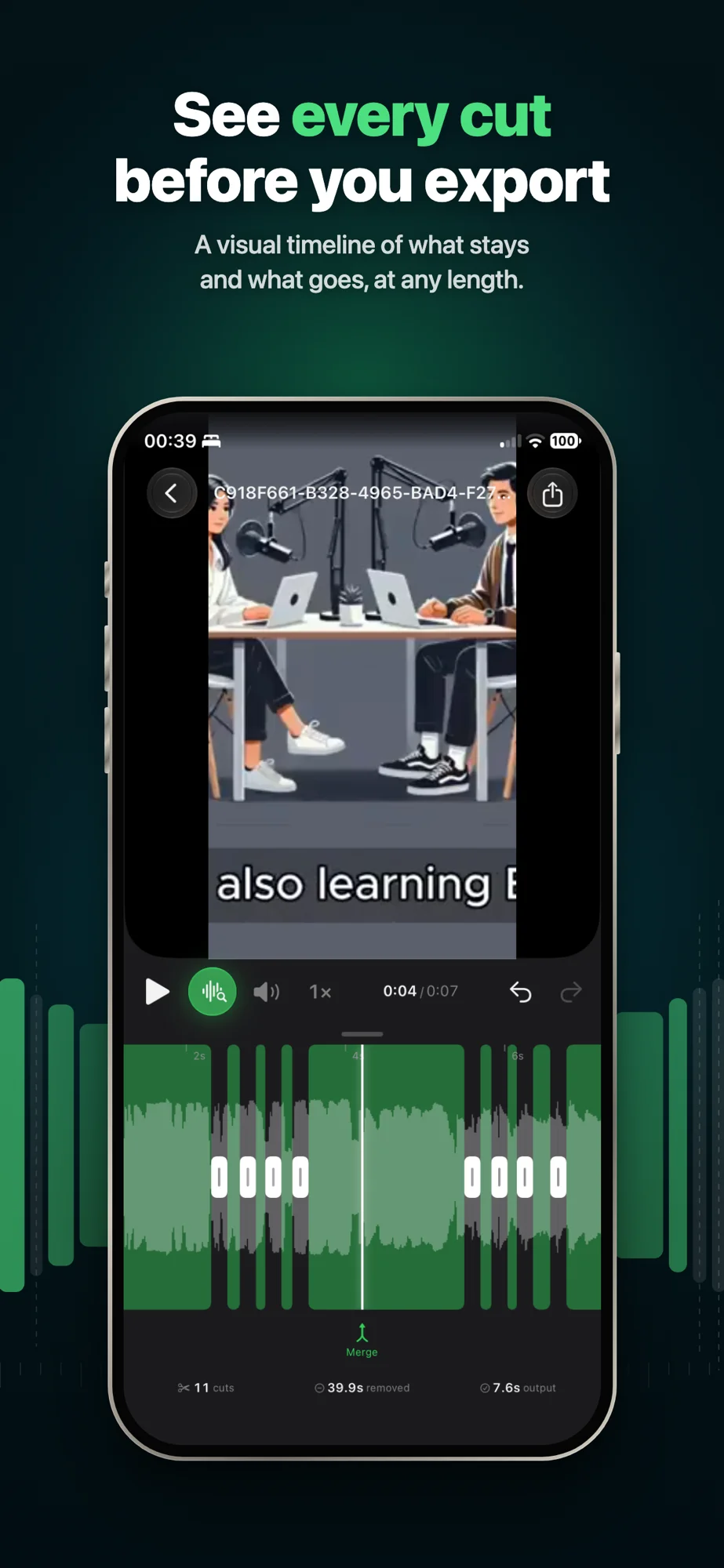
The free remove silence tool cuts the pauses out of an audio file in your browser and gives you a WAV, with nothing uploaded. QuellCut, for iPhone and iPad, does this to video as well as audio. It also finds filler words and repeated takes, and shows every cut on a timeline before you export.
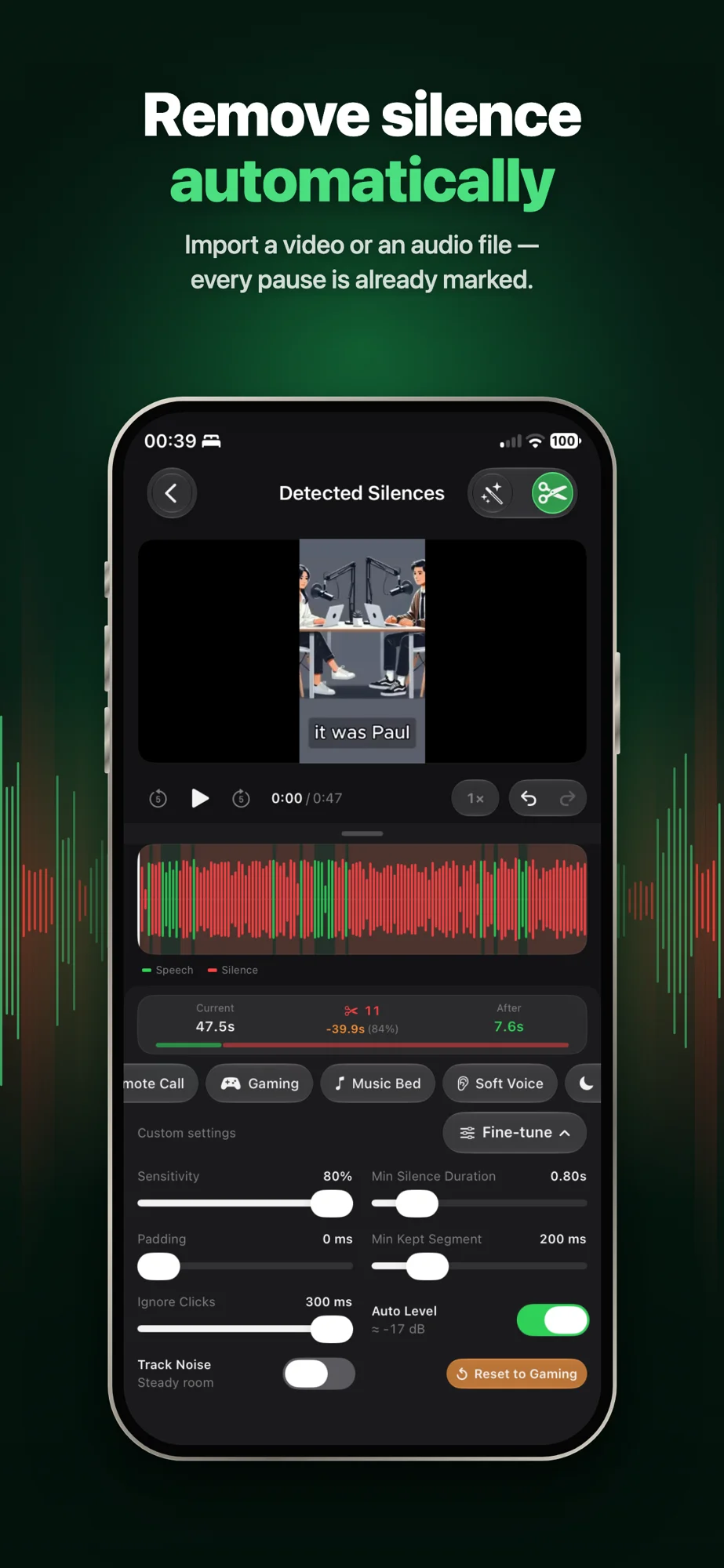
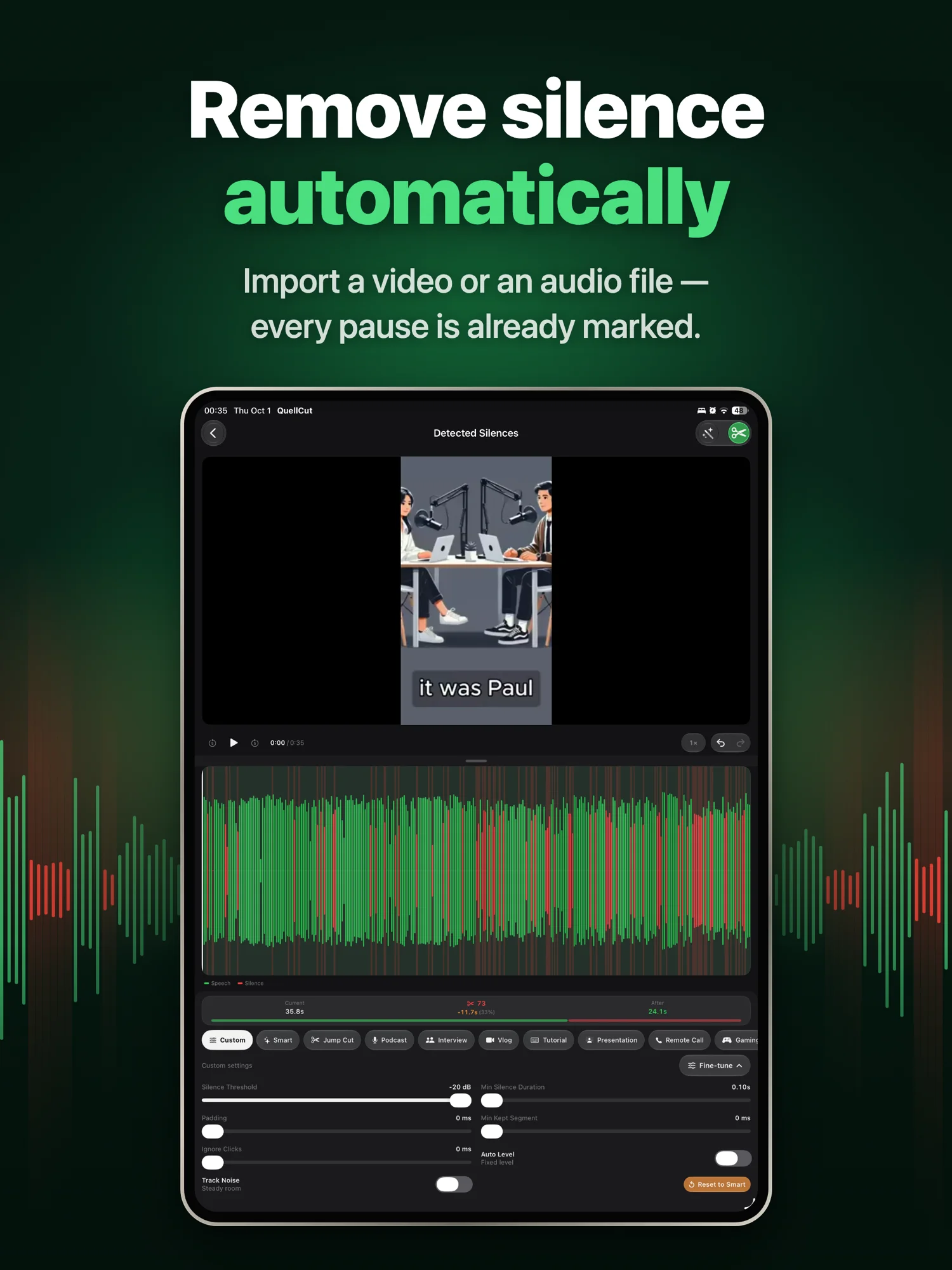
QuellCut Detected Silences screen with the pauses marked in red on the waveform under the video
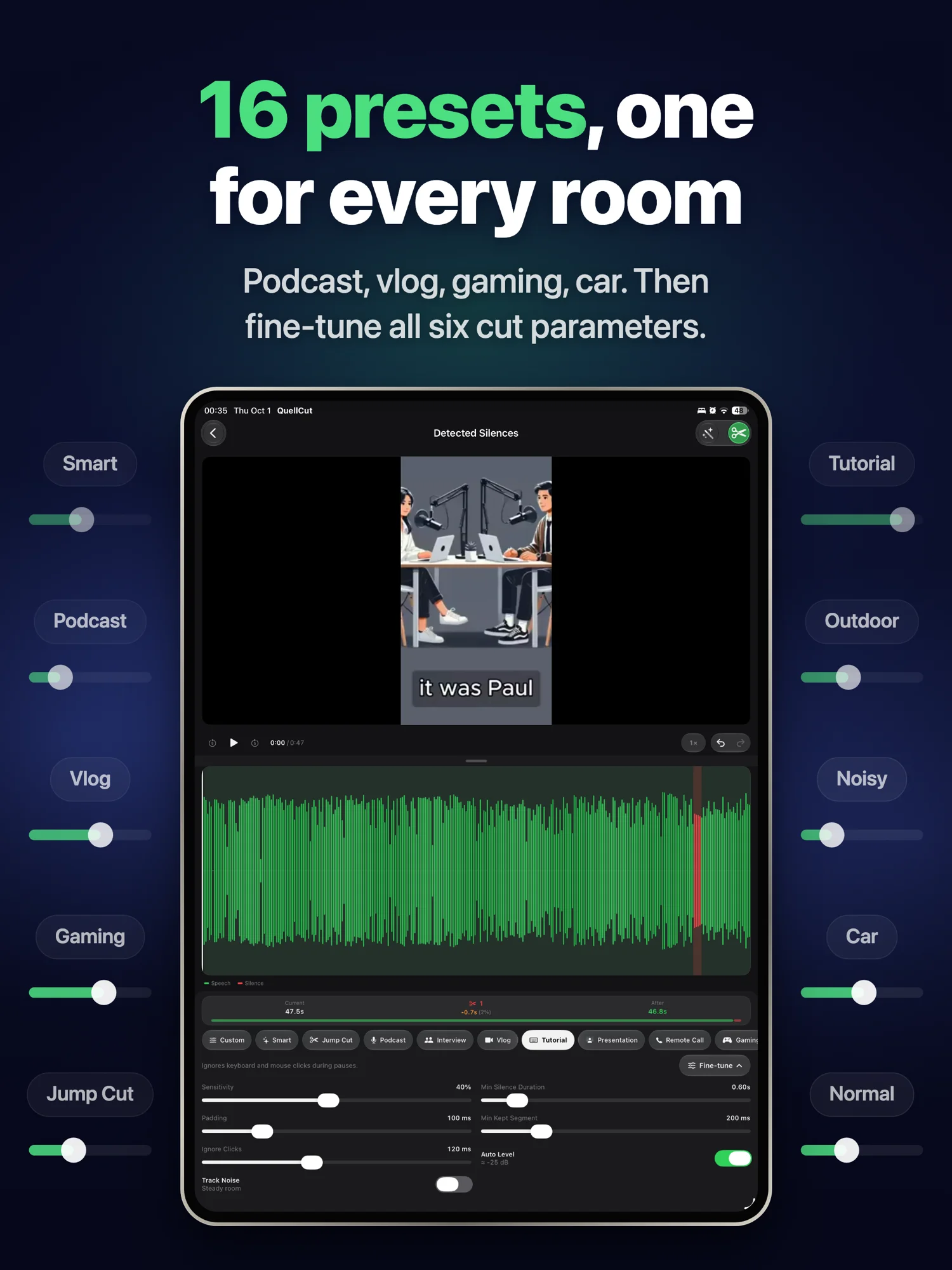
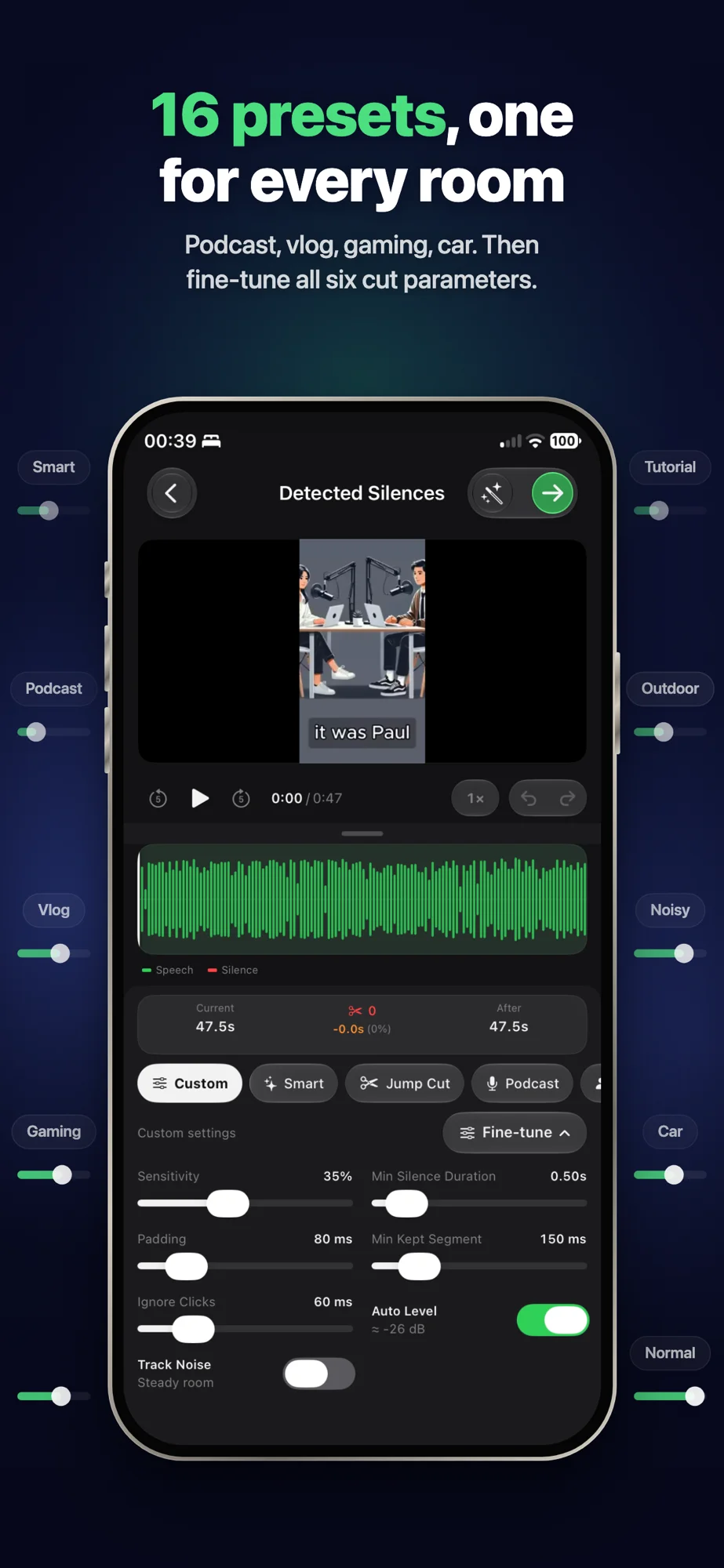
Mode presets such as Smart, Podcast and Jump Cut with sliders to fine-tune the cut

What the free remove silence tool does

  • Opens WAV, MP3, M4A, AAC, OGG or FLAC, or the sound track of a video file.
  • You set the level that counts as quiet, the shortest pause worth cutting and how much of each pause to keep.
  • Shades the parts that will go on the waveform and lets you hear the result next to the original.
  • Adds a short crossfade at each cut so the joins do not click.
  • Saves a 16-bit WAV, decoded in the browser with no upload.

Try the free remove silence from audio

What QuellCut adds on iPhone and iPad

  • It cuts the picture along with the sound, so a talking-head video comes out as a jump-cut edit.
  • Sixteen modes, from Jump Cut to podcast, interview and remote call, read each recording's own noise floor.
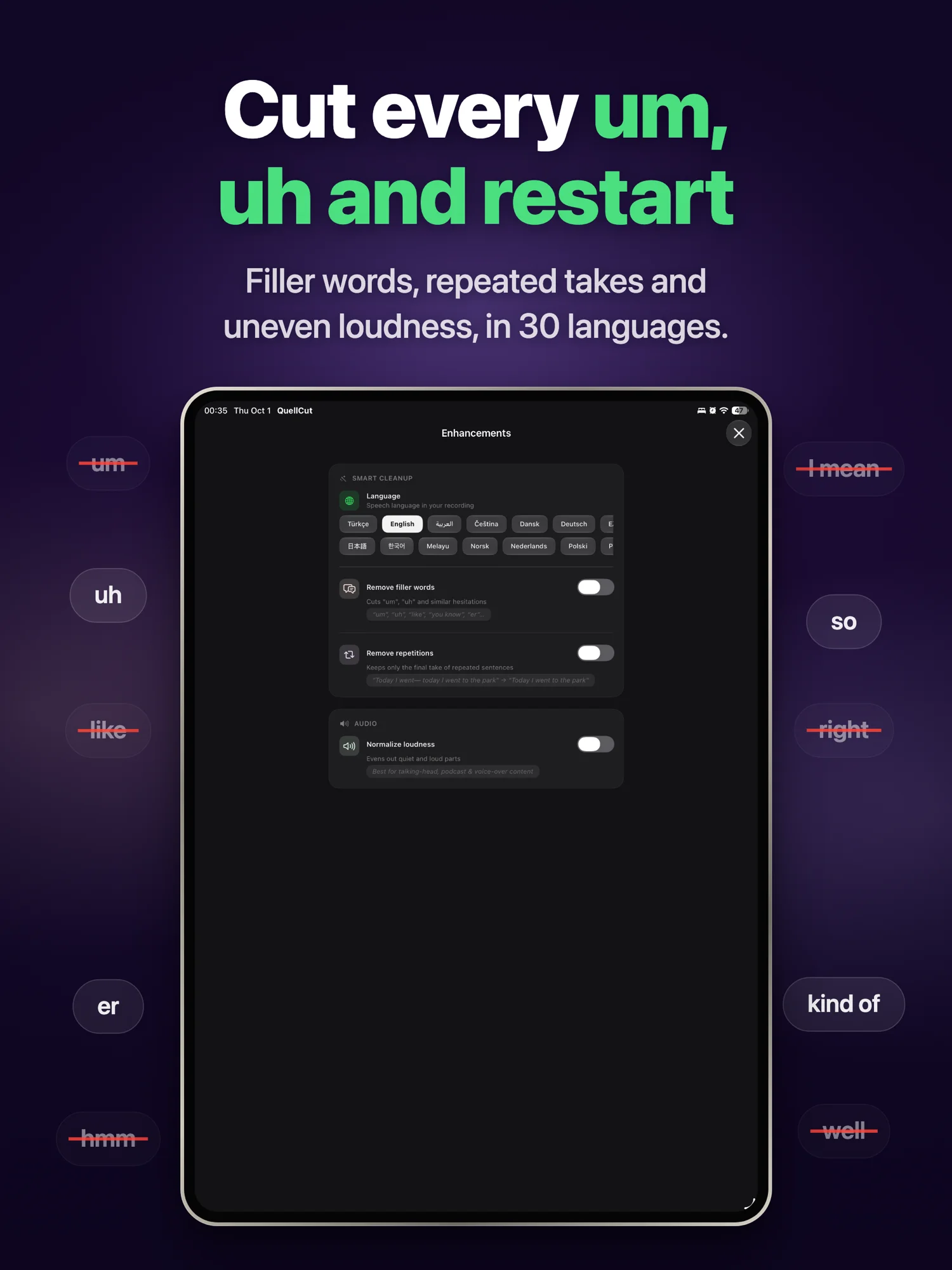
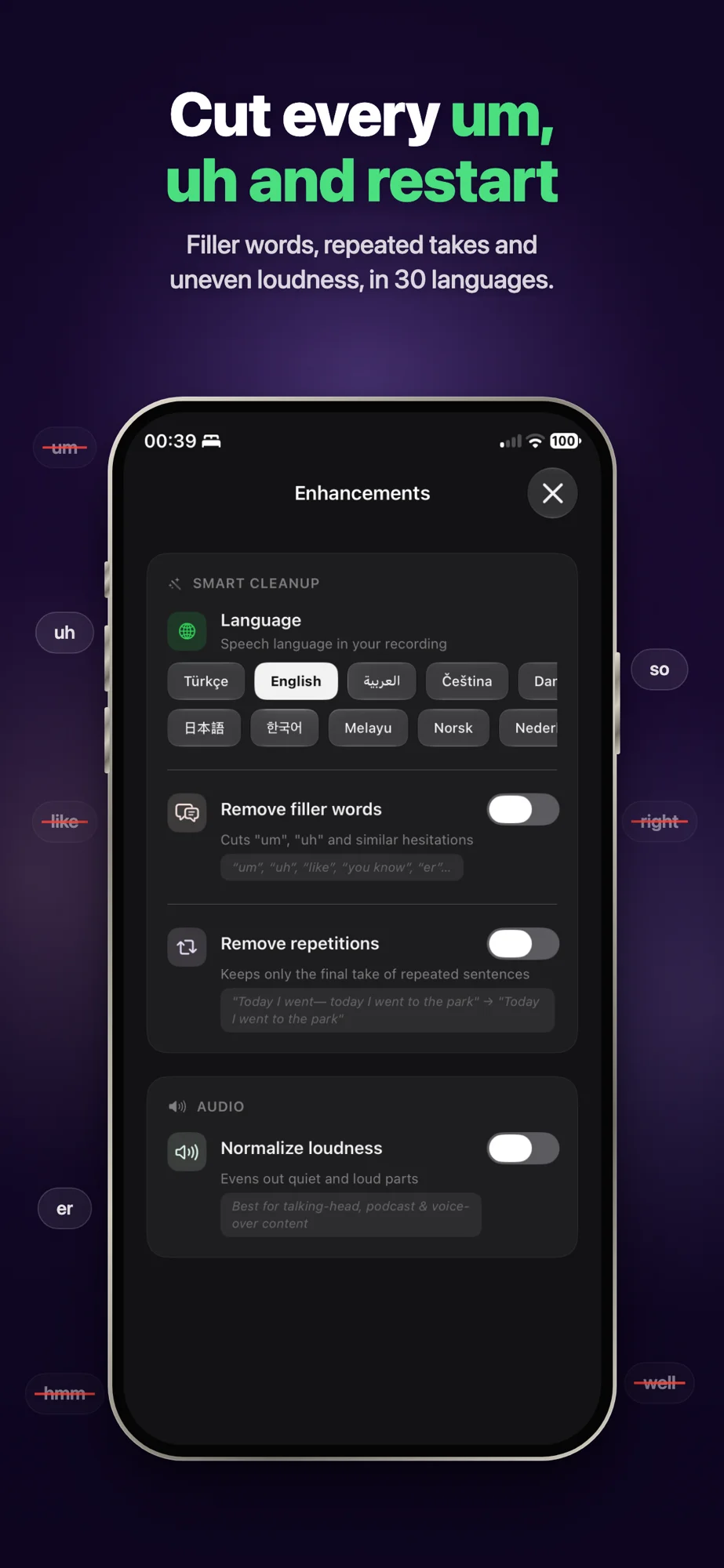
  • Filler words such as "um" and "uh" and repeated takes are found with Apple speech recognition on the device.
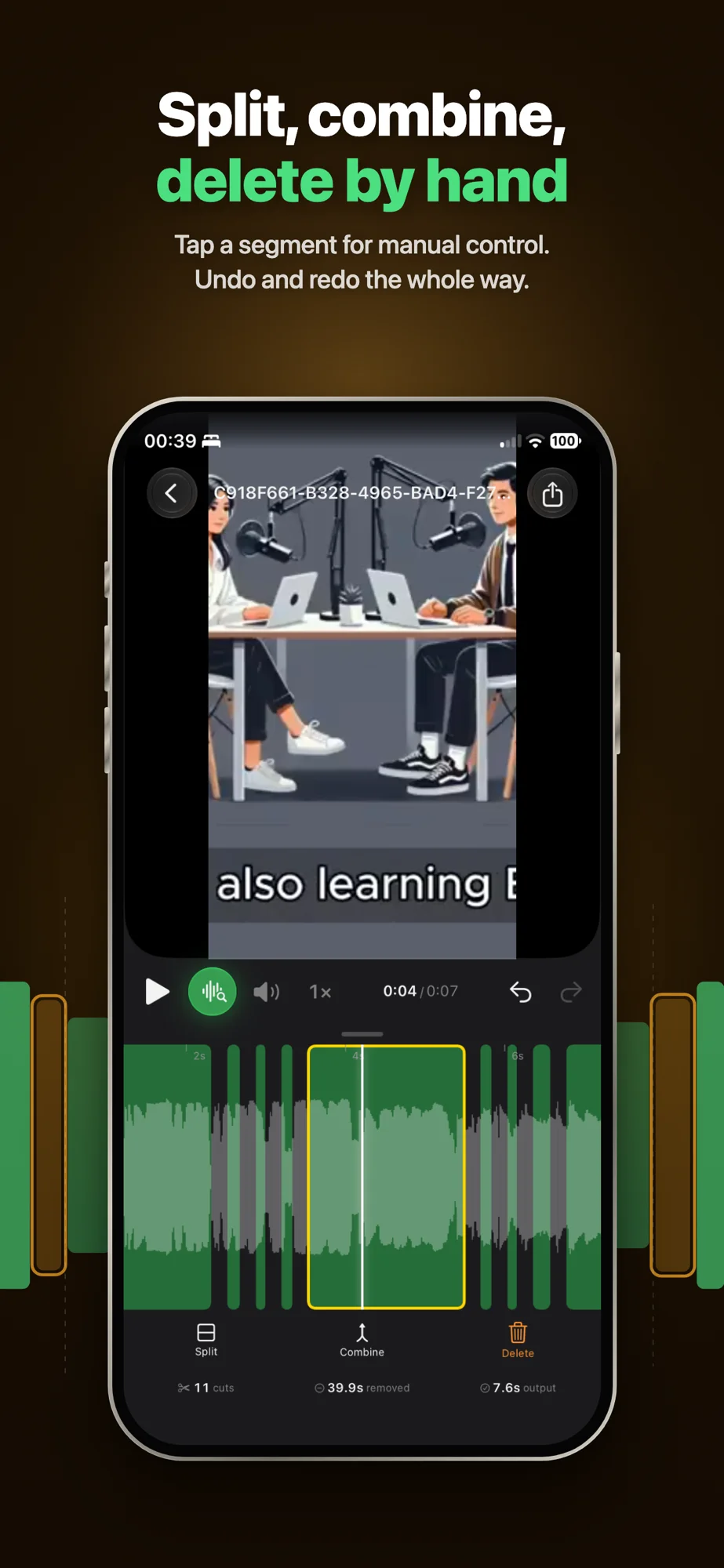
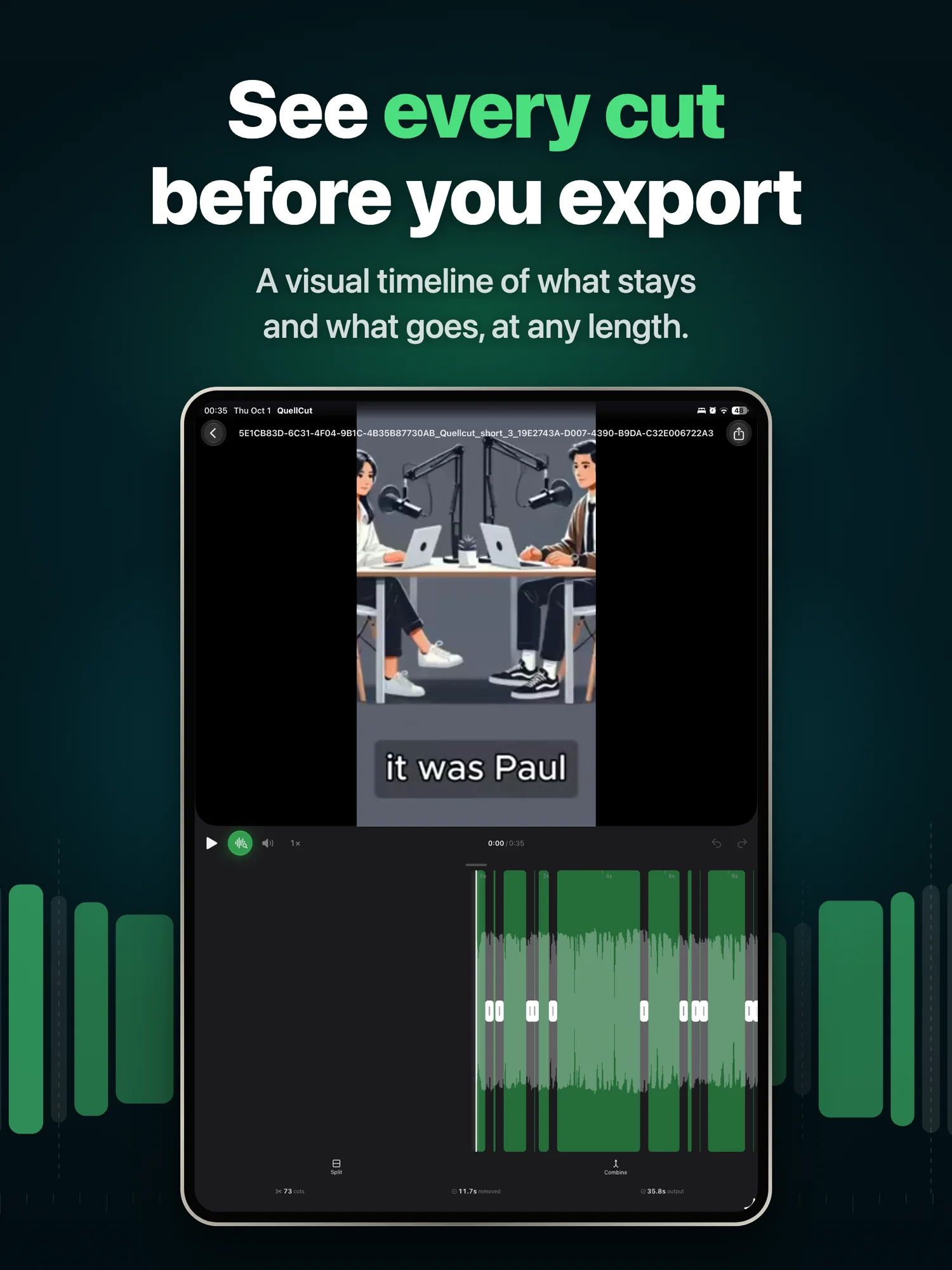
  • Every cut sits on a timeline where you can turn it off, split or combine segments, and undo.
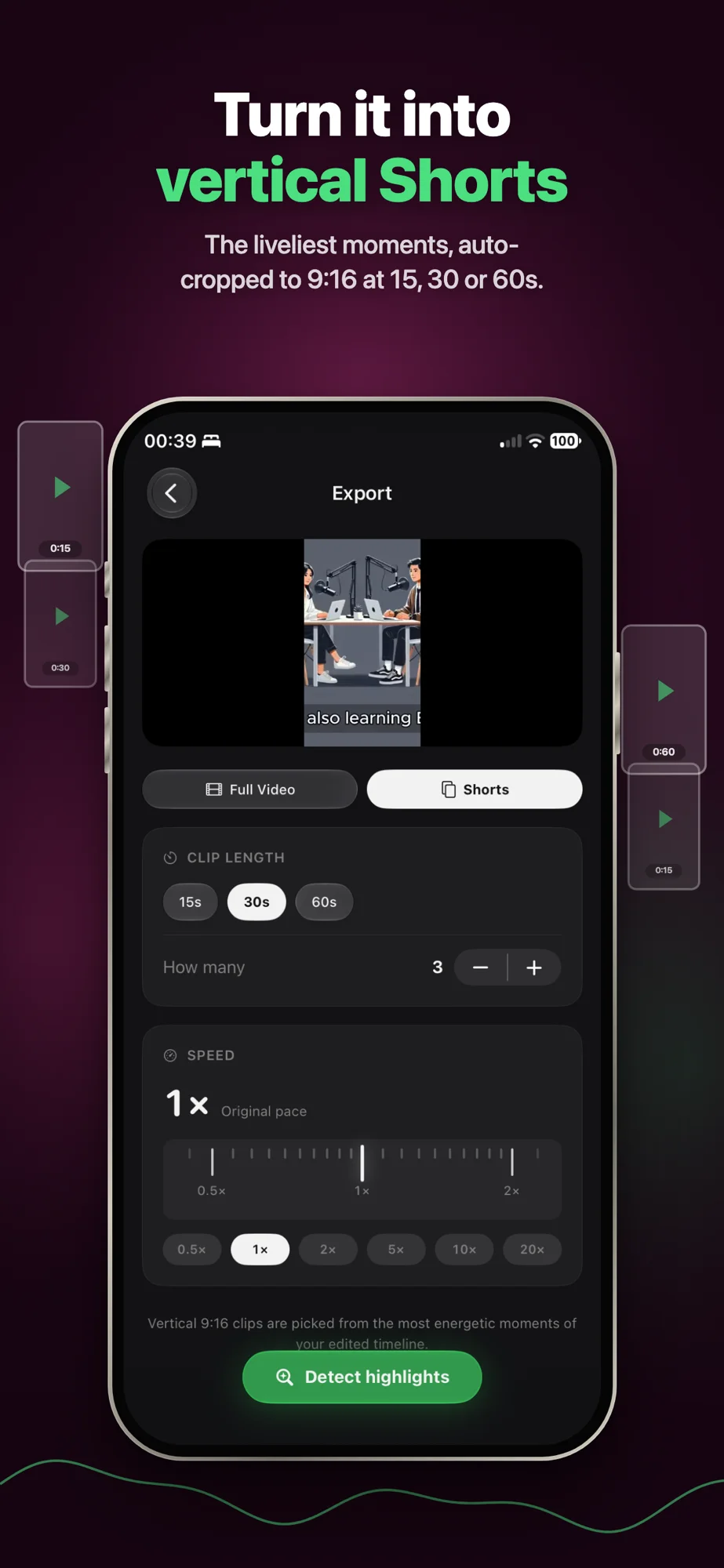
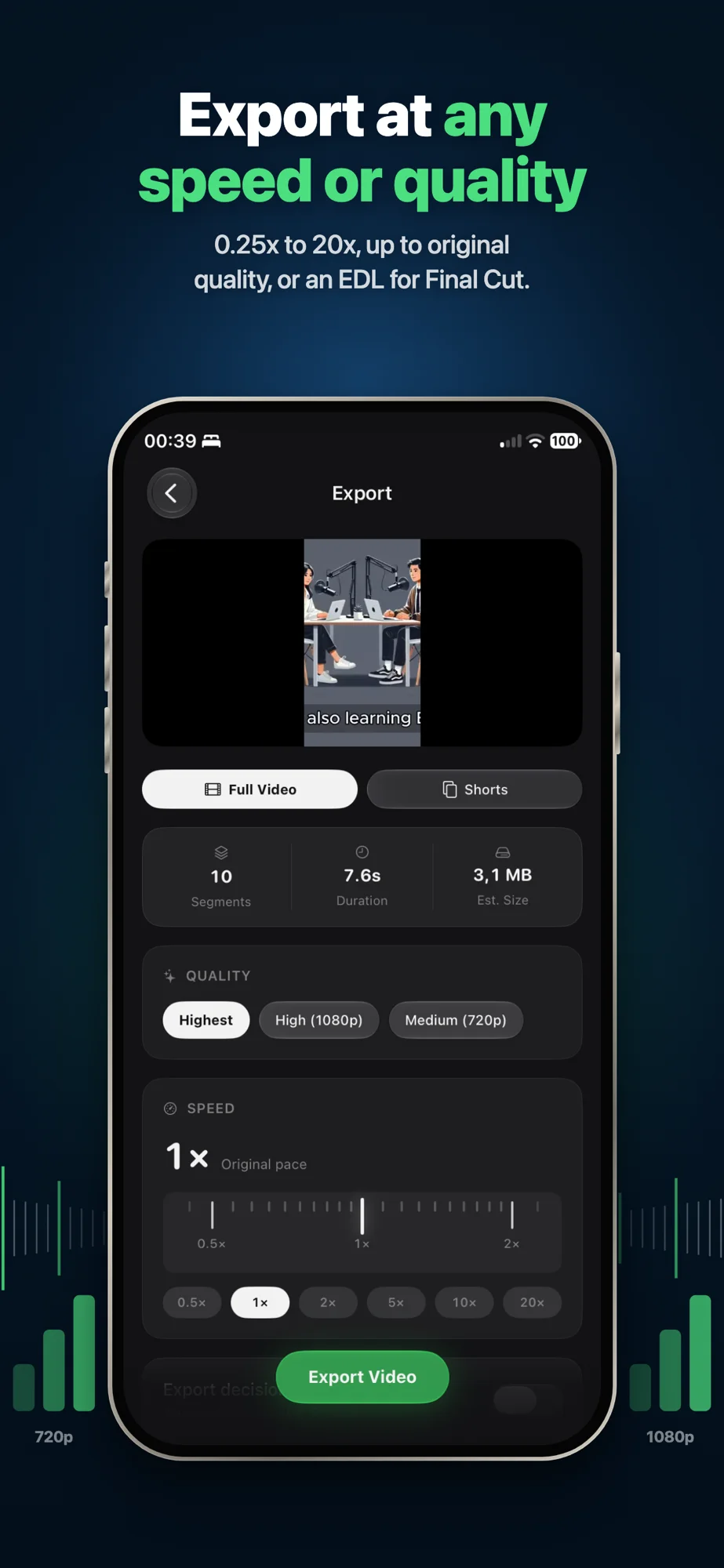
  • Exports include video to Photos, M4A, MP3 or WAV audio, SRT captions, vertical Shorts and an FCPXML or EDL timeline for Final Cut Pro or DaVinci Resolve.

Free tool or QuellCut: how they compare

Free toolQuellCut
Runs onAny browseriPhone and iPad
FilesAudio, or the sound track of a videoVideo and audio, including 4K and HDR from iPhone
RemovesSilences and long pausesSilences, filler words and repeated takes
ReviewBefore and after playbackA timeline where each cut can be turned on or off
Output16-bit WAVVideo, M4A, MP3 or WAV, SRT captions, Shorts, FCPXML or EDL
PriceFree, no sign-upFree download with 3 exports a month; QuellCut Pro or a Project Pass removes the limit

Which one to use

The free tool is enough

The free tool is enough for a podcast or voice note when a WAV file is all you need back.

Get QuellCut

Get QuellCut when the recording is a video, when you want the ums gone too, or when you want to check each cut before export.

QuellCut on the iPhone

Screens from the current version on the App Store.
QuellCut Detected Silences screen with the pauses marked in red on the waveform under the video
Mode presets such as Smart, Podcast and Jump Cut with sliders to fine-tune the cut
Enhancements sheet with language, remove filler words, remove repetitions and normalize loudness
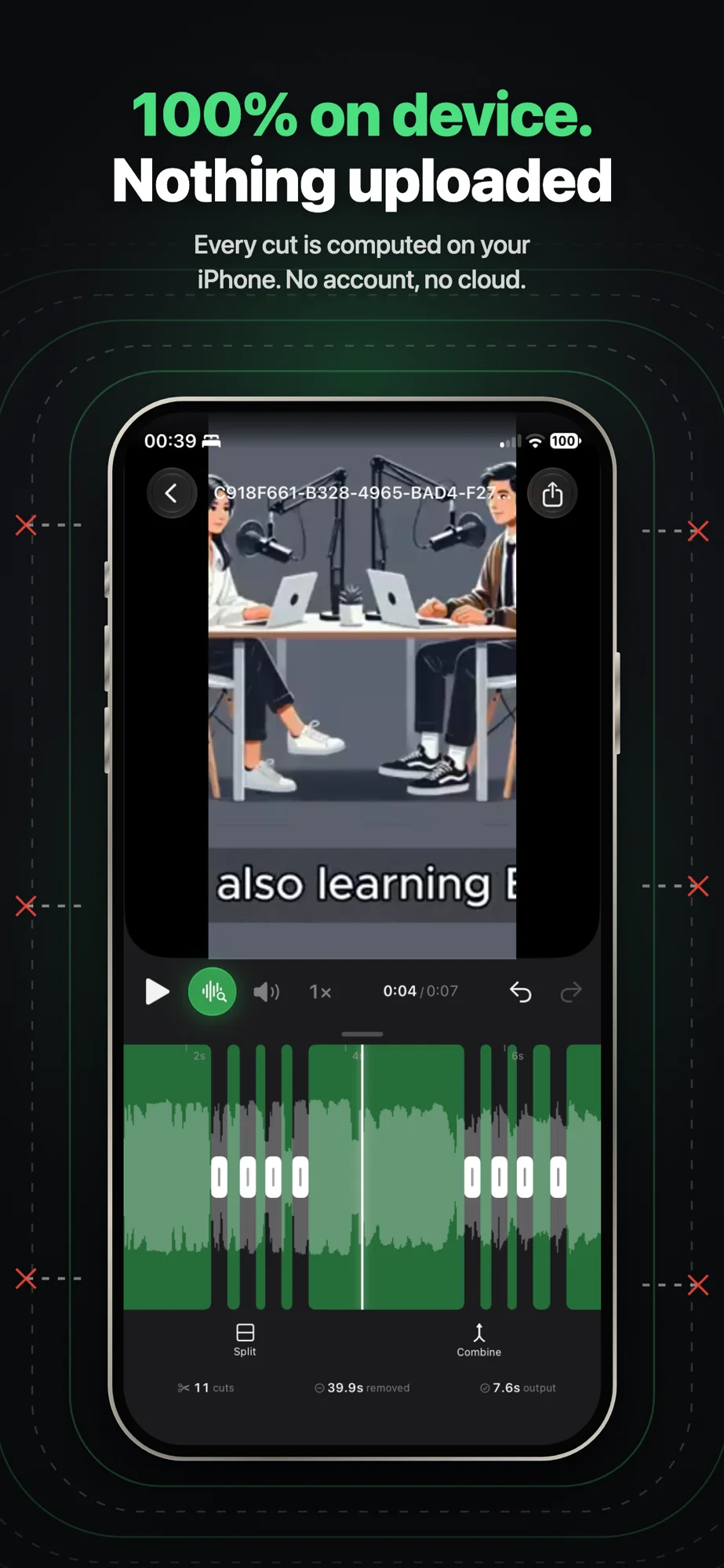
Timeline under the video showing what stays and what goes
A segment selected on the timeline to split, combine or delete by hand
Shorts export with clip lengths of 15, 30 or 60 seconds and a detect highlights button
Export screen with quality and playback speed settings
Finished edit on the timeline, processed on the iPhone

On the iPad

QuellCut, iPad 1
QuellCut, iPad 2
QuellCut, iPad 3
QuellCut, iPad 4

Free tools for the same job

They run in your browser, with no sign-up.

Silence detector

Lists every silence with timestamps, as CSV or Audacity labels.

Trim video

Cuts the start and end off an MP4 or MOV without re-encoding.

Questions

How do I remove silence from audio for free?

Drop the file on the remove silence tool, set the threshold, the shortest pause to cut and the padding to keep, then listen and download the WAV. The file stays on your device.

Why do the cuts sound clipped?

The threshold may be too high or the padding too short. Keep more padding beside the speech or lower the threshold and listen to a few joins again.

How do I find where the silences are without cutting them?

Use the silence detector. It lists each silence with timestamps, shows the total dead air and exports the list as CSV or Audacity labels.

Can QuellCut remove silence from video?

Yes. It cuts video and audio together, from a short clip to a recording several hours long, and exports to Photos or Files.

Is my recording uploaded by QuellCut?

No. Detection, editing and export run on your iPhone or iPad. There is no account.

QuellCut on the App Store

Free to download for iPhone and iPad.

QuellCut website