 Productivity
iOS and macOS
Cue: Teleprompter That Listens
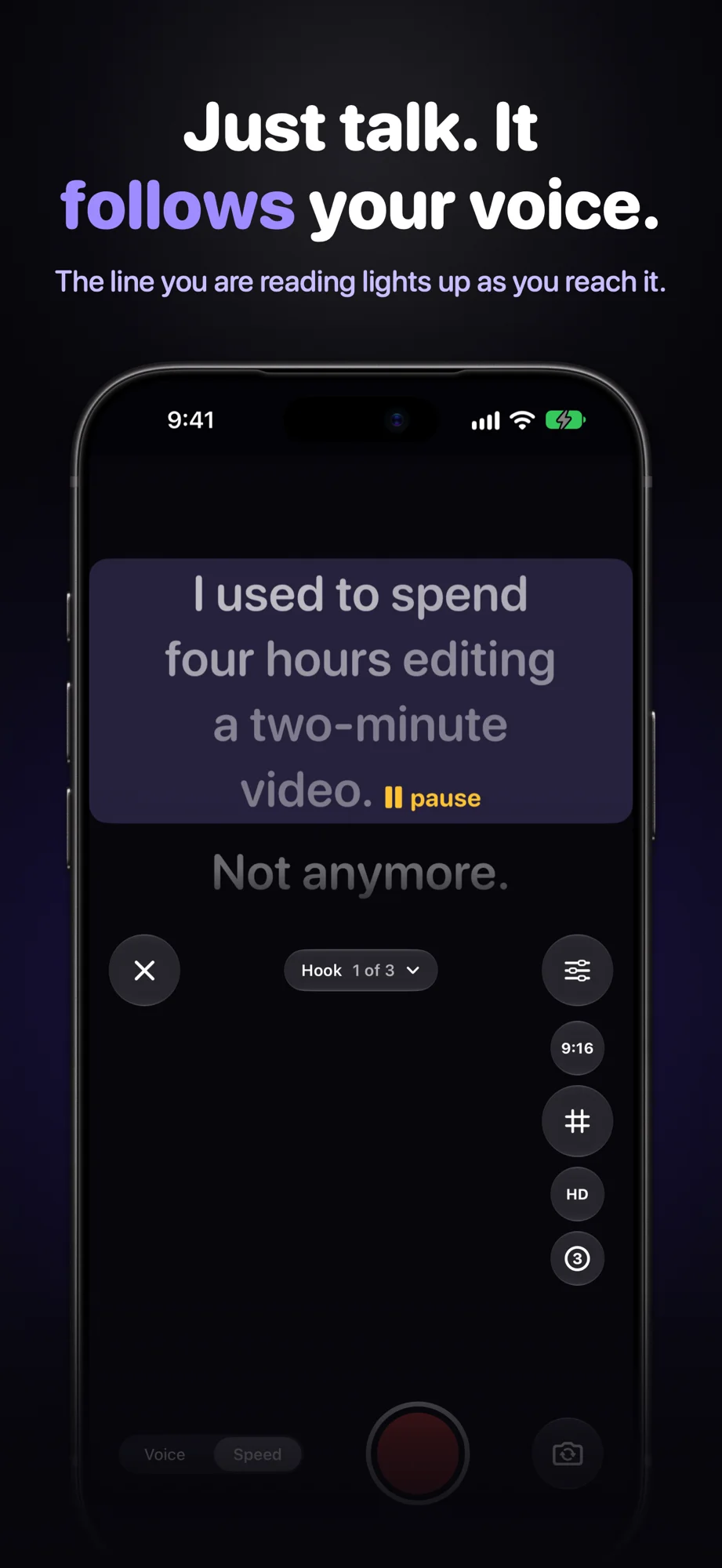
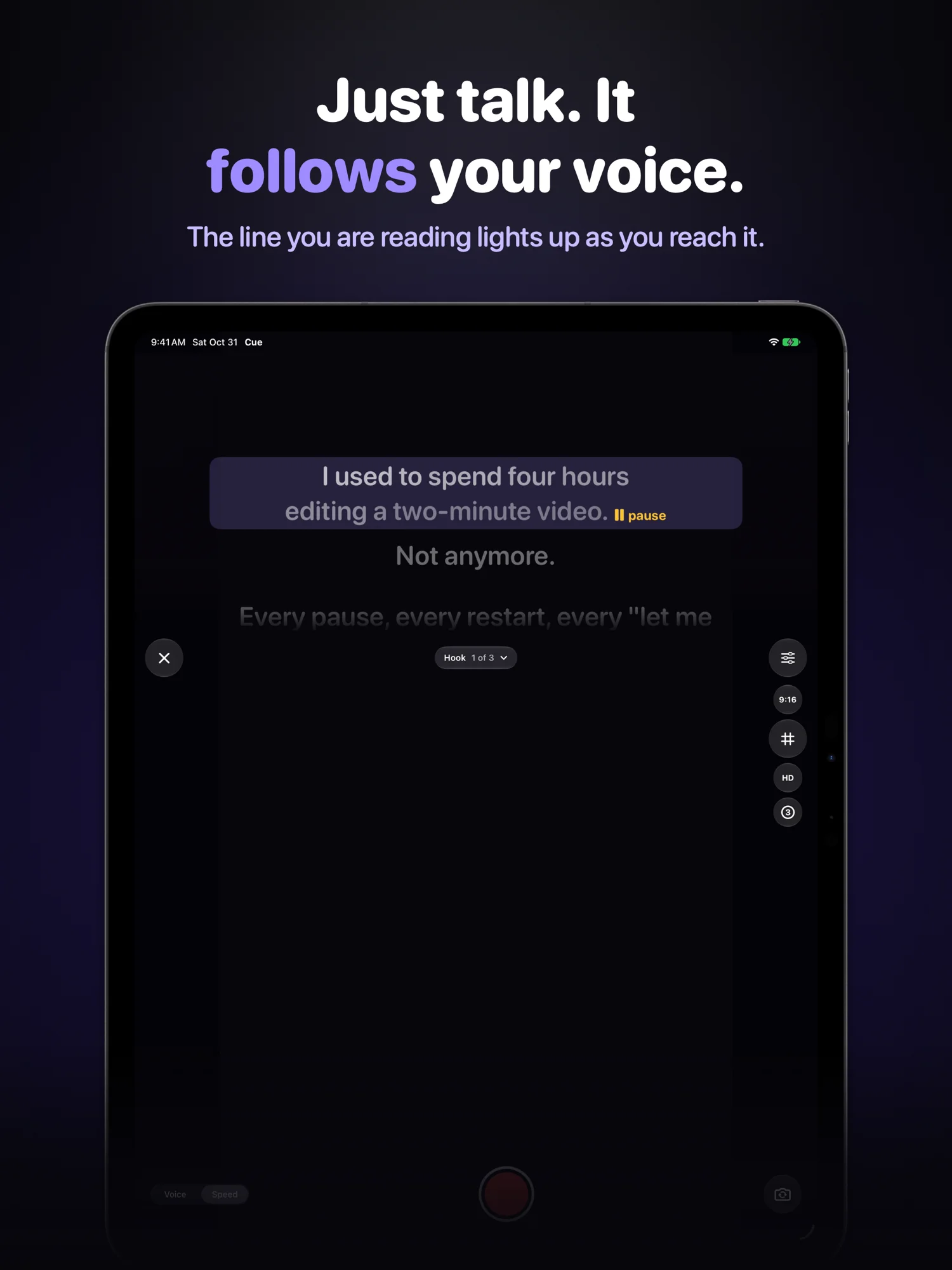
Cue is a teleprompter that listens. Read your script out loud and the words move with you: Cue waits when you pause, jumps back when you repeat a line, and keeps the line you are reading right under the camera, so you look at the lens instead of the page.
On the iPhone
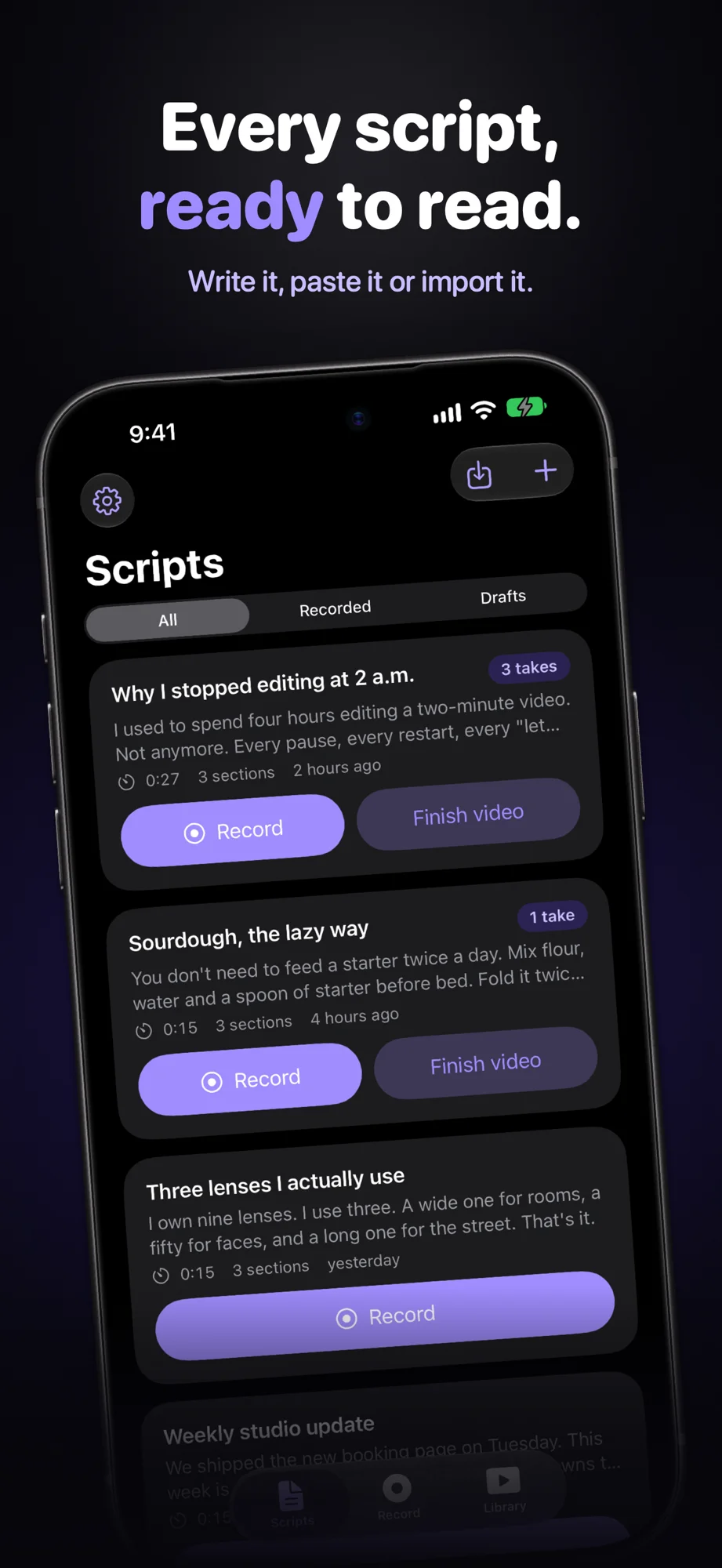
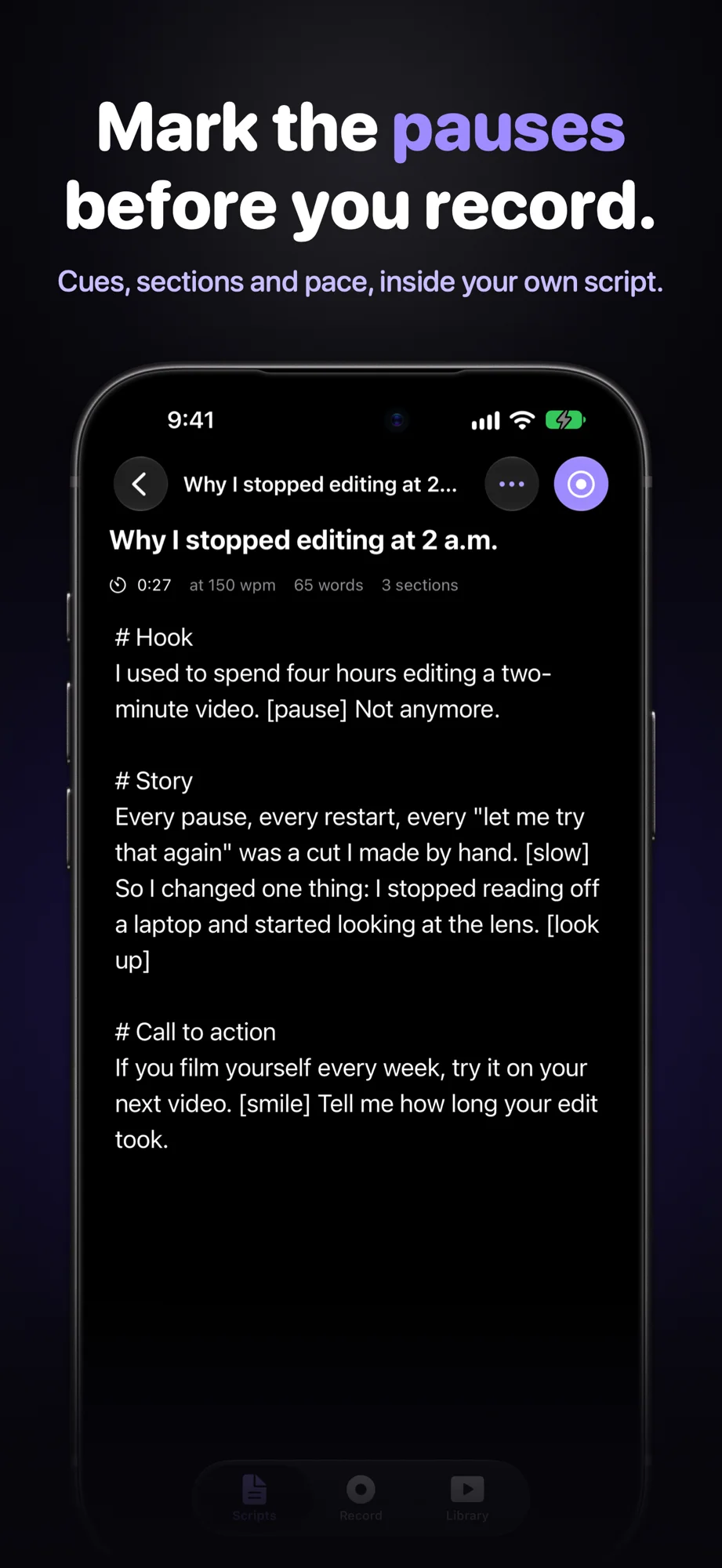
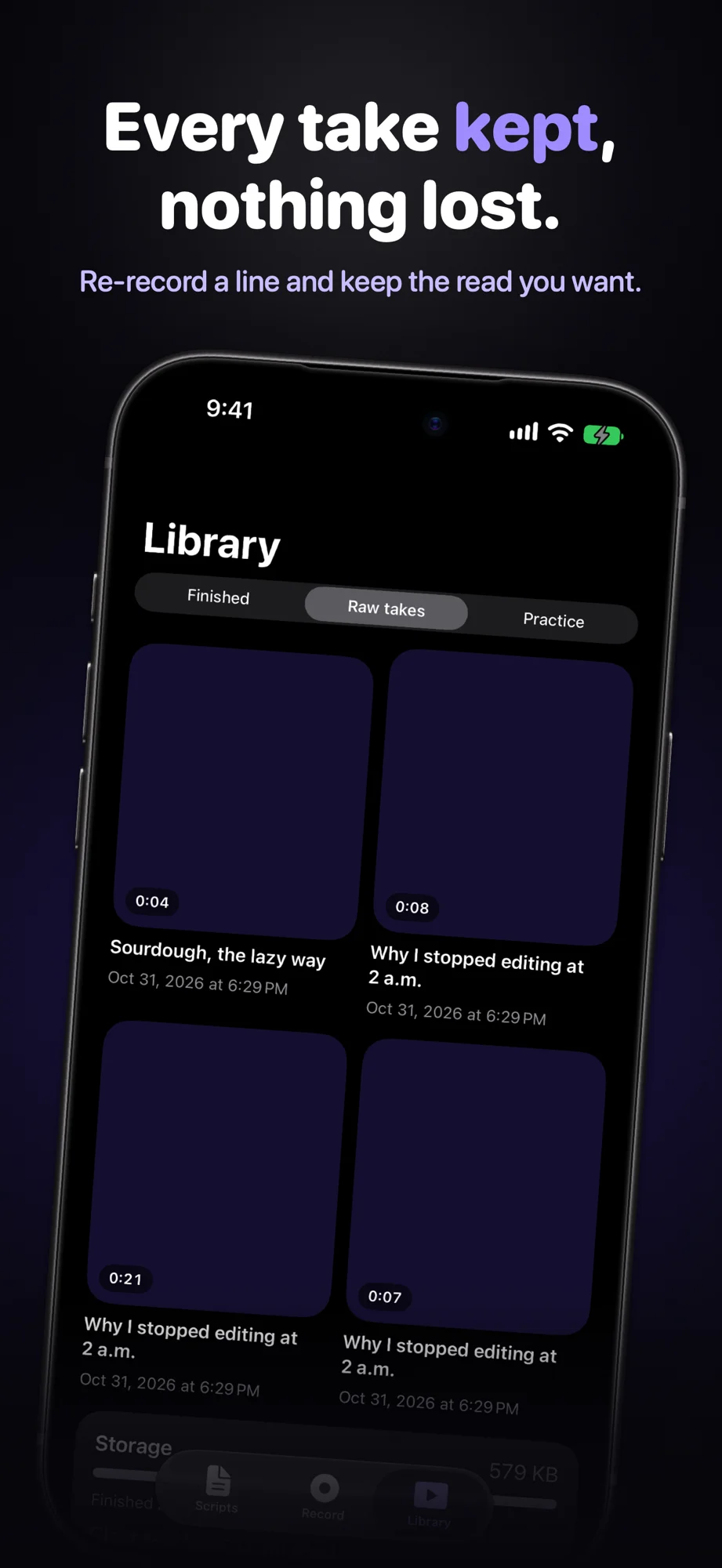
Screens from the current version on the App Store.
Cue at a glance
Voice Script Reader & Practice.
- Scrolls with your voice, recognized on your device where supported
- Waits when you pause and goes back when you restart a line
- The line you read stays right under the front camera
- Text from 20 to 96 pt, adjustable width and a mirror mode

How it works
Cue, from first tap to finished.
Write or import your script
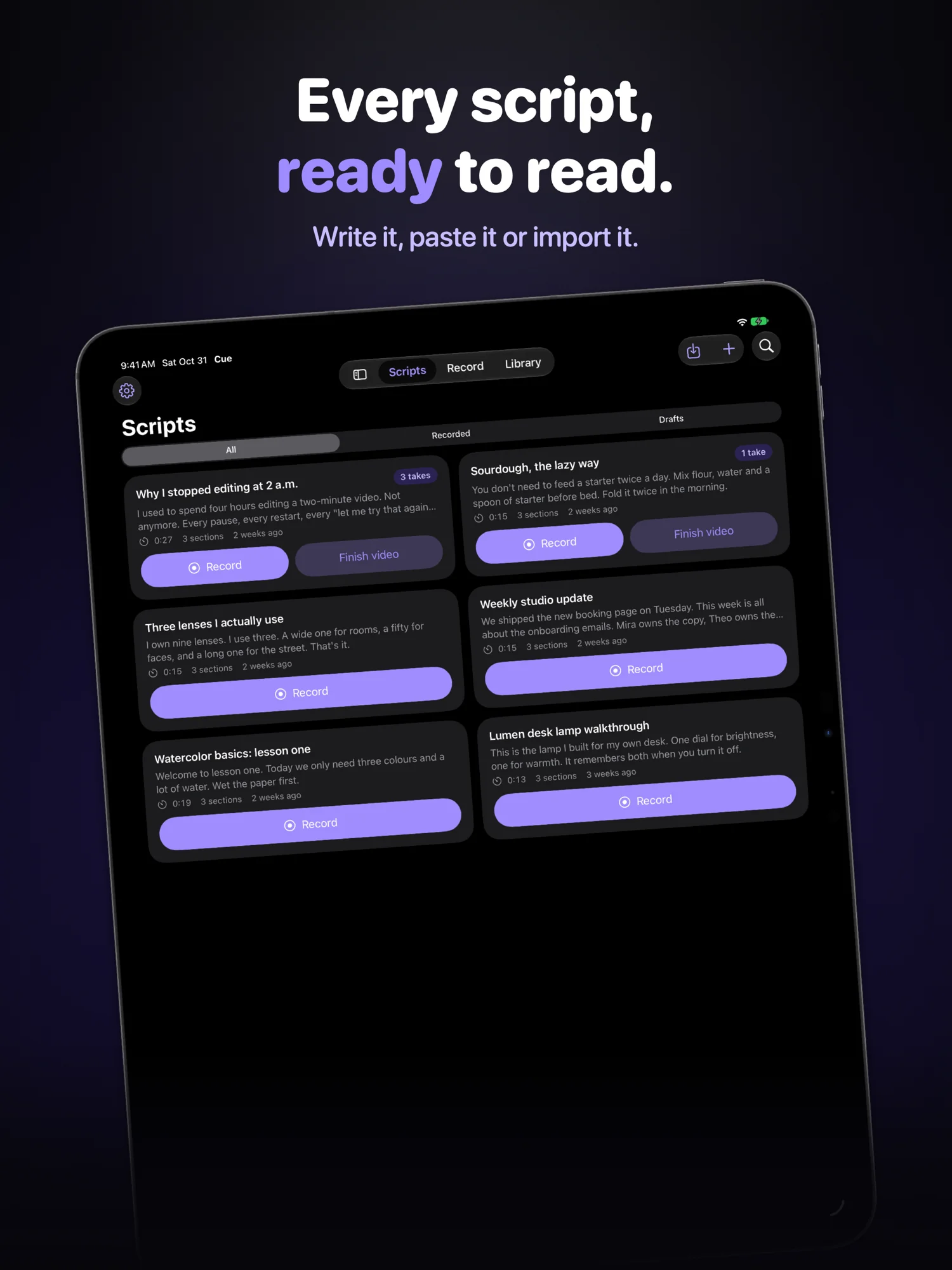
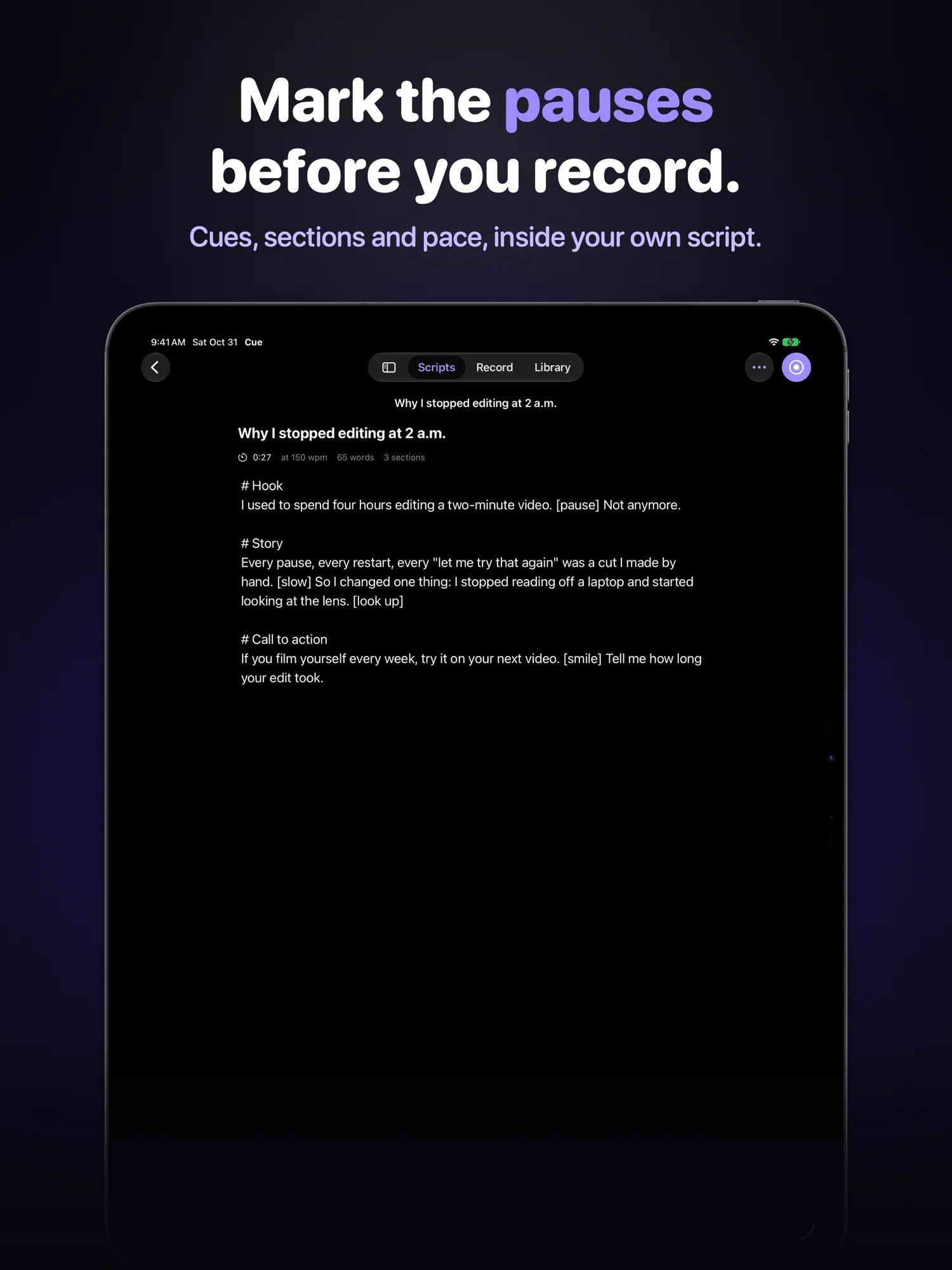
Write in the app, paste, or import text, Markdown, RTF or PDF. A # line starts a new section, and cues like [pause], [smile] or [look up] show where to breathe. On devices with Apple Intelligence, Rewrite makes it shorter, more casual or more formal.
Set up the shot
Choose the front or back camera and 9:16, 16:9 or 1:1, with a framing grid, a countdown and a microphone picker. The script sits right under the front camera in text from 20 to 96 pt, with a mirror mode for beam-splitter rigs.
Read it out loud
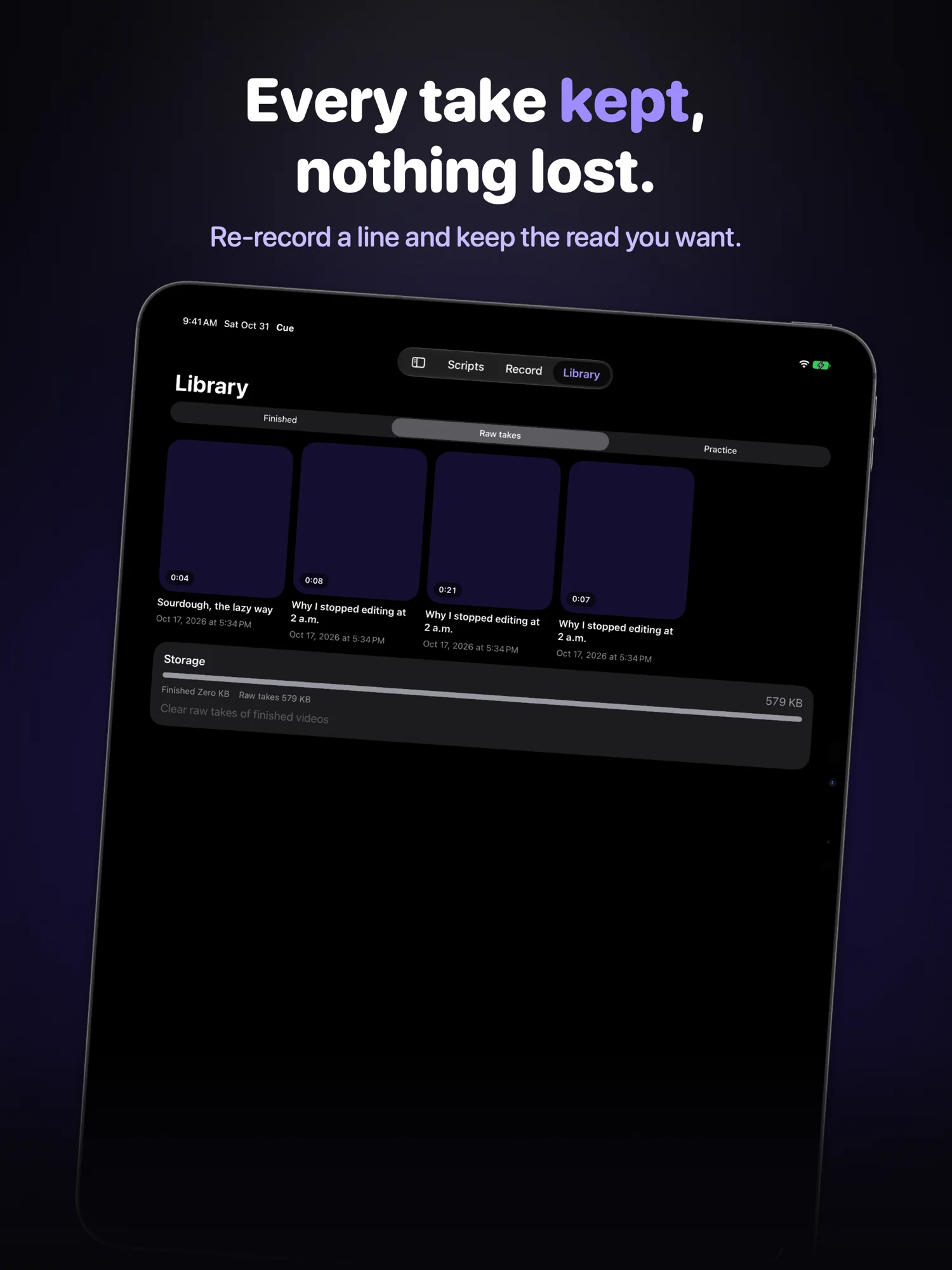
Record section by section while Cue follows your voice. It waits when you pause and goes back when you start a line again. Tap any line to jump there, mark a retake when a line goes wrong, and keep your best take.
Finish and export
Auto-cut removes long pauses, false starts and the retakes you marked, and you can put any cut back. Add captions spelled from your script, then export vertical, wide or square video to Photos.
On the iPad
The same app with room to spread out.
What it does
- Scrolls with your voice, recognized on your device where supported
- Waits when you pause and goes back when you restart a line
- The line you read stays right under the front camera
- Text from 20 to 96 pt, adjustable width and a mirror mode
- Record section by section and keep your best take
- Auto-cut removes pauses, false starts and the retakes you flagged
- Captions spelled from your script, in six styles, burned in or as .srt
- Bluetooth keyboards, foot pedals, game controllers and the AirPods camera remote
- No account; scripts, takes and videos stay on your device
It follows your voice
- Scrolls as you speak, recognized on your device where supported
- Waits when you stop, goes back when you start a line again
- Tap any line to jump there; switch to a steady speed whenever you like
Eyes on the lens
- The script sits right under the front camera
- Large rounded text from 20 to 96 pt, adjustable width, mirror mode for beam-splitter rigs
- Front or back camera, 9:16, 16:9 or 1:1, framing grid, countdown, mic picker
A finished video in minutes
- Record section by section and keep your best take
- Auto-cut removes pauses, false starts and retakes you flagged
- Captions take their spelling from your script, in six styles, burned in or as an .srt file
- Export vertical, wide or square video straight to Photos
Scripts that read well aloud
- Write, paste or import text, Markdown, RTF or PDF
- Cue markers like [pause], [smile] and [look up]
- Rewrite shorter, more casual, more formal or as hook, body and call to action with Apple Intelligence on supported devices
Remote control
- Bluetooth keyboards and foot pedals, game controllers, volume buttons and AirPods camera remote
Stays on your device
- No account. Scripts, takes and videos stay on your device.
Cue Studio unlocks voice-follow scrolling, auto-cut, script captions, 4K, rewrites, unlimited scripts and exports without the watermark. Without it, Cue is a full prompter with speed scrolling, recording and export for up to three scripts. Your first three takes follow your voice without it.
Who it is for
Creators who talk to camera
Vertical takes, auto-cut and captions in six styles get a short video ready without opening an editor.
Anyone who loses their place
Cue waits when you stop and goes back when you repeat a line, so you never chase text that scrolls on without you.
People on calls and webinars
Cue for Mac is free: a slim floating panel under your camera that follows your voice and can be hidden from screen sharing.
Free in your browser
Try the idea first, no install needed.
Teleprompter for video calls
A prompter that sits under your camera on Zoom and Meet.
On cue.cihat.dev
Guides and resources
More on cue.cihat.dev, the Cue website.
Questions
How does a teleprompter listen?
Cue matches what you say to the words you wrote, with speech recognized on your device. It waits when you pause, goes back when you repeat a line and keeps the line you are reading right under the camera. Tap any line to jump there, or switch to a fixed speed when you would rather set the pace.
Which languages does voice-follow understand?
Every language your device can transcribe. The app itself is in English, Arabic, Chinese (Simplified and Traditional), Dutch, French, German, Italian, Japanese, Korean, Portuguese, Russian, Spanish and Turkish.
Does Cue record and cut as well as prompt?
Yes. Takes are recorded section by section, and you keep the best one. Auto-cut removes long pauses, false starts and the retakes you marked; every cut is listed, and you can put any of them back before you export.
Where do the captions come from?
From your own script, so names and terms are spelled the way you wrote them. Choose one of six styles and a top, middle or bottom position, then burn the captions into the video or save them as an .srt file.
What is free, and what does Cue Studio add?
Without Cue Studio, Cue is a working prompter: it scrolls at a fixed speed, keeps up to 3 scripts, records in 1080p and exports with a small Cue watermark. Your first three takes follow your voice. Cue Studio adds voice-follow scrolling, auto-cut, script captions, 4K, rewrites, unlimited scripts and exports without the watermark, as a weekly plan, a yearly plan with a 3-day free trial or a one-time lifetime purchase. If you bought Swiftdays Premium, Cue Studio is already unlocked.
Do I need an account, and is there a Mac version?
There is no account. Scripts, takes and videos stay in the app on your iPhone or iPad. Cue for Mac is free: a prompter that floats under the camera, follows your voice, stays above full-screen apps, can be hidden from screen sharing and answers to global shortcuts and presentation clickers. It lives in the menu bar and keeps your scripts on your Mac.
Related apps
More from sound and video.


Cue on the App Store
Voice Script Reader & Practice.