 Music
iOS
Stretch: Piano Tuner
Stretch tunes the piano in front of you, not a table of numbers. Play a handful of notes and it reads the partials of each string, fits that instrument's inharmonicity curve and calculates a target for all 88 keys. The microphone, the mathematics and your client files all stay on your iPhone or iPad.
On the iPhone
Screens from the current version on the App Store.
Stretch at a glance
Inharmonicity & Stretch Tuning.
- Measures this piano's inharmonicity from five notes, then tunes all 88 keys to its own curve
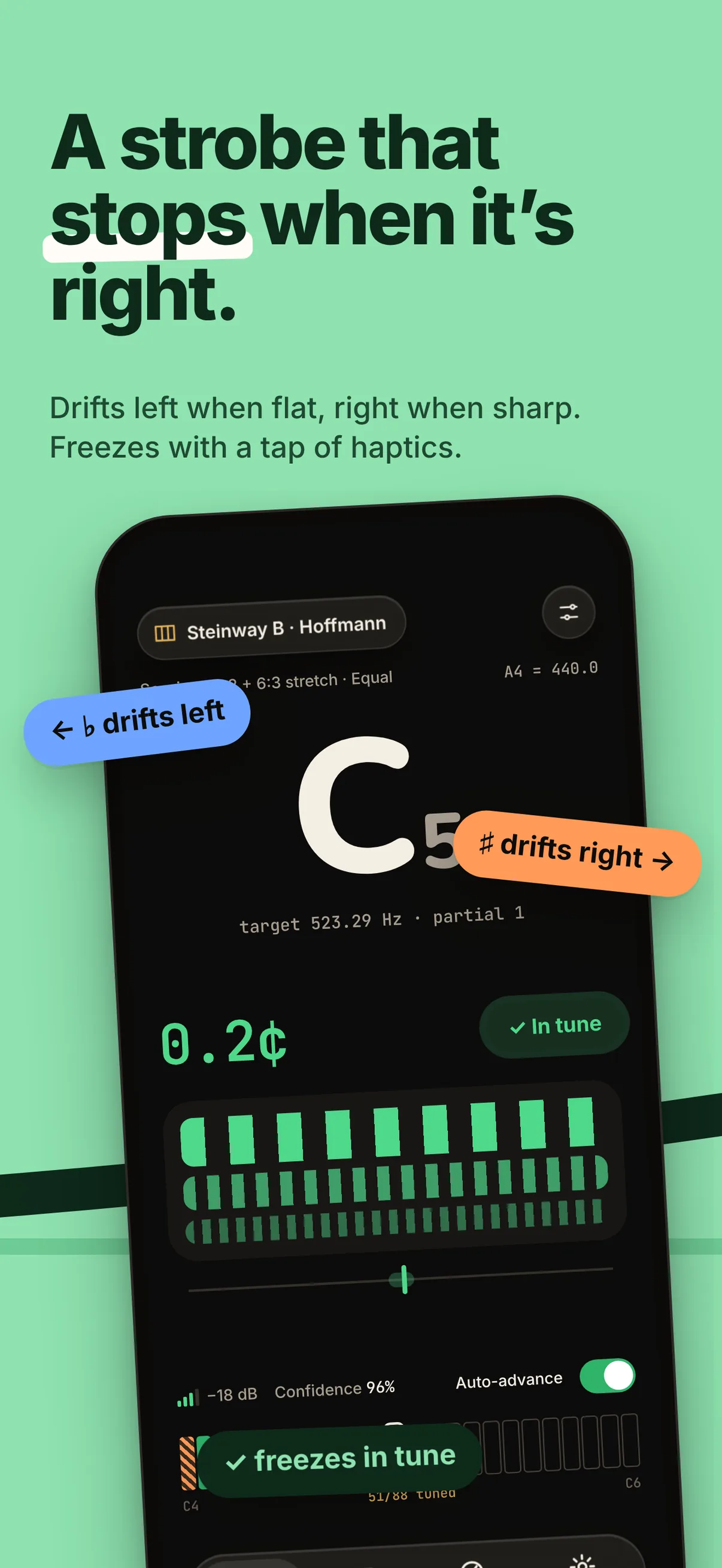
- A strobe display that drifts when the string is flat or sharp and stands still the moment it is right
- Balanced, 2:1, 4:2, 6:3 and concert octaves with separate bass and treble stretch, historical temperaments and a 392–466 Hz reference
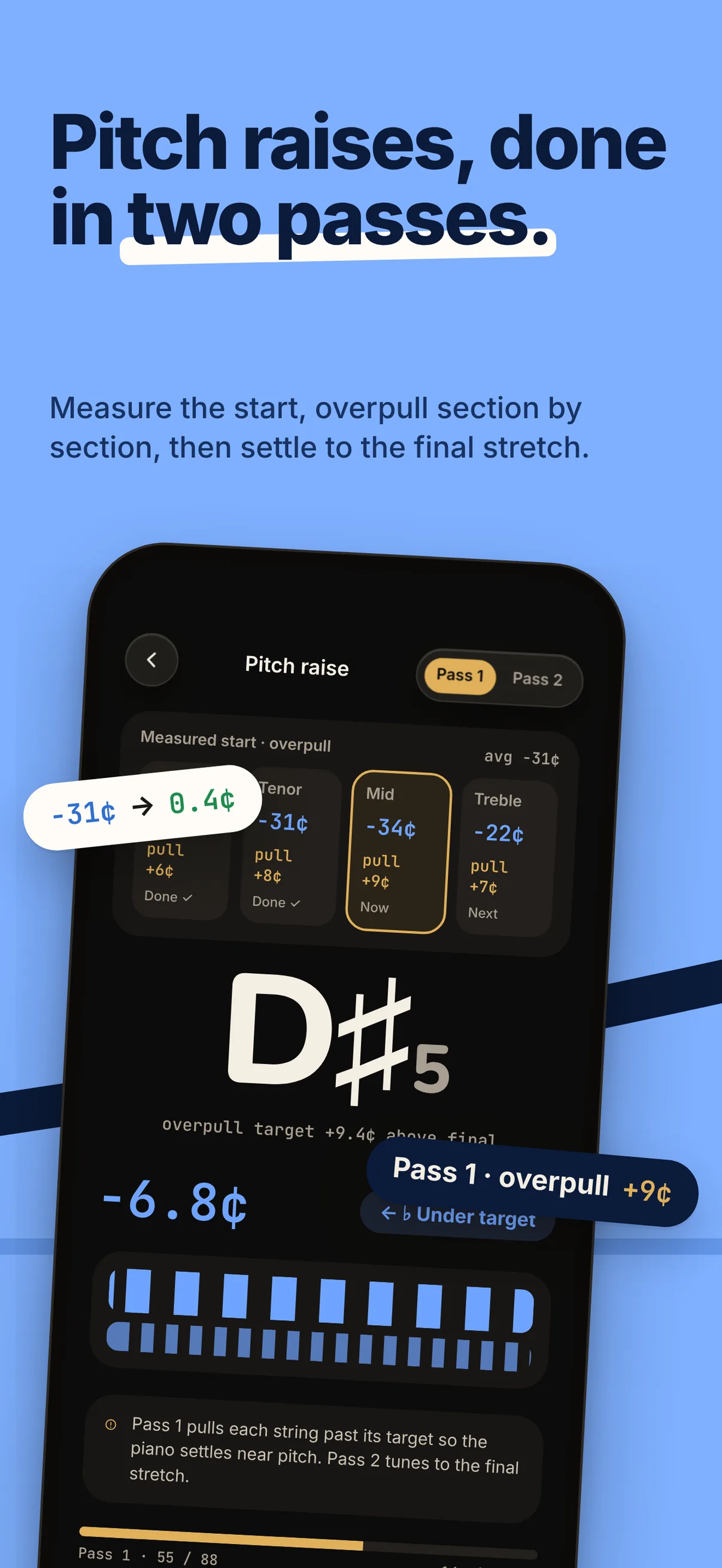
- Pitch raises in two passes, with a capped overpull section by section

How it works
Stretch, from first tap to finished.
Measure the piano
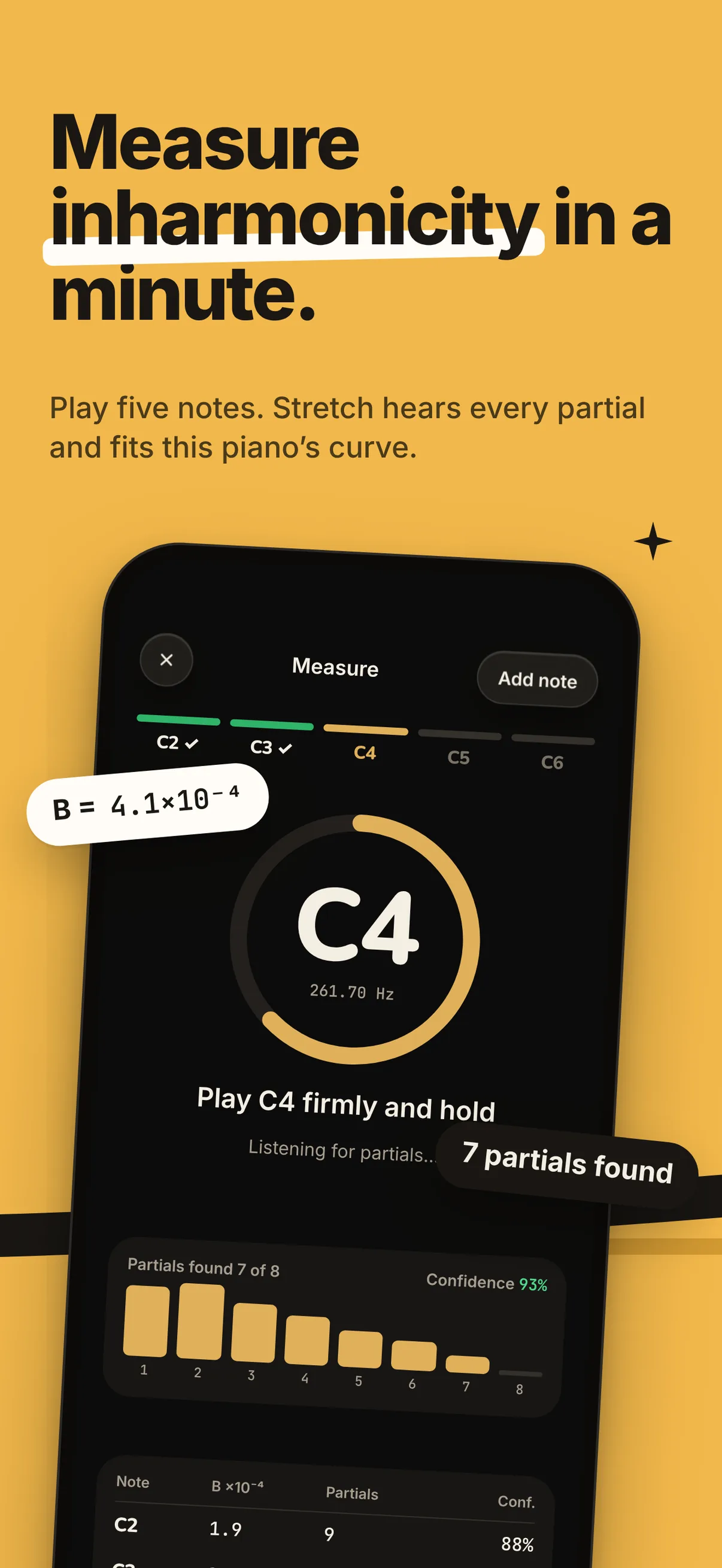
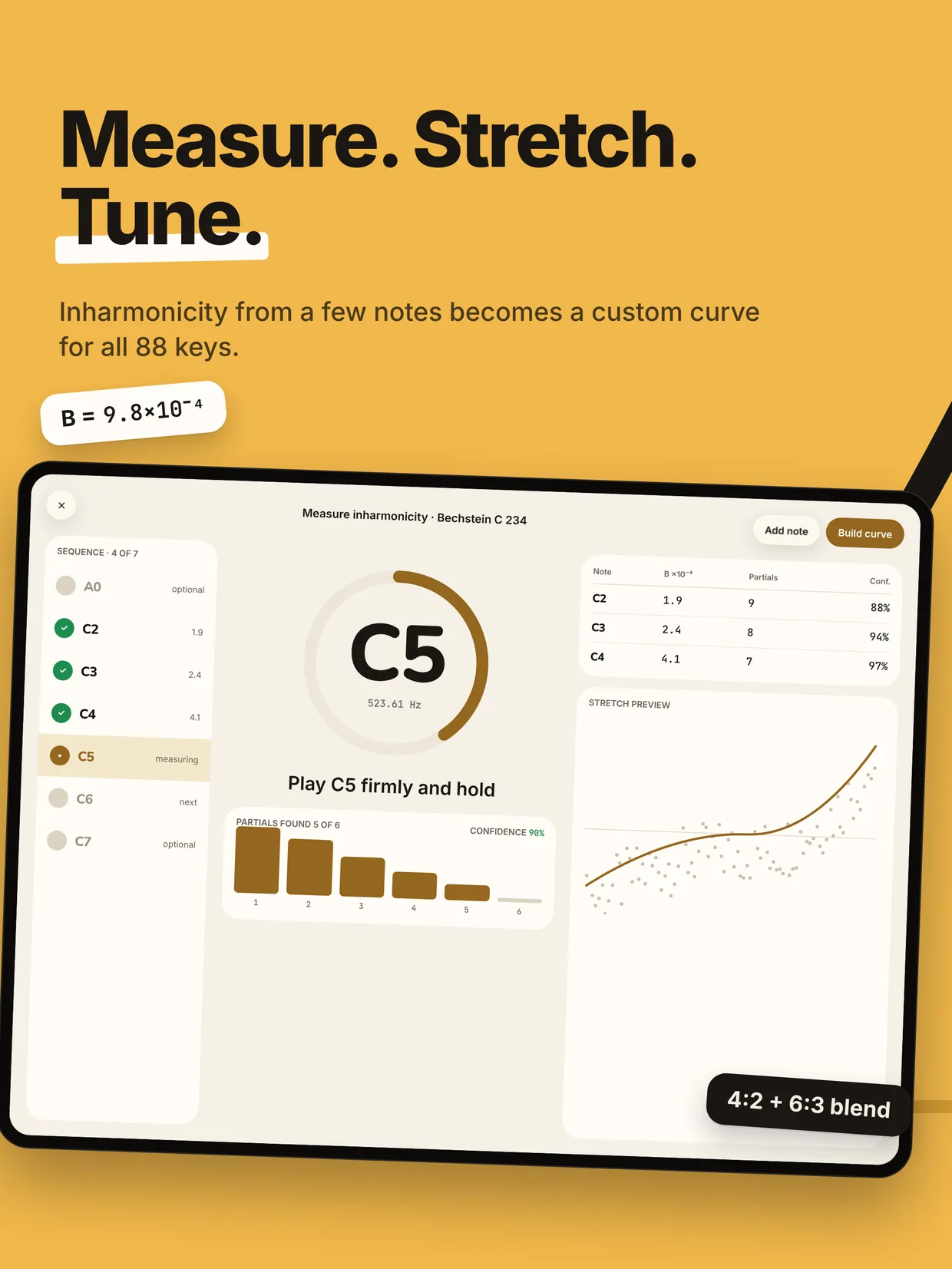
Play C2, C3, C4, C5 and C6 and hold each note, adding C1 or C7 if you like. For every note Stretch finds up to eight partials, fits the inharmonicity coefficient and shows a confidence score. The curve is saved with the piano, so the next visit starts from the same measurement.
Shape the tuning
Pick an octave style (Balanced, 2:1, 4:2, 6:3 or Concert) and adjust bass and treble stretch while the curve redraws. Choose equal temperament or a historical one, set A4 anywhere from 392 to 466 Hz, and pick an in-tune window of 0.5, 1 or 2 cents.
Tune key by key
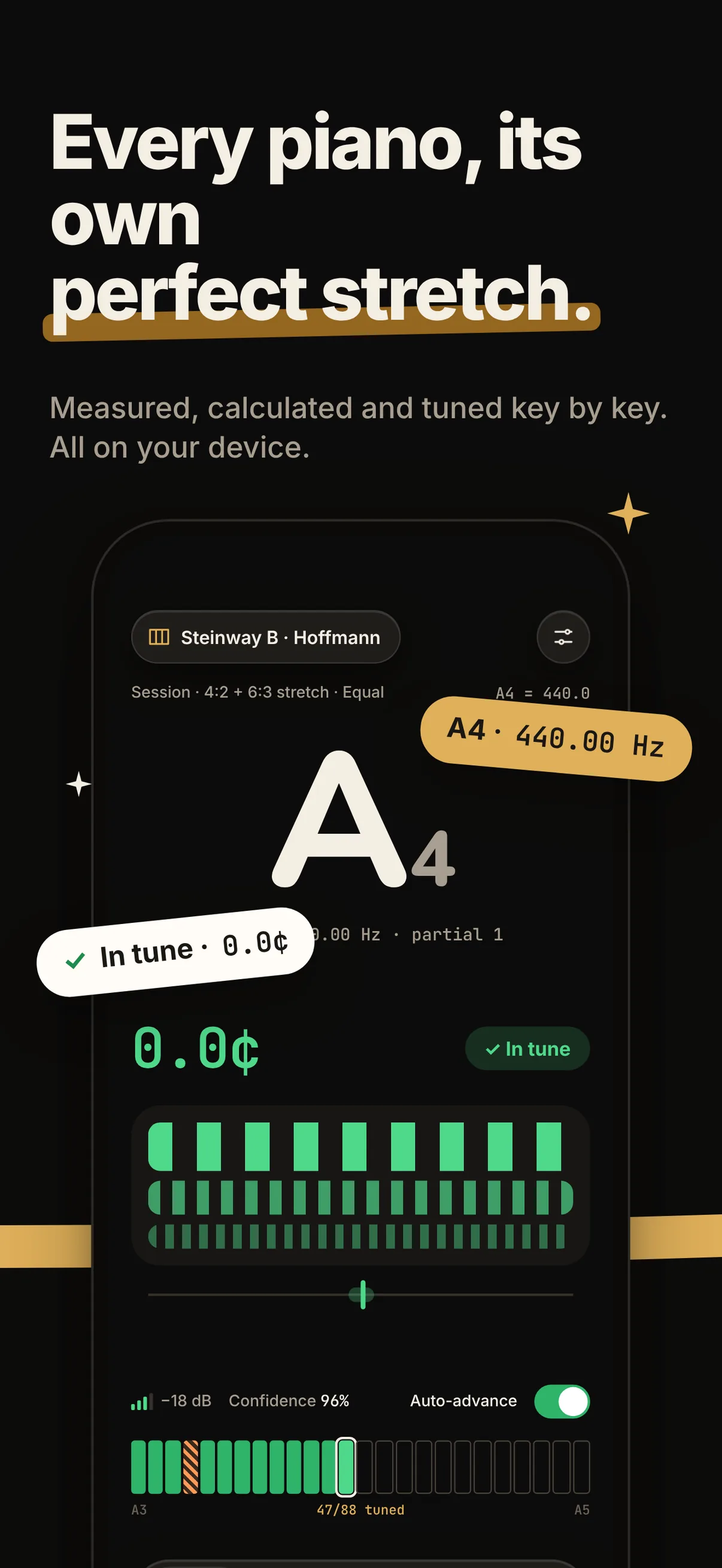
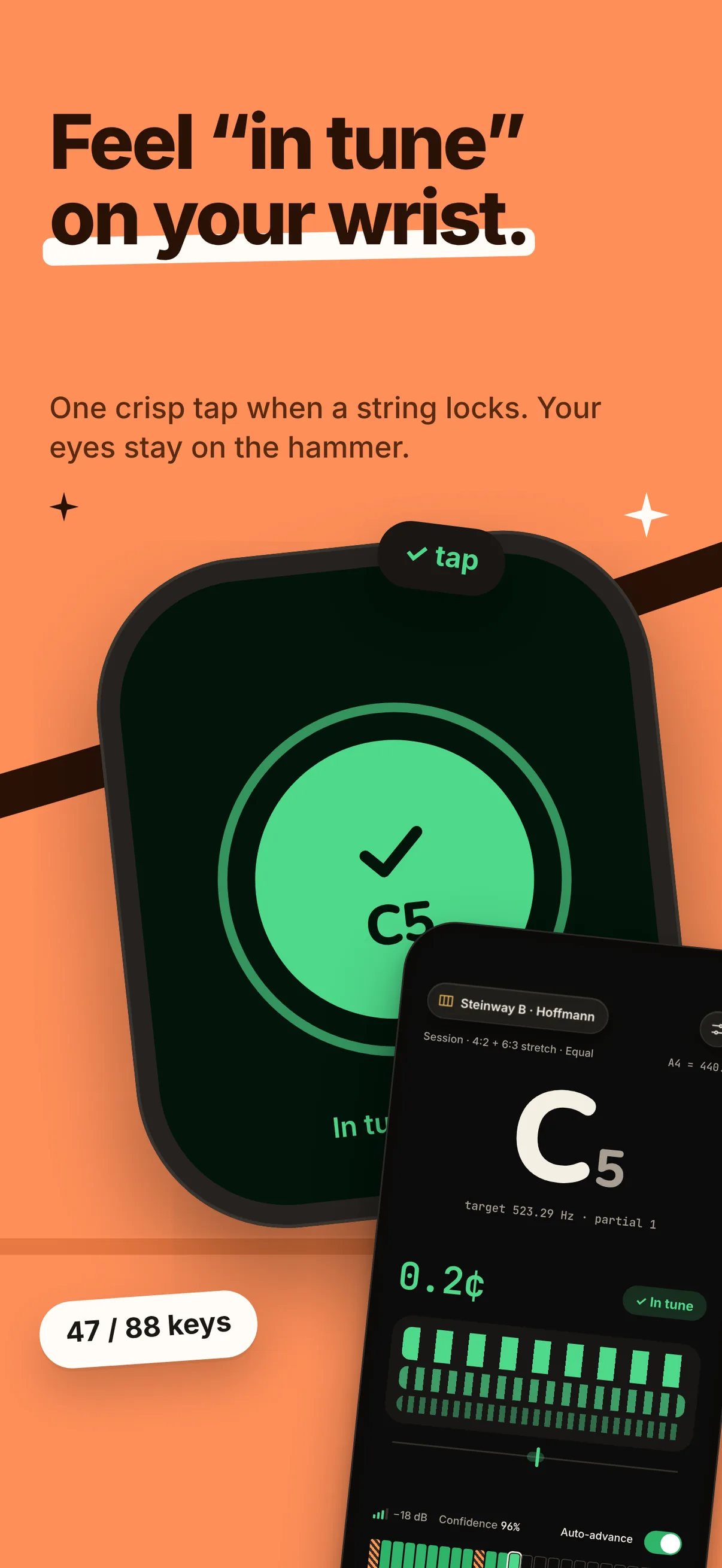
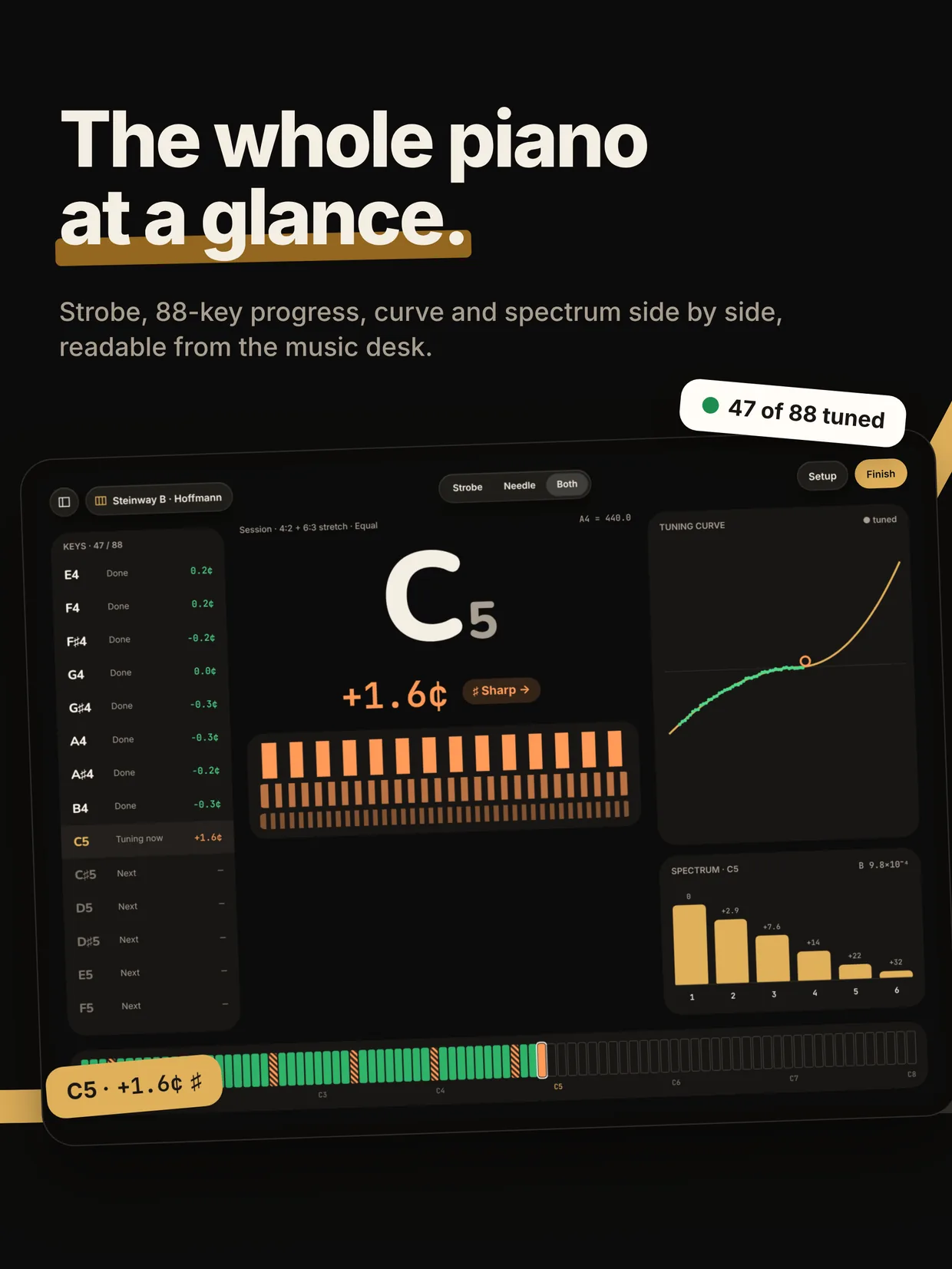
A three-band strobe drifts left when the string is flat, right when it is sharp, and stands still on target, with signed cents, a needle and the partial being read. Play the next key and Stretch follows it, or swipe to step by hand. An 88-key strip shows what is done, what slipped and what is left, and the screen stays awake while you work.
Finish the visit
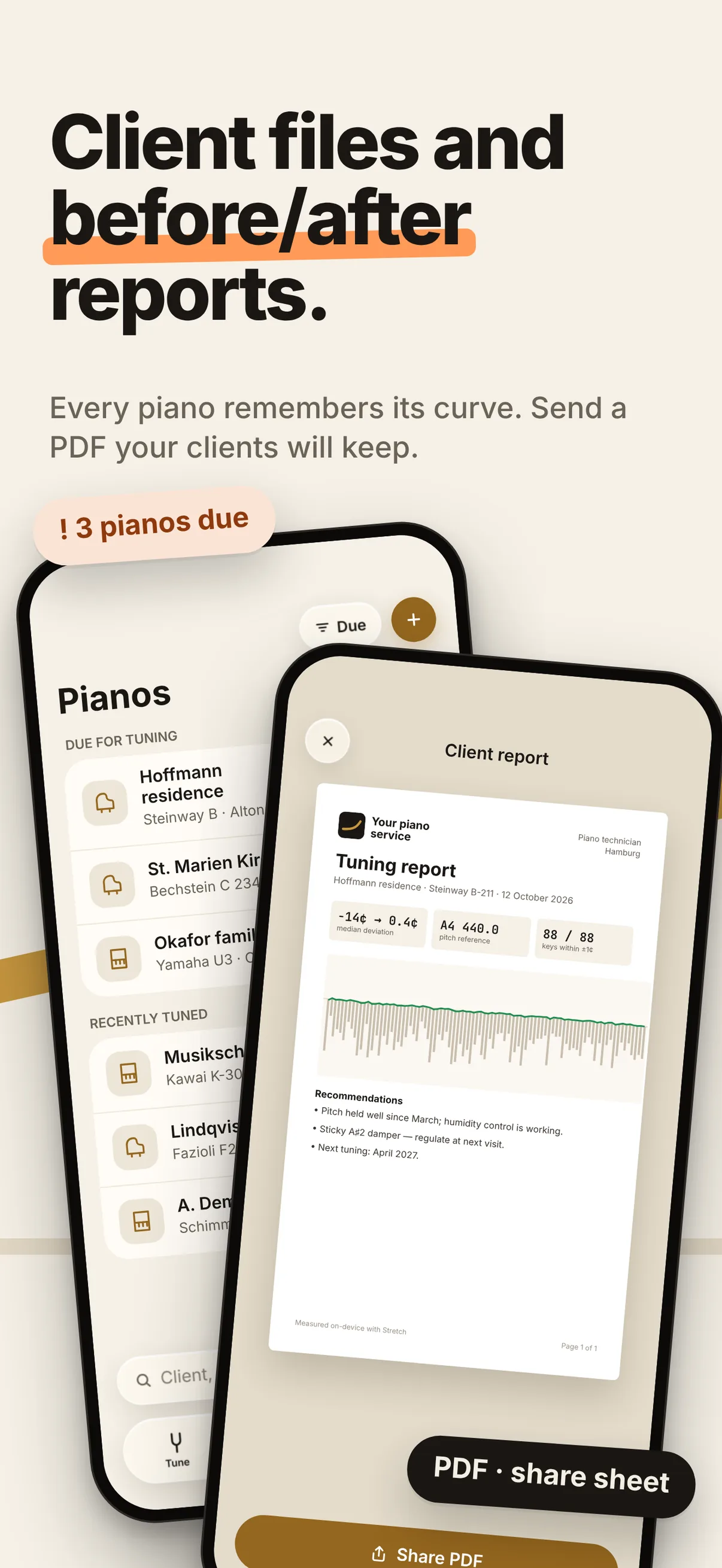
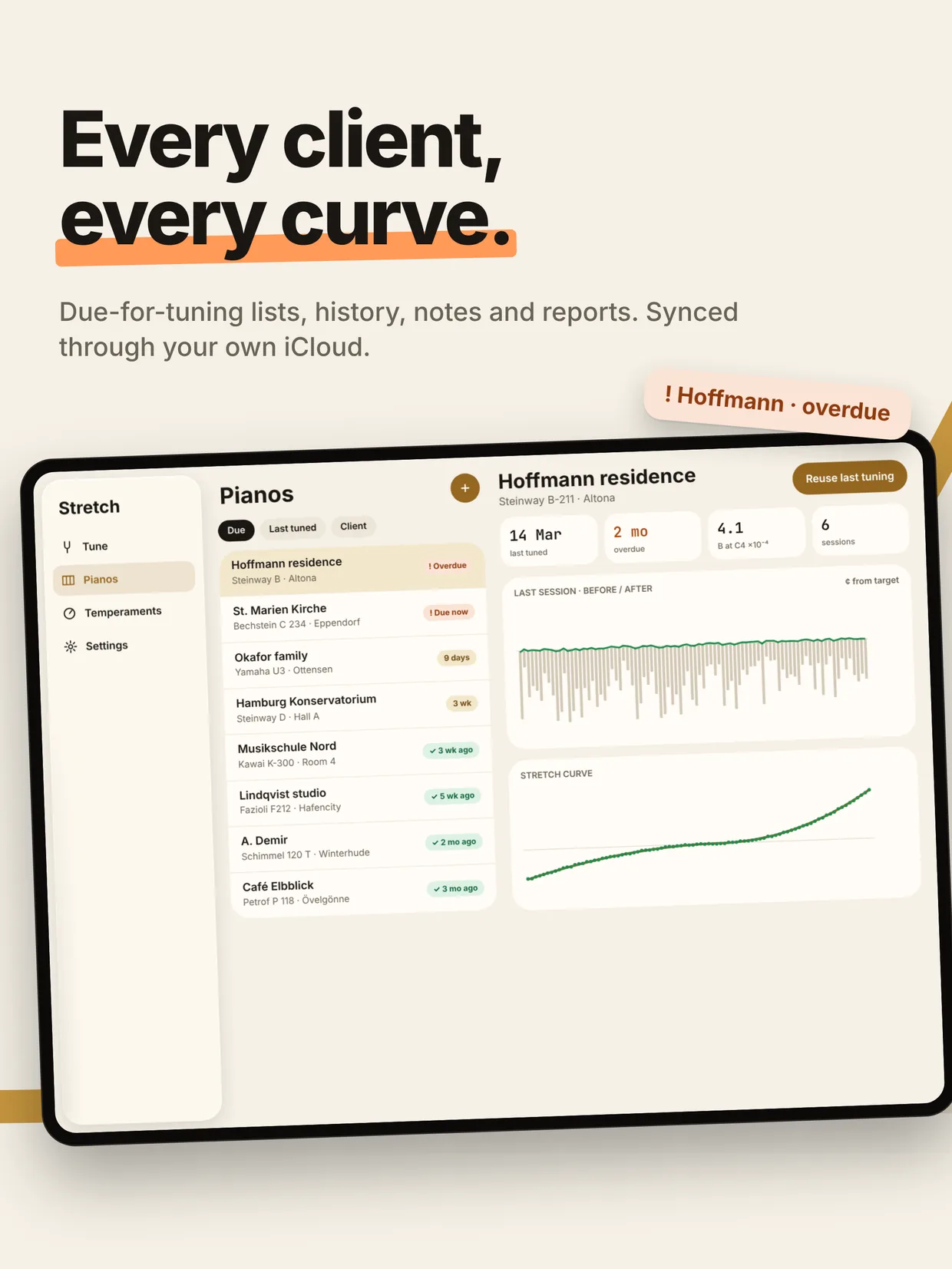
When the session ends you get a before-and-after chart across the keyboard, the time it took and the keys in tune. Save it to the piano file and share a PDF report with the client. Piano files keep the client, location, tuning interval, notes and every past visit.
On the iPad
The same app with room to spread out.
What it does
- Measures this piano's inharmonicity from five notes, then tunes all 88 keys to its own curve
- A strobe display that drifts when the string is flat or sharp and stands still the moment it is right
- Balanced, 2:1, 4:2, 6:3 and concert octaves with separate bass and treble stretch, historical temperaments and a 392–466 Hz reference
- Pitch raises in two passes, with a capped overpull section by section
- A file per piano — curve, visit history, notes and tuning interval — synced through your own iCloud
- Before and after charts across the whole keyboard, shared as a PDF report
- Apple Watch app with note, cents and a tap when a string is in tune
Measure
- Play five notes from C2 to C6, adding C1 or C7 if you like
- Up to eight partials per note, with the inharmonicity coefficient fitted for this piano
- A confidence score and an input meter tell you when a note has really been heard
- The curve is saved with the piano, so the next visit starts where the last one ended
Tune
- A three-band strobe that drifts left when flat, right when sharp, and stands still on target
- Signed cents in large digits, a needle, the partial being read and an input meter
- Play the next key and Stretch follows it, or swipe to step by hand
- An 88-key strip shows what is done, what slipped and what is left
- Unison helper with a beat-rate readout
Stretch and temperament
- Octave styles: balanced, 2:1, 4:2, 6:3 or concert, with separate bass and treble sliders
- Equal temperament, plus Werckmeister III, Kirnberger III, Vallotti, Young II, quarter-comma meantone and Kellner, and an editor for your own offsets
- A4 reference anywhere between 392 and 466 Hz
Pitch raise
- Survey A0 to A7, then a first pass that pulls each section past its target by a capped amount and a second pass to the final curve
If the piano is yours
Check my piano draws a map of how far each note has drifted. Guided touch-up walks you through a sour unison in the middle of the keyboard, will not let you raise a string further than is safe, and says plainly when the job needs a technician.
If you tune for clients
- One file per piano: client, location, tuning interval, notes, the measured curve and the history of every visit
- A before and after chart and a PDF report to share when a session ends
- Synced through your own iCloud with CloudKit — no account, and no server of ours
- Apple Watch shows the note and cents and taps your wrist when a string is in tune; a Live Activity and a widget keep pianos coming due in view
The strobe tuner, Check my piano and guided touch-up from C3 to C6 in equal temperament come with the download. Stretch Pro is a single one-time purchase: measured inharmonicity and custom stretch, all 88 keys, the unison helper, historical temperaments, pitch raise, client files, PDF reports and the Apple Watch app.
Who it is for
Piano technicians
Measured stretch for each instrument, two-pass pitch raises, a unison beat-rate helper and client files with due dates and PDF reports.
Students learning to tune
A strobe that shows which partial it reads and how far it is off, on every key, against a curve you can see and change.
Piano owners
Home mode maps how far each note has drifted, walks you through a sour unison and says plainly when the job needs a technician.
Early music players
Werckmeister III, Kirnberger III, Vallotti, Young II, quarter-comma meantone and Kellner, plus an editor for your own offsets.
Free in your browser
Try the idea first, no install needed.
Guides and resources
More on stretch.cihat.dev, the Stretch website.
Questions
Can you tune a piano with your phone?
The phone can do the listening. Stretch turns an iPhone or iPad into an electronic tuning device: it hears the string through the microphone, measures the piano and shows how far each note is from its target. The pins are still turned by hand with a tuning lever, so the app guides you and does not replace the work.
Why not use a guitar tuner on a piano?
A guitar tuner aims every note at equal temperament with pure octaves. Piano strings are stiff, so their overtones sit sharp, and a piano tuned to pure octaves sounds flat in the treble and sharp in the bass against itself. Stretch calculates a stretched target for all 88 keys, from typical values or from a measurement of your piano.
What is inharmonicity, and how does Stretch measure it?
Inharmonicity is how far a string's overtones sit above whole-number multiples of its fundamental, and it differs from one piano to the next. Stretch listens to five notes from C2 to C6, finds up to eight partials per note and fits the coefficient B for each one. It then draws the curve across the keyboard and builds the stretch from it.
Can I tune my own piano at home?
Home mode is made for that. Check my piano lets you play around the keyboard and draws a map of how far each note has drifted, in words as well as color. Guided touch-up walks you through muting and matching a sour unison, refuses to raise a string by more than 20 cents, and suggests a technician when the typical deviation is above 25 cents.
Can I tune to A = 432, 442 or 444 Hz?
Yes. A4 can be set anywhere from 392 to 466 Hz in half-hertz steps, with presets for 415, 440, 442 and 443 Hz. For a piano well below pitch, the pitch raise surveys A0 to A7, overpulls each section by a capped amount in a first pass and finishes in a second.
What is free, and what does Stretch Pro add?
Free covers the strobe tuner and guided touch-up from C3 to C6 in equal temperament, plus Check my piano. Stretch Pro is a one-time purchase with no subscription. It adds measured stretch, all 88 keys, the unison helper, historical temperaments, pitch raise, client files, PDF reports and the Apple Watch app.
Is audio recorded, and do I need an account?
No to both. Stretch uses the microphone only while you measure or tune, analyses the sound as it arrives and never records or sends it. There is no account; piano files sync through your own private iCloud database, which you can turn off in Settings, and export as JSON. Stretch runs on iPhone and iPad, its interface is in English, and an Apple Watch shows the note and cents and taps your wrist when a string is in tune.
Related apps
More from sound and video.

Stretch on the App Store
Inharmonicity & Stretch Tuning.