 Developer Tools
iOS and macOS
FrameKit: Store Screenshots
Turn raw captures into a finished App Store screenshot set for every device and every language, on your Mac, iPad or iPhone.

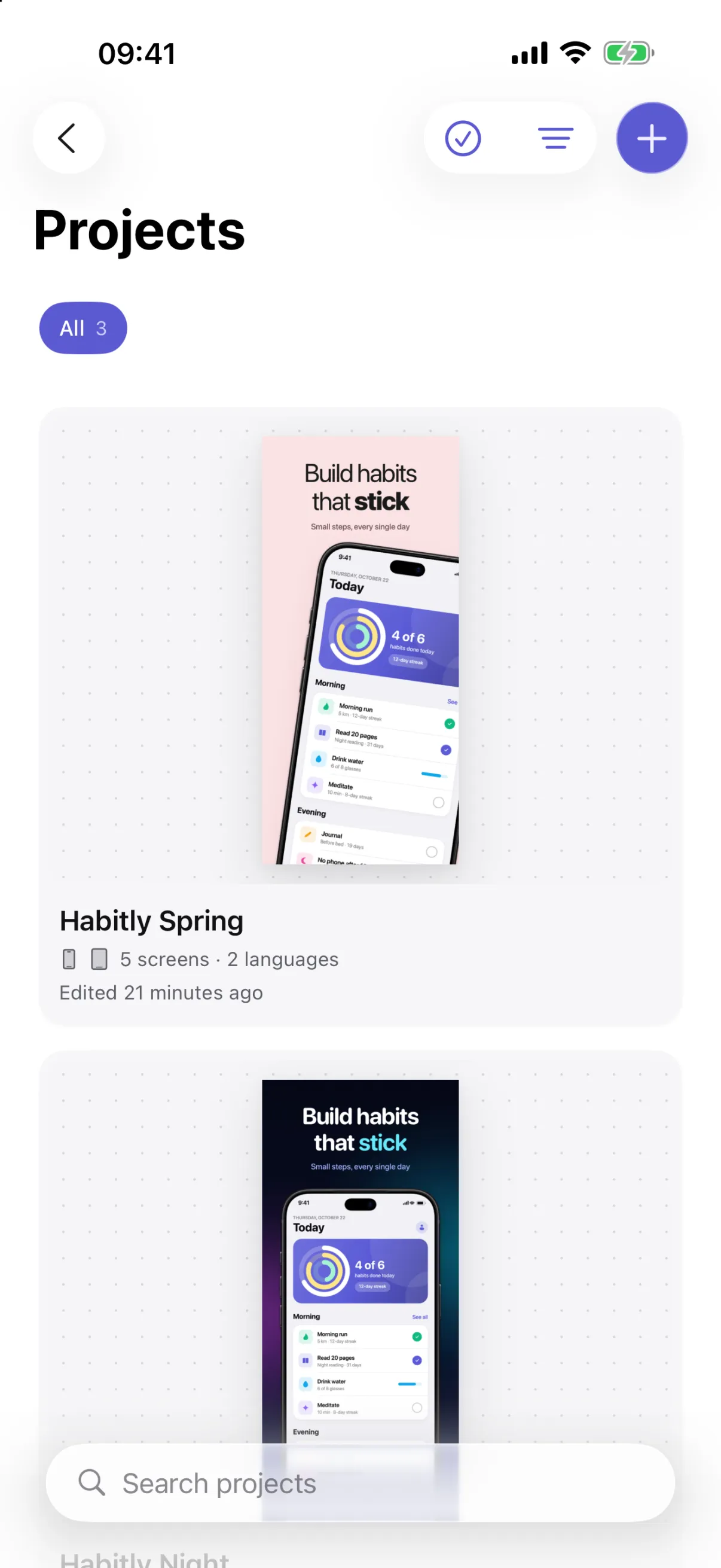
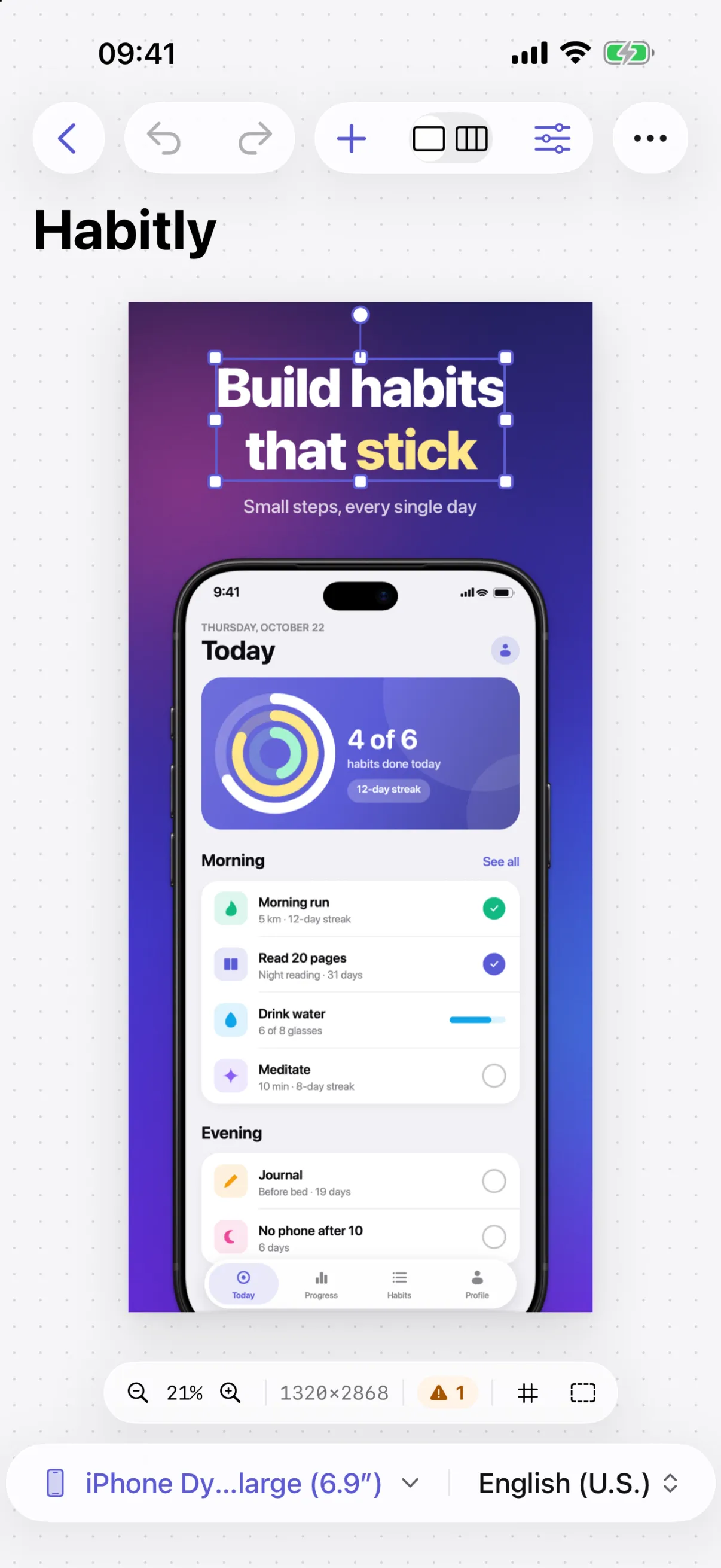
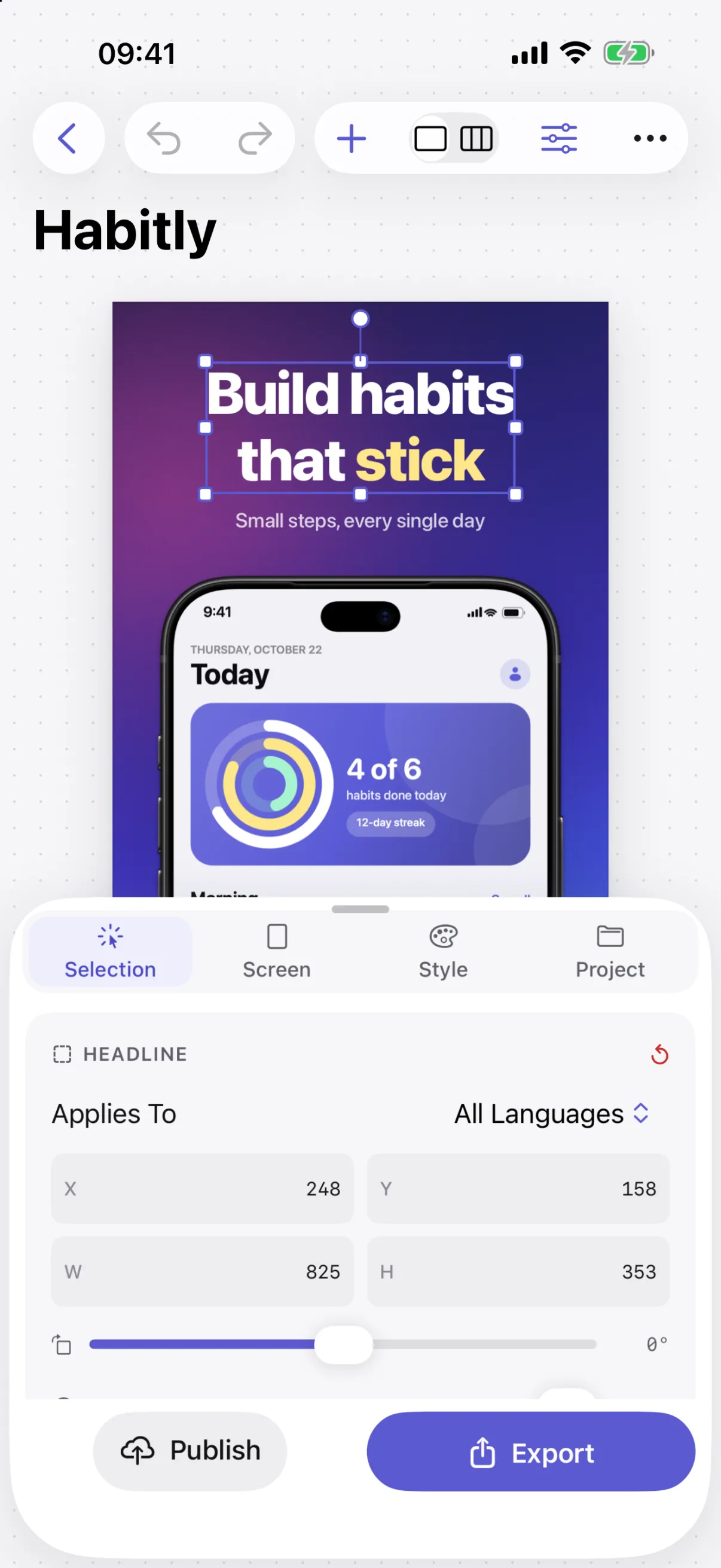
On the iPhone
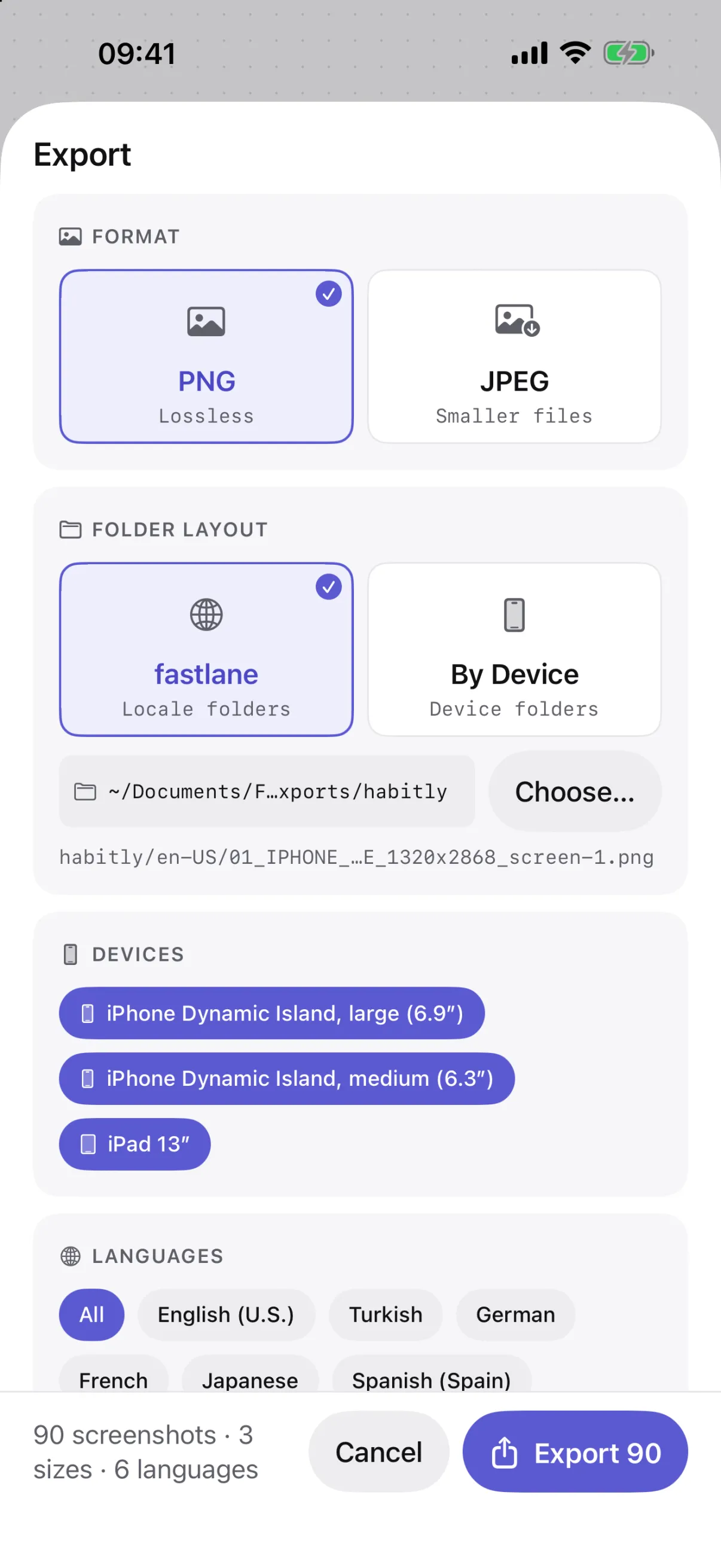
Screens from the current version on the App Store.
How it works
FrameKit, from first tap to finished.
Import your captures
Drag a folder onto the window on the Mac, or import from the Files app on iPad and iPhone. FrameKit reads each image's pixel size, proposes the matching device with a confidence score and the reason, and leaves sizes it cannot tell apart for you to assign. Try a Sample Project shows a finished set before you start your own.
Lay out the set
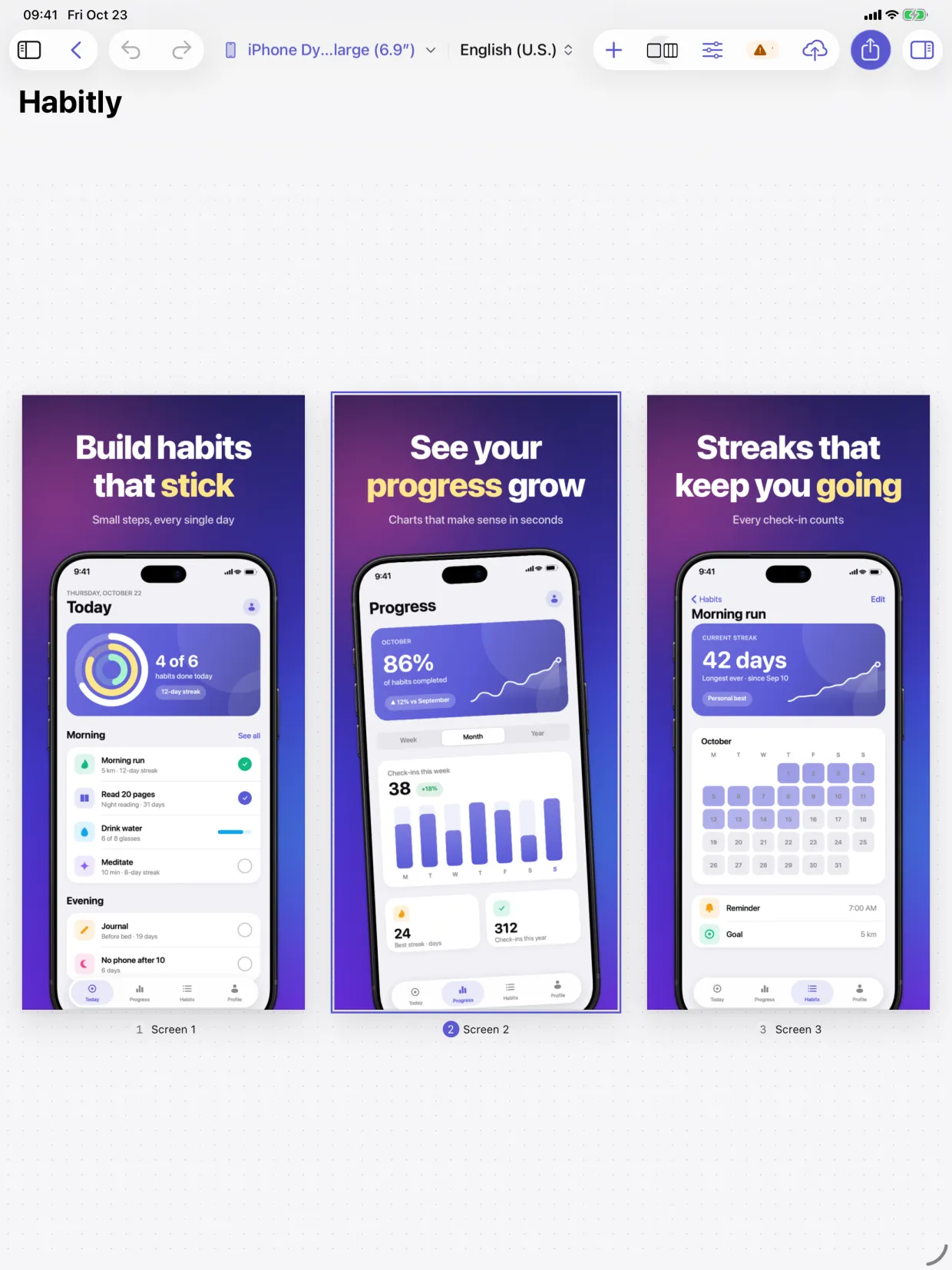
Pick a responsive template and write one headline per screen; the layout adapts to iPhone, iPad, Mac, Apple TV, Apple Vision Pro and Apple Watch sizes. The Style tab changes the whole set and the Screen tab a single screen, with snapping layers and callouts that magnify part of the interface. Frames are sized to each capture's screen, or you can use Apple's product bezels after downloading them from Apple Design Resources.
Translate every headline
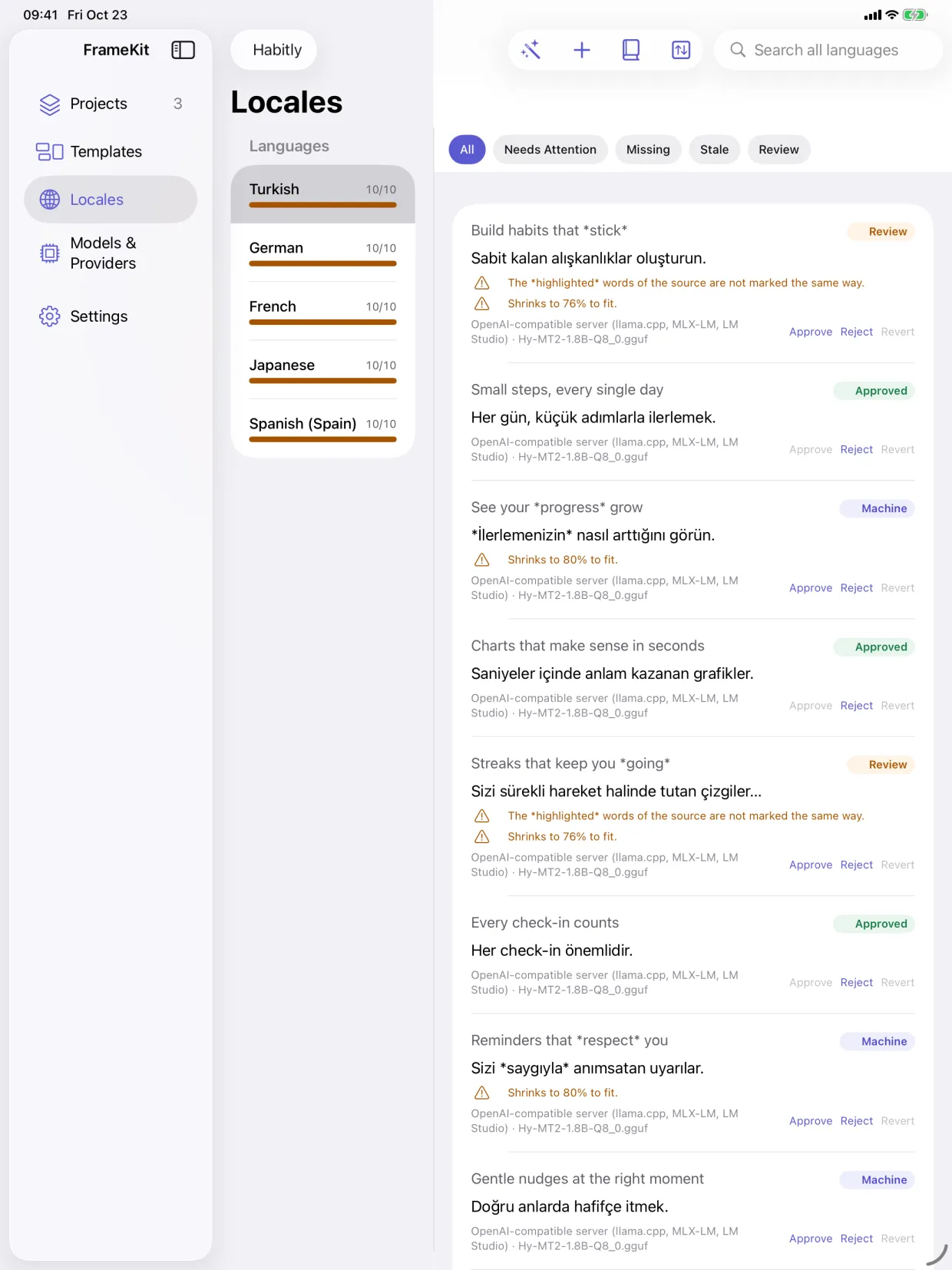
Add App Store languages and run Translate Missing. Apple Translation and Apple Intelligence translate on your device, and a glossary and brand voice keep product names and tone the same. Approve, reject or revert each line, and compare every language of a screen with overflowing text highlighted.
Export or publish
Export PNG or JPEG at exact App Store sizes, RGB with no alpha, in fastlane locale folders or one folder per device, with a manifest, a report and an optional ZIP. Unchanged images are skipped, and an interrupted export resumes where it stopped. With FrameKit Pro, publish to App Store Connect with your own API key after you review a plan of every change.
On the iPad
The same app with room to spread out.
What it does
- Imports raw captures and proposes the matching device for each, with a confidence score and the reason
- Responsive templates that lay one headline per screen out for iPhone, iPad, Mac, Apple TV, Vision Pro and Watch sizes
- Device frames, including Apple's bezels once you import them, callouts and snapping layers, with set-wide styles and per-screen overrides
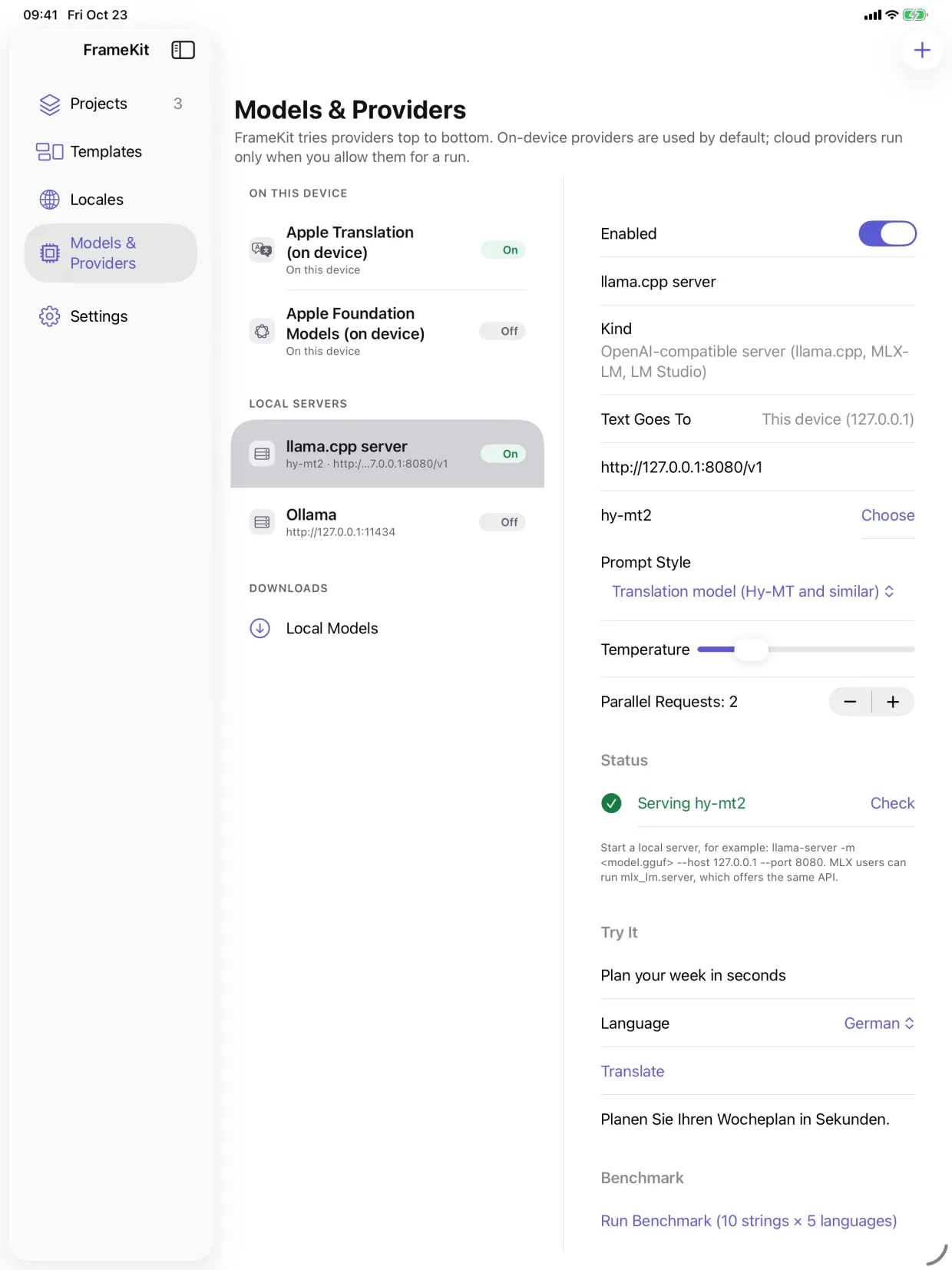
- Translates every missing headline with Apple Translation, Apple Intelligence or, on the Mac, a model you host; cloud providers only when you tick them
- Glossary, brand voice and a side-by-side view of every language with overflowing text highlighted
- Exports exact App Store sizes in per-language folders, skipping unchanged images and resuming after an interruption
- Publishes to App Store Connect with your own API key after you review a plan of every change
- On the Mac, a token-protected local MCP server lets coding agents drive the whole flow
Drag a folder onto the Mac window or import from the Files app on iPad and iPhone. FrameKit reads each image's pixel size, proposes the matching device with a confidence score and the reason, and leaves ambiguous sizes for you to assign. Pick a responsive template, write one headline per screen, and the layout adapts to iPhone, iPad, Mac, Apple TV, Apple Vision Pro and Apple Watch sizes.
Design
- Drag, resize and rotate layers with snapping to edges, centres and other layers
- Style tab for the whole set, Screen tab for one-off overrides
- A generic device frame out of the box, or Apple's own bezels once you download them from Apple's design resources, matched to each capture's resolution
- Callouts that magnify part of the interface
- Choose whether a layout change applies to every language or only the current one
Translate
- Add App Store languages and translate every missing headline in one run
- Use Apple Translation, Apple Intelligence, or on the Mac a translation model you host yourself; cloud providers run only for a job where you tick them
- Glossary and brand voice keep product names and tone consistent
- Approve, reject or revert each string, and see every language of a screen side by side with overflowing text highlighted
- CSV and String Catalog import and export
Export and publish
- Exact App Store sizes, RGB, no alpha, at most ten per set, checked after writing
- Per-language folders with a manifest and a readable report
- Unchanged images are skipped and an interrupted export resumes where it stopped
- Publish to App Store Connect with your own API key after reviewing a plan of every add, reorder and replacement; the final order is read back before a set counts as done
Work with agents (mac)
- A local server on 127.0.0.1 lets coding agents list projects, set copy, translate, render previews and prepare exports
- It needs a token from Settings, every agent edit is checkpointed and undoable, and publishing still waits for your confirmation at the Mac
Projects stay on your device as plain JSON with the original screenshots stored once and the last thirty versions kept as checkpoints. Your App Store Connect key stays in the Keychain.
Who it is for
Indie developers shipping in several languages
One headline per screen, translated on your device and checked for overflow, becomes a full set for every device size.
Teams with a fastlane release script
Exports land in the locale folders deliver reads, with a manifest and a readable report next to them.
Developers who work with coding agents
On the Mac, a local MCP server lets agents list projects, set copy, translate, render previews and prepare exports, with every edit checkpointed and undoable.
Anyone who ships from an iPad
The iPad and iPhone app imports from Files, translates and publishes to App Store Connect, so a set can be finished away from the Mac.
Questions
Can I make App Store screenshots for free?
Yes. The free version keeps the sample project and one more, two languages per project including the source language, every device size and template, on-device translation with Apple Translation and Apple Intelligence, and exports without a watermark. FrameKit Pro adds unlimited projects, every App Store language, publishing to App Store Connect, and local model servers and cloud translation. It comes as a monthly plan, a yearly plan with a one-week free trial, or a one-time lifetime purchase.
Which screenshot sizes does FrameKit export?
The exact App Store sizes for each device in your project, for iPhone, iPad, Mac, Apple TV, Apple Vision Pro and Apple Watch. Every file is RGB with no alpha channel and is checked after it is written. Choose PNG for lossless files or JPEG for smaller ones.
How do I localize App Store screenshots?
Add the App Store languages you ship in, then run Translate Missing to fill every headline that has no translation yet. Approve, reject or revert each line; the comparison view highlights text that overflows its box. You can also bring headlines in from CSV, pasted spreadsheet cells, fastlane title.strings, String Catalogs or XLIFF, and export a CSV for a translator.
Is my text sent to a server when I translate?
Not with Apple Translation or Apple Intelligence: both run on your device. With FrameKit Pro you can add Anthropic or OpenAI with your own API key, and text goes to them only after you allow that provider. On the Mac you can also use Ollama or an OpenAI-compatible server such as llama.cpp or LM Studio running on your own computer.
Can FrameKit upload screenshots to App Store Connect?
Yes, with FrameKit Pro. Add your own App Store Connect API key, which stays in the Keychain, and FrameKit shows a plan of every add, reorder and replacement before anything is sent. After the upload it reads the result back.
Does FrameKit work on iPad and iPhone too?
Yes. FrameKit runs on Mac, iPad and iPhone. On iPad and iPhone it imports from the Files app, translates with Apple Translation, Apple Intelligence or a cloud provider, and exports into the FrameKit folder in Files. The agent server and local model servers are on the Mac only.
Do I need an account, and where are my projects stored?
There is no account. Projects stay on your device as plain JSON with the original screenshots, and the last thirty versions are kept as checkpoints. Move a project to another device with a backup file.
Can AI coding agents use FrameKit?
On the Mac, yes. Settings > Agents (MCP) shows a token, and agents such as Claude Code connect on 127.0.0.1 only. Every agent edit is checkpointed and undoable, folders, cloud translation and publishing are asked in the agent's chat first, and the free version limits apply to agents too.
Related apps
More from drawing and craft.

FrameKit on the App Store
Localize & Frame App Mockups.