 Education
iOS
Studyink: Cards With Sources
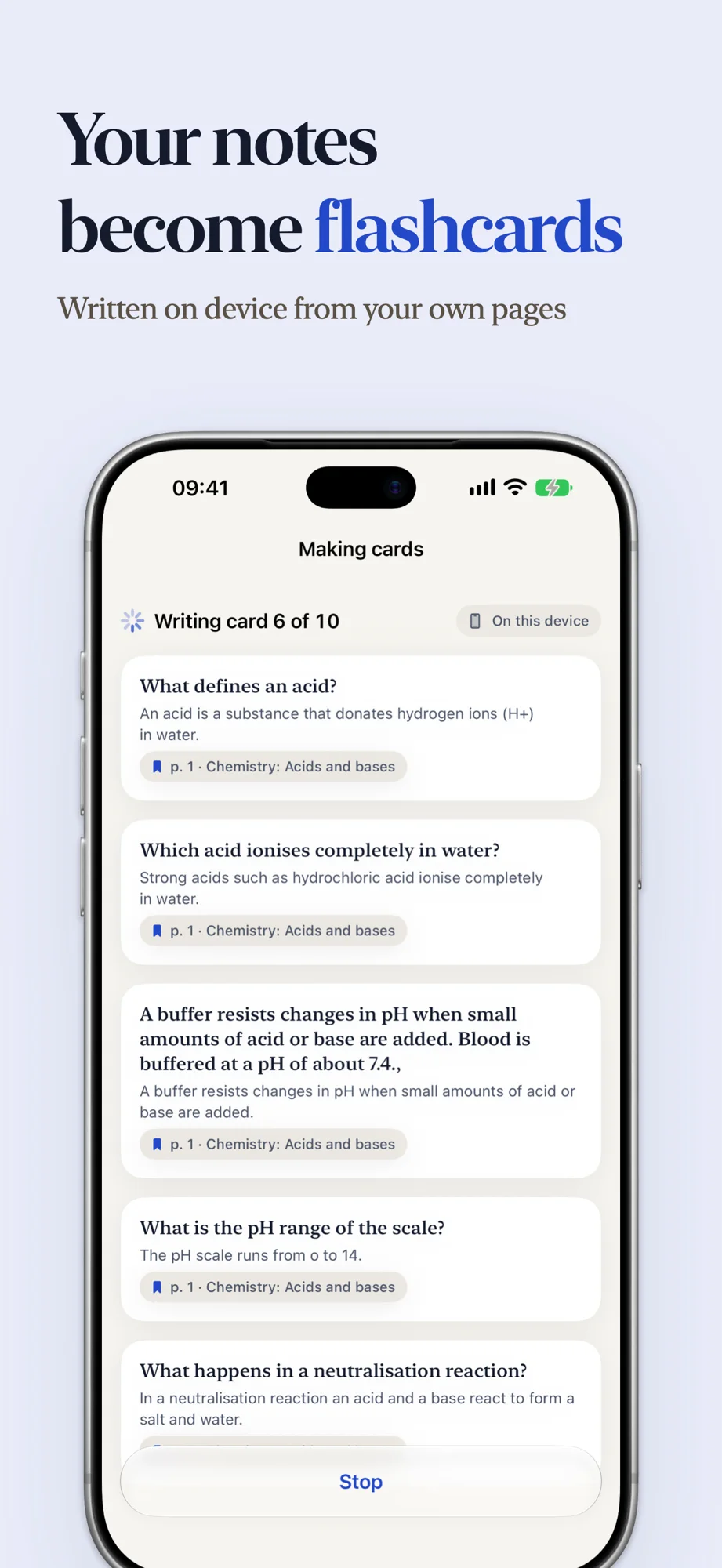
Studyink makes flashcards and practice exams from your own notes, then tells you what to review each day so you are ready on exam day.
On the iPhone
Screens from the current version on the App Store.
Studyink at a glance
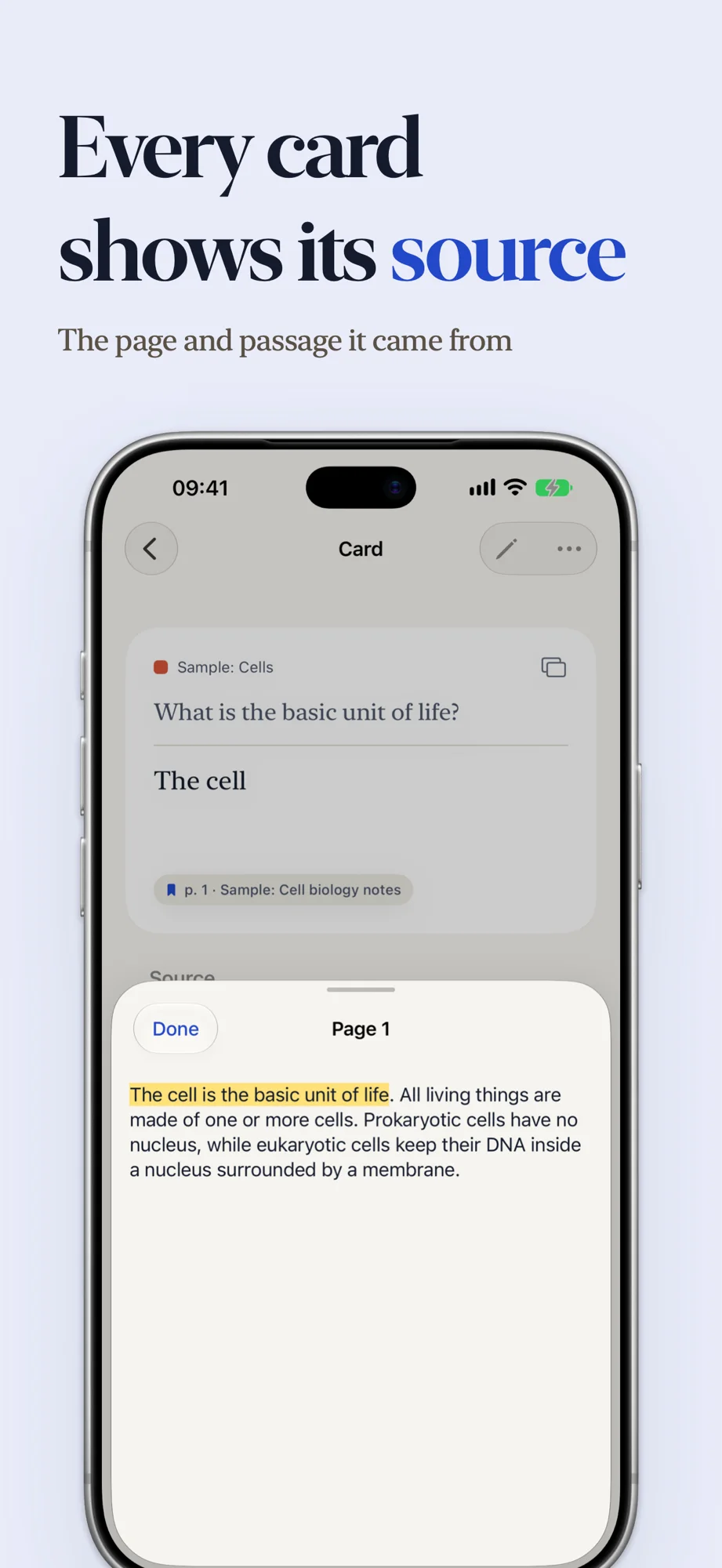
Every card shows its page.
- Scan pages, open PDFs or paste a chapter, and Apple Intelligence writes the cards
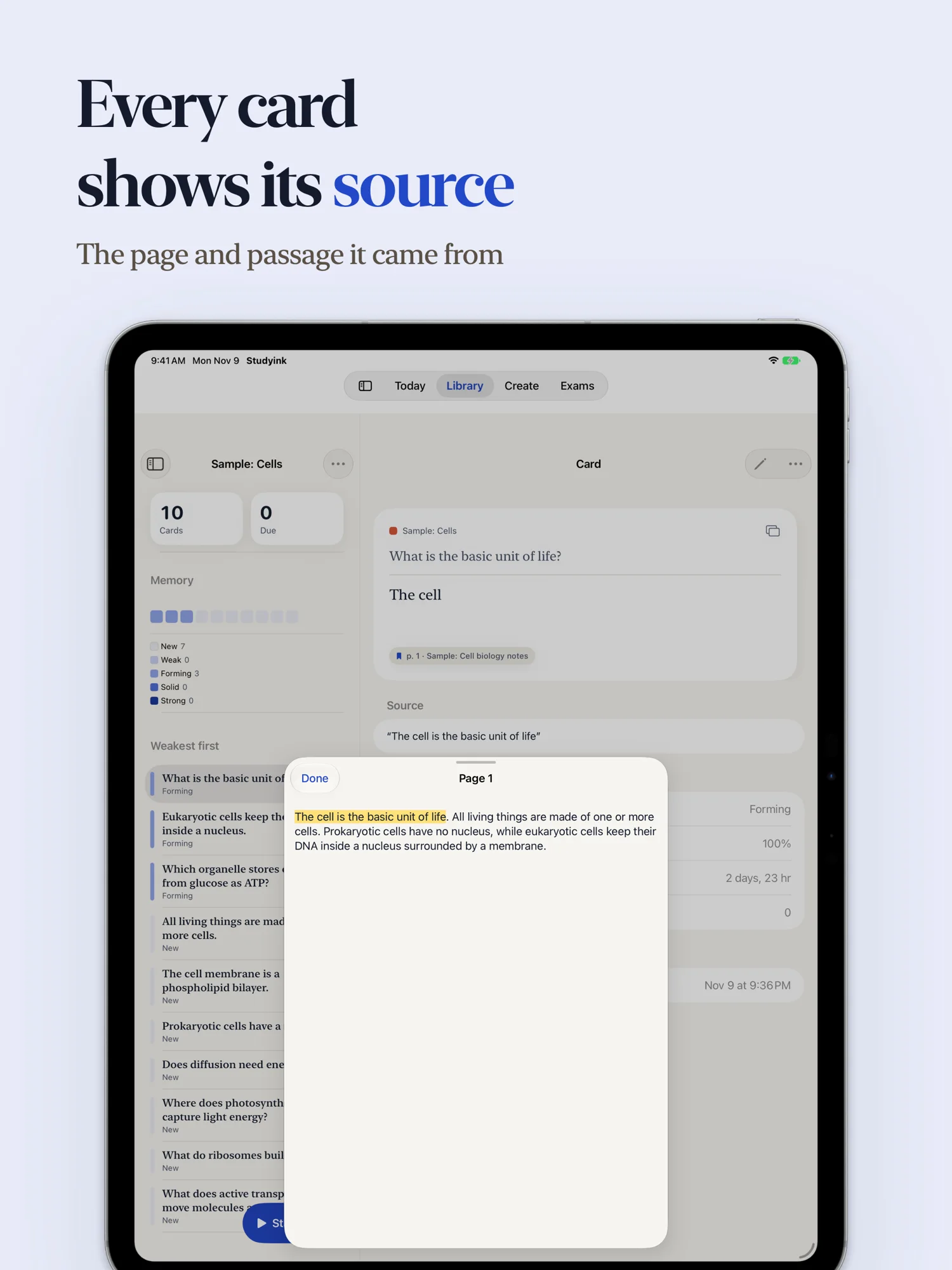
- Every generated card shows the page it came from and opens the passage highlighted
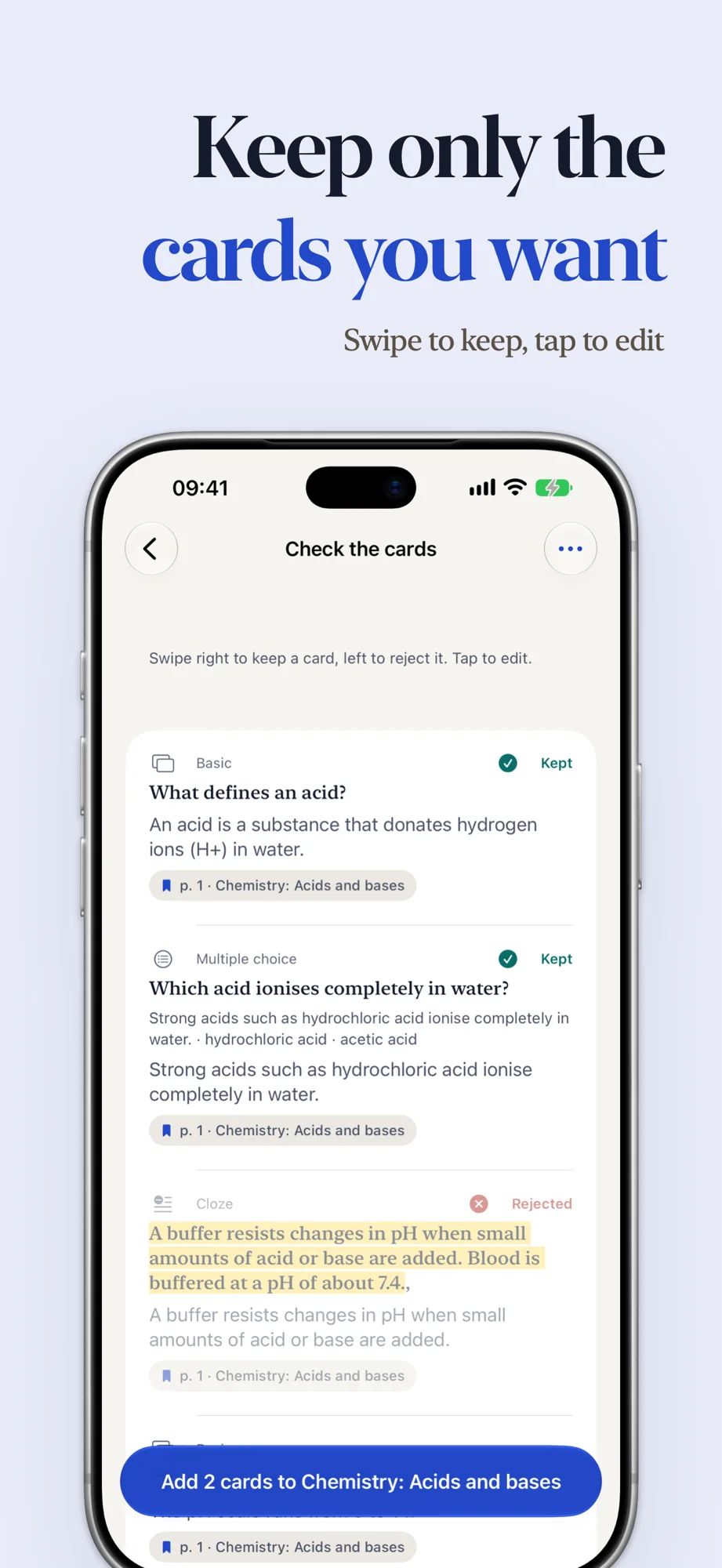
- Keep, edit or reject each card before it joins a deck
- Basic, cloze, multiple choice, true/false and image occlusion cards

How it works
Studyink, from first tap to finished.
Bring in your notes
Scan pages with the camera, choose photos of notes or slides, open a PDF or paste text, or share text, PDFs and images to Studyink from another app. The text is read on your device, and you can remove a page before you go on. Try the sample notes starts you off with three pages on cell biology.
Make cards and check each one
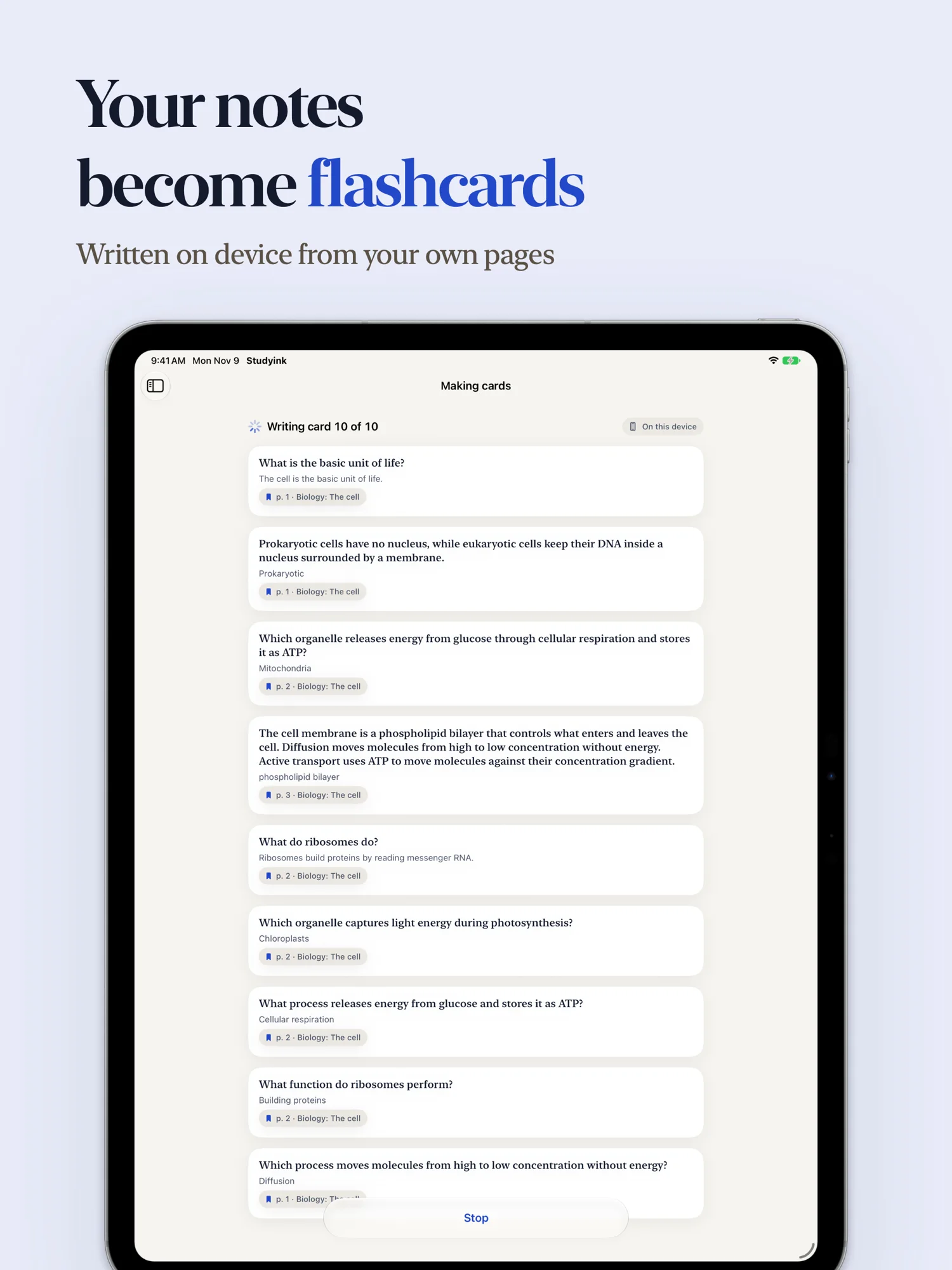
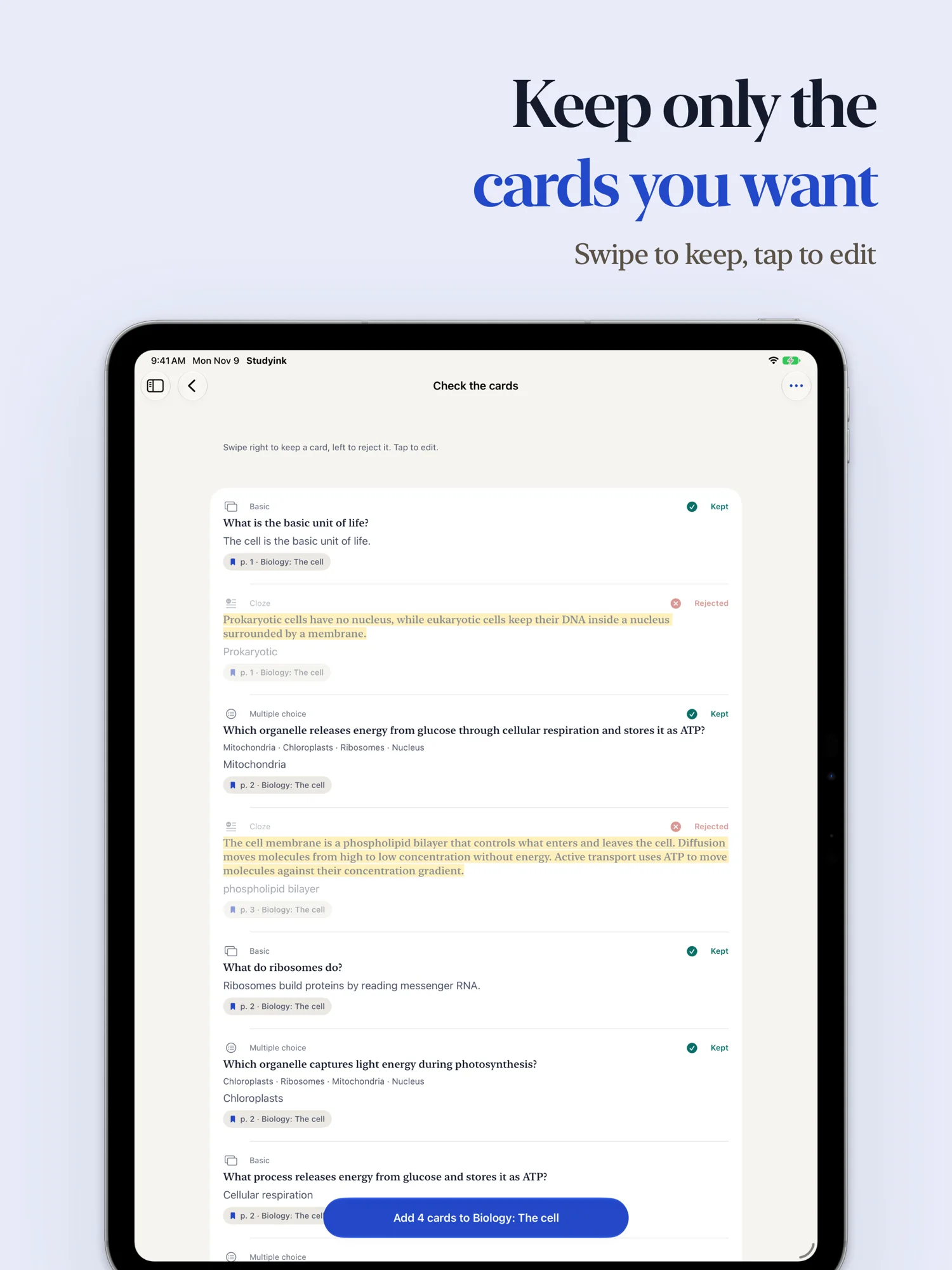
Pick the card types and how many you want, and Apple Intelligence writes them on your device, each linked to its page. In Check the cards, swipe right to keep a card, left to reject it, or tap to edit, then add the kept cards to a deck. You can also write cards by hand or import Anki, CSV and text files.
Review on a schedule
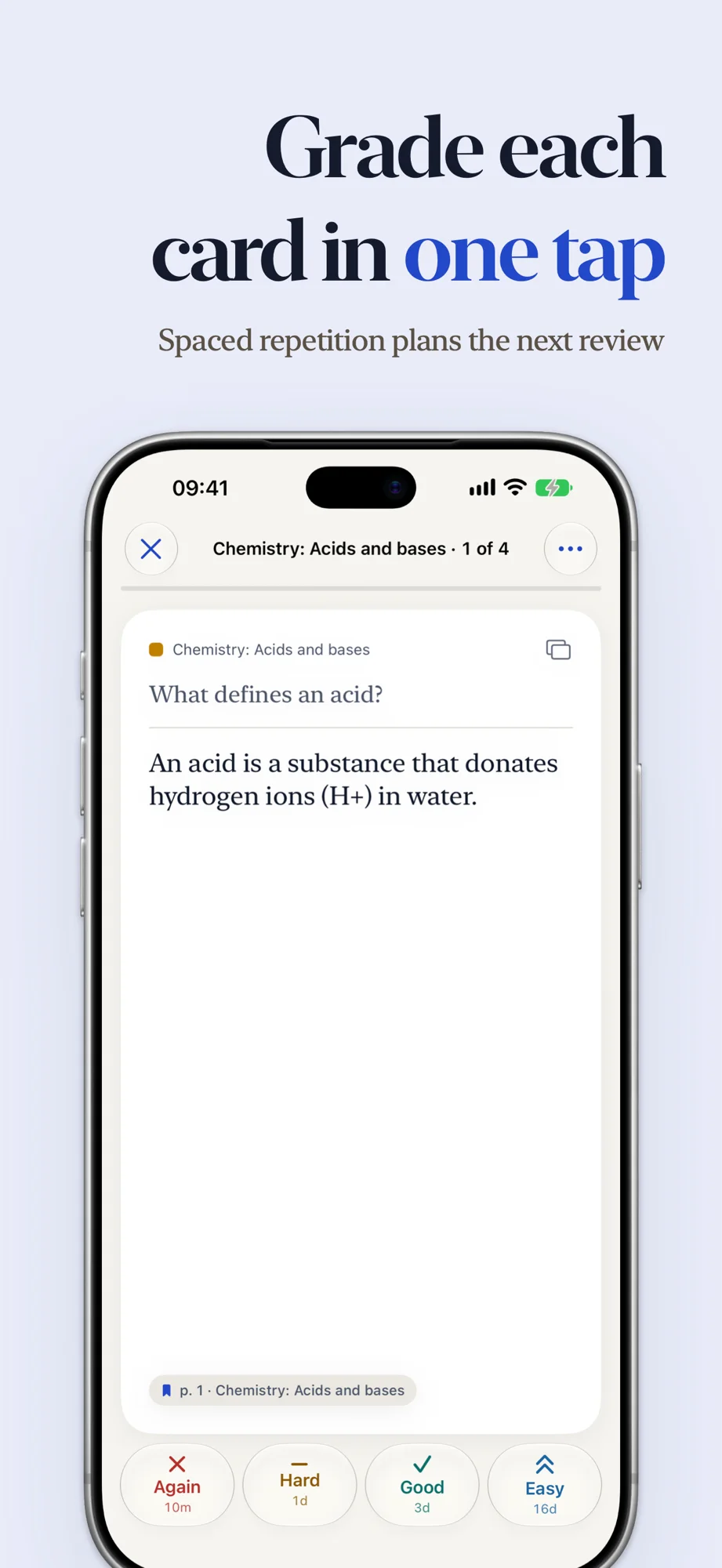
Studyink schedules every card with FSRS and brings it back just before you are likely to forget it. Grade each answer Again, Hard, Good or Easy, with the next interval shown on each button, and open the source tab to see the page a card came from.
Plan for the exam
Add an exam with its date and the decks it covers, and Studyink shows your predicted recall on exam day. Set a reminder time for each exam. With Studyink Pro you also get a daily plan in minutes up to exam day and timed practice exams that show your weak topics.
On the iPad
The same app with room to spread out.
What it does
- Scan pages, open PDFs or paste a chapter, and Apple Intelligence writes the cards
- Every generated card shows the page it came from and opens the passage highlighted
- Keep, edit or reject each card before it joins a deck
- Basic, cloze, multiple choice, true/false and image occlusion cards
- FSRS spaced repetition with the next interval on Again, Hard, Good and Easy
- Review from interactive widgets, the Lock Screen, StandBy, a Live Activity and Apple Watch
- Exam dates with predicted recall, a daily plan and timed practice exams
- Imports .apkg and CSV, syncs through your own iCloud, with no account
Scan a page, pick a PDF or paste a chapter. Apple Intelligence writes the cards right on your iPhone or iPad. Every card shows the page it came from: tap the source tab and the passage opens, highlighted. You check each card before it joins a deck, so nothing you didn't approve ends up in your reviews.
Make cards from what you study
- Scan pages with the document camera, choose photos, open PDFs or paste text
- Share text and files from other apps straight into Studyink
- Basic, cloze, multiple choice, true/false and image occlusion cards
- Keep, edit or reject every card; the source tab opens the highlighted passage
- Import .apkg decks, CSV files and exported text; write cards by hand
Review on a real schedule
- FSRS spaced repetition with Again, Hard, Good and Easy and the next interval on each button
- Type your answer, or write it with Apple Pencil on iPad, and get feedback on what you had and what was missing
- Have cards read aloud while your hands are busy
- Memory heatmap for every deck, weakest cards first
Review where you already look
- Interactive Home Screen widgets that show and grade a card in place
- Lock Screen and StandBy reviews
- A 15-minute study sprint as a Live Activity
- Apple Watch app with today's cards, even offline
- Siri, Shortcuts, the Action button and Control Center: "Quiz me on Biology"
Plan for the exam
- Add an exam date and see how ready you are: predicted recall on the day
- A daily plan in cards and minutes
- Timed practice exams with results by weak topic
- Study reminders at the time you choose
Private by design
No account and no tracking. Your decks sync through your own iCloud.
Card generation and answer feedback need a device with Apple Intelligence turned on, in a supported language and region. On other devices you can still scan, import, write and review cards with every review feature.
Who it is for
Students with an exam date
Predicted recall shows how ready you are, and with Pro a daily plan and practice exams point to the topics you still miss.
People who study from textbooks and handouts
Cards made from a scan or a PDF keep the page they came from, so checking the source takes one tap.
Anki users on iPhone and iPad
Import your .apkg decks and keep FSRS scheduling, with the next interval on every grade button.
Anyone who reviews in spare minutes
Show and grade a card from a widget on the Home Screen or the Lock Screen, or ask Siri to quiz you.
Free in your browser
Try the idea first, no install needed.
Guides and resources
More on studyink.cihat.dev, the Studyink website.
Questions
How do I make flashcards from a PDF?
Tap PDF in Create and choose the file. Studyink reads its pages on your device; pick the card types and a count, then tap Make cards. Apple Intelligence writes the cards, each one linked to the page it came from, and you check every card before it joins a deck.
What is free, and what does Studyink Pro add?
Free: every card you write or import, unlimited reviews, three card generations a week, one exam with its readiness, and the small Home Screen and Lock Screen widgets. Studyink Pro adds card generation within Apple's daily limits, timed practice exams, a daily exam plan and more exams, feedback on written answers, image occlusion, medium and large widgets, the study sprint and Apple Watch. It comes as a monthly plan, a yearly plan with a one-week free trial, or a one-time lifetime purchase. Buying or managing a plan, and links that leave the app, open only after a parental check.
Does the AI send my notes to a server?
No. Studyink uses only the Apple Intelligence model on your device, and text recognition for scans and photos runs on the device too. Card generation and answer feedback need iOS 26 or later on a device with Apple Intelligence turned on. Without it, you can still scan, import, write and review cards.
Can I import my Anki decks?
Yes. Import reads Anki .apkg packages, CSV files and plain text where each line has a front and a back separated by a tab, comma or semicolon. A deck saved in the newest Anki format needs one more step: export it again in Anki with "Support older Anki versions" turned on.
How does spaced repetition work in Studyink?
Studyink uses FSRS, an open spaced repetition algorithm. It predicts when you are about to forget each card and schedules the review just before that. A higher desired recall means more reviews; set it between 75% and 97% in Settings, where 90% suits most exams.
Can I review from widgets, the Lock Screen or Apple Watch?
Yes. The Review widget shows your next card and lets you reveal and grade it in place, on the Home Screen and the Lock Screen, and Cards due shows how many are left. Say "Quiz me in Studyink" to Siri, or use the Studyink actions in Shortcuts. Medium and large widgets, the 15-minute study sprint as a Live Activity and reviewing on Apple Watch are part of Studyink Pro.
Do I need an account, and does it sync?
There is no account. Your decks sync between your iPhone and iPad through your own iCloud. Apple Watch gets today's due cards from the iPhone, works offline and sends your grades back the next time they connect.
Which languages does Studyink support?
The app is in English, Turkish, German, Spanish, Arabic and Japanese. You can write and review cards in any language; card generation works in the languages Apple Intelligence supports.
Related apps
More from writing and study.



Studyink on the App Store
Every card shows its page.