 Utilities
iOS and macOS
StarType: Handwriting Fonts
Turn your own handwriting into a font. Write each letter once, then type anything and watch it appear in your hand. StarType also adds a fonts keyboard with 100+ styles to your iPhone and iPad, and helps you build a bio that fits.
On the iPhone
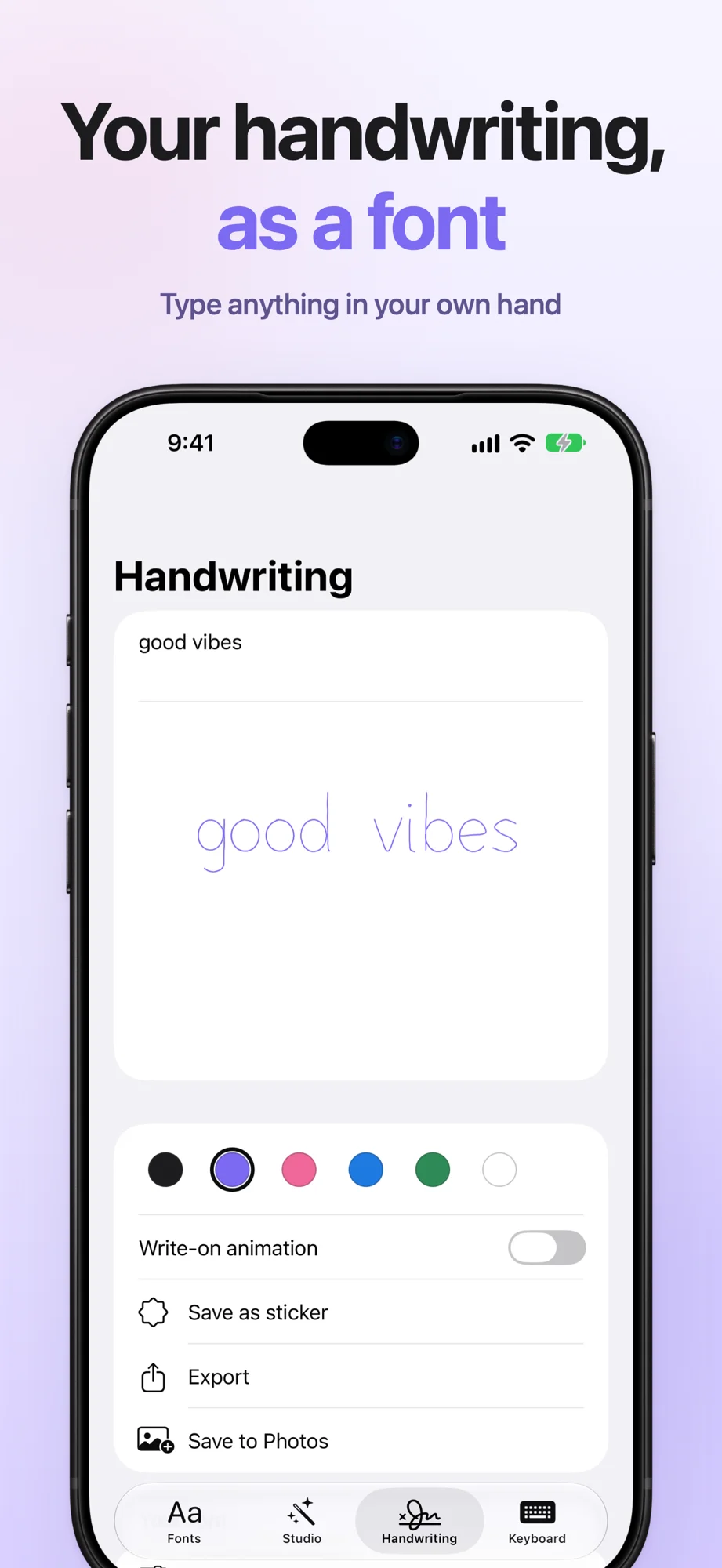
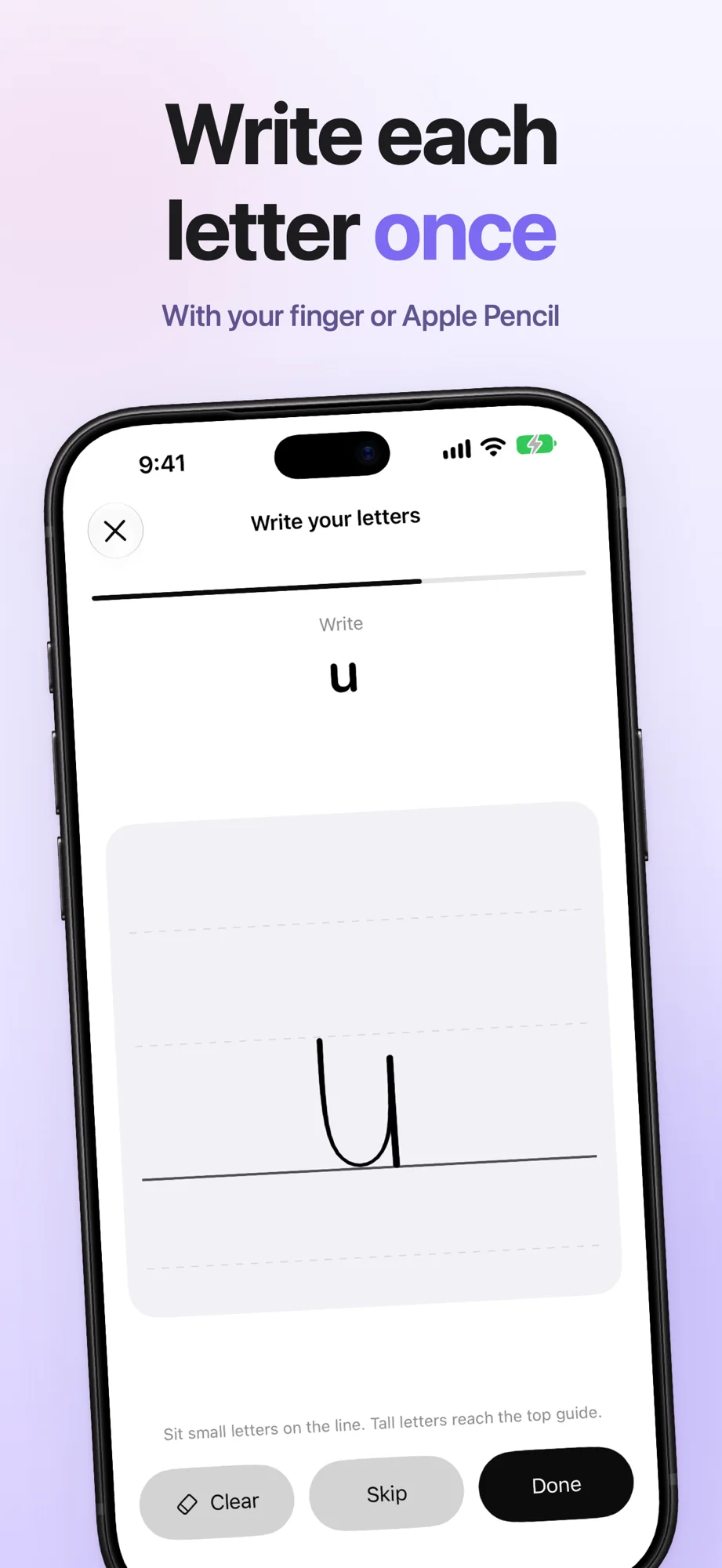
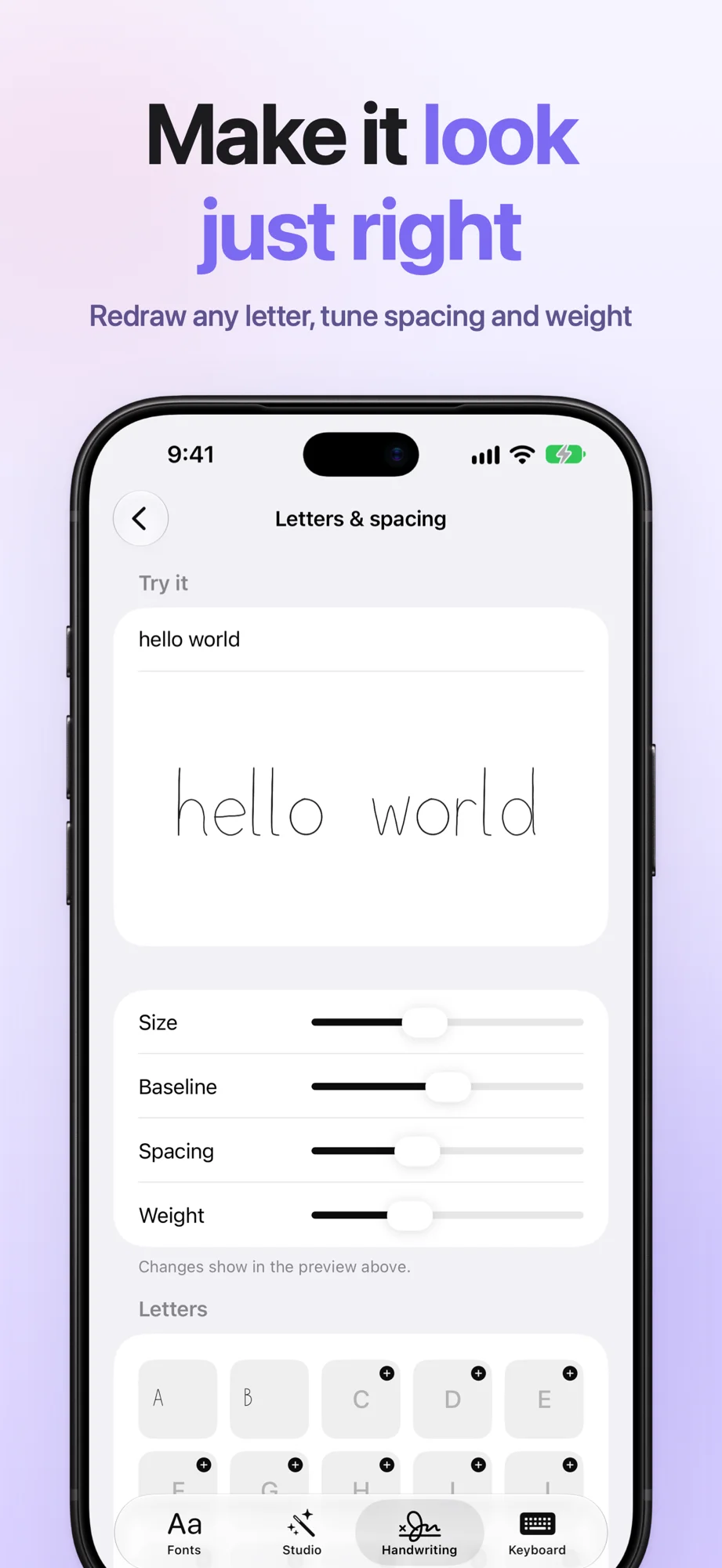
Screens from the current version on the App Store.
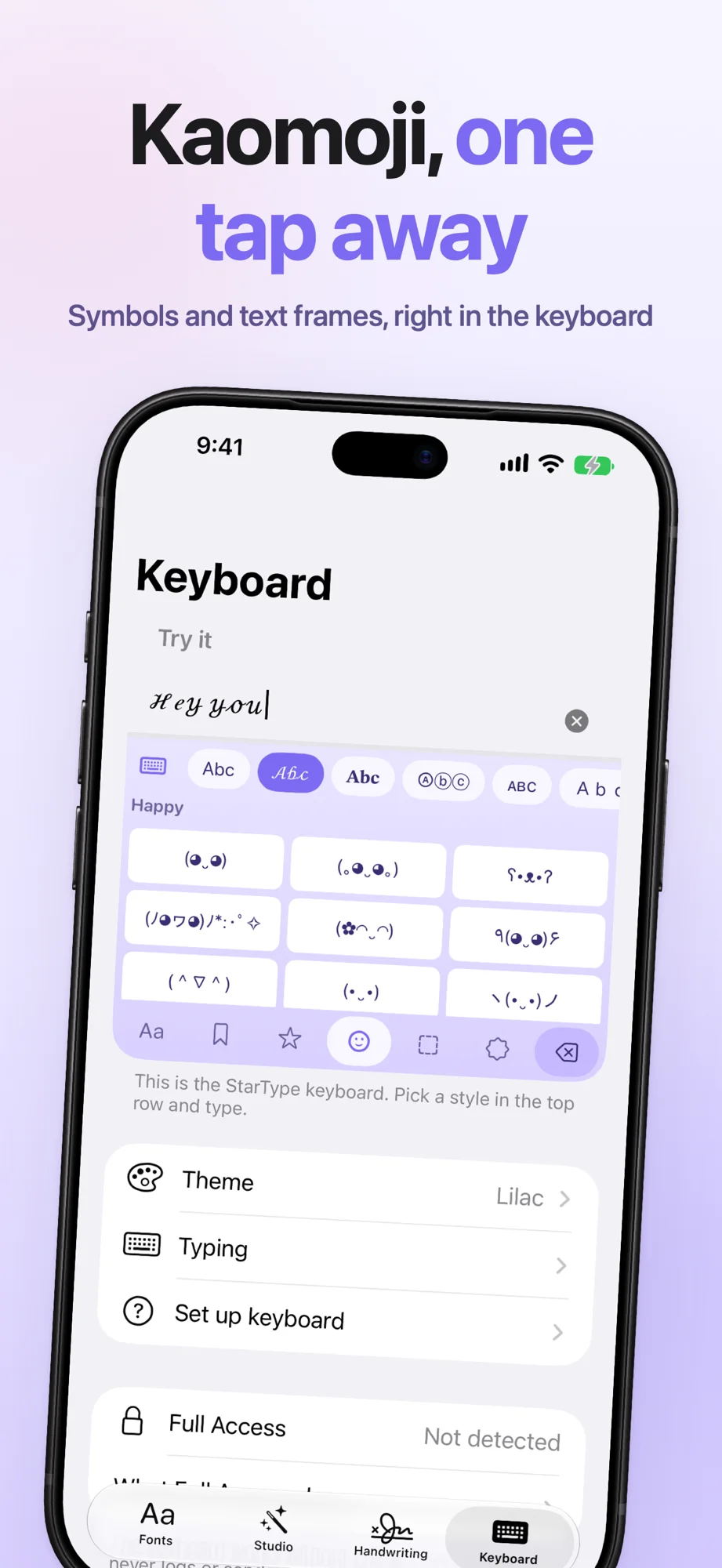
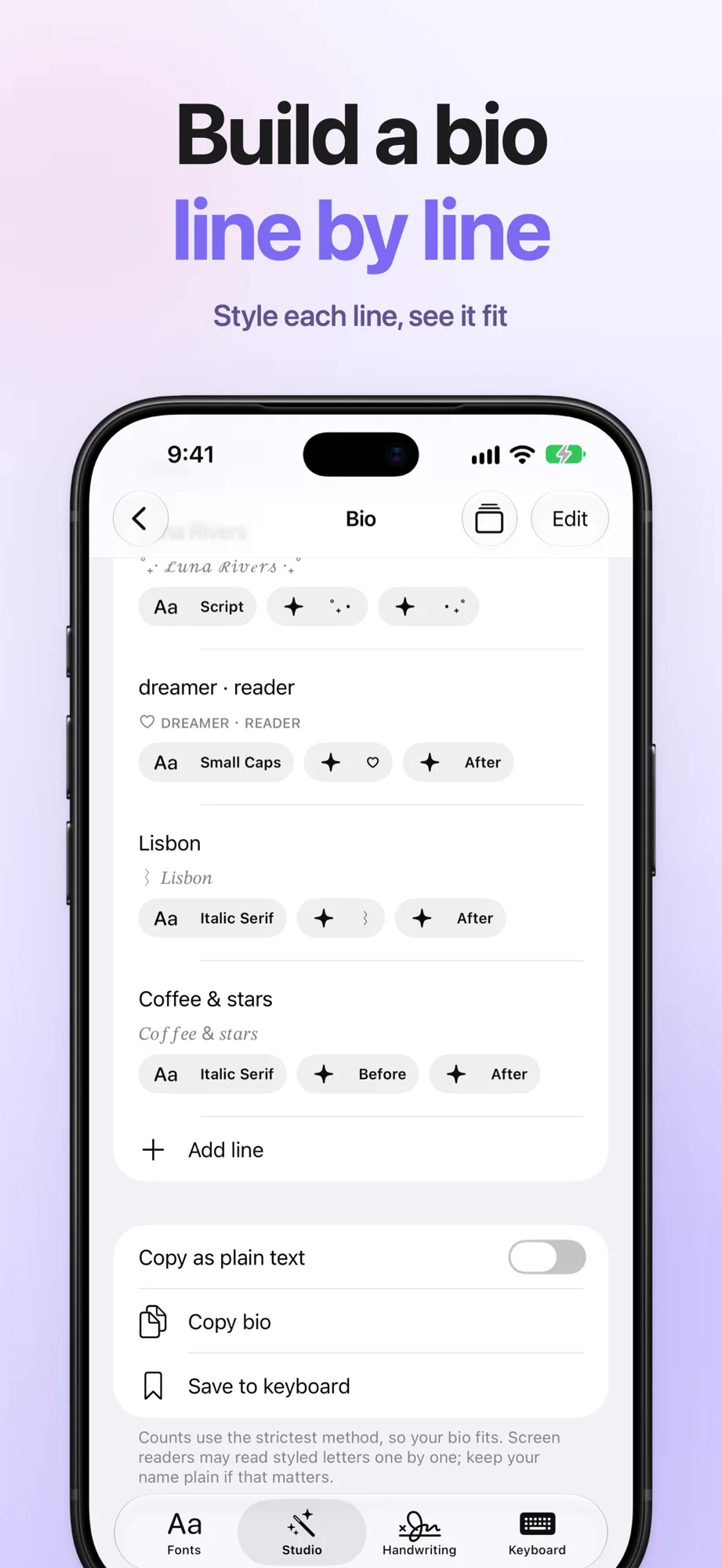
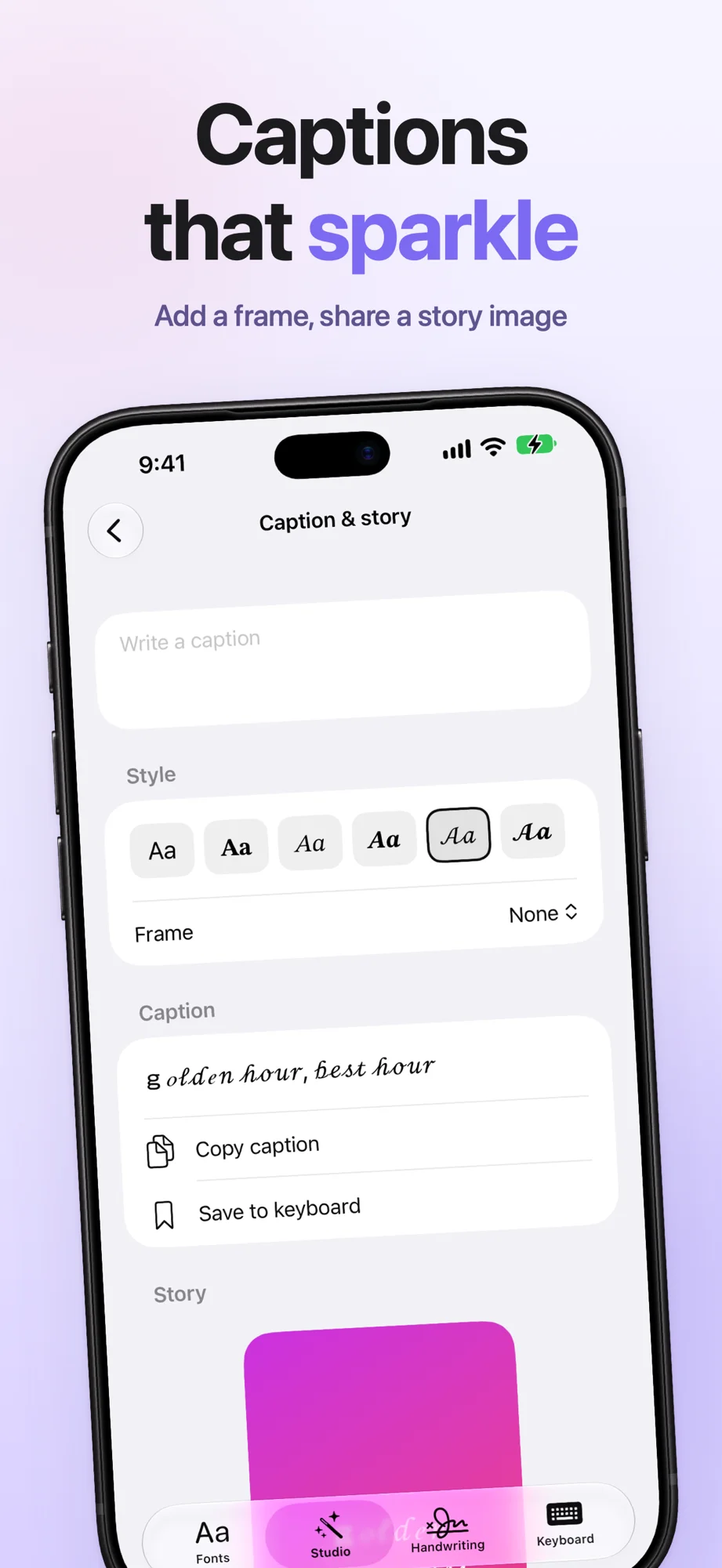
StarType at a glance
Font Maker Keyboard & Bio.
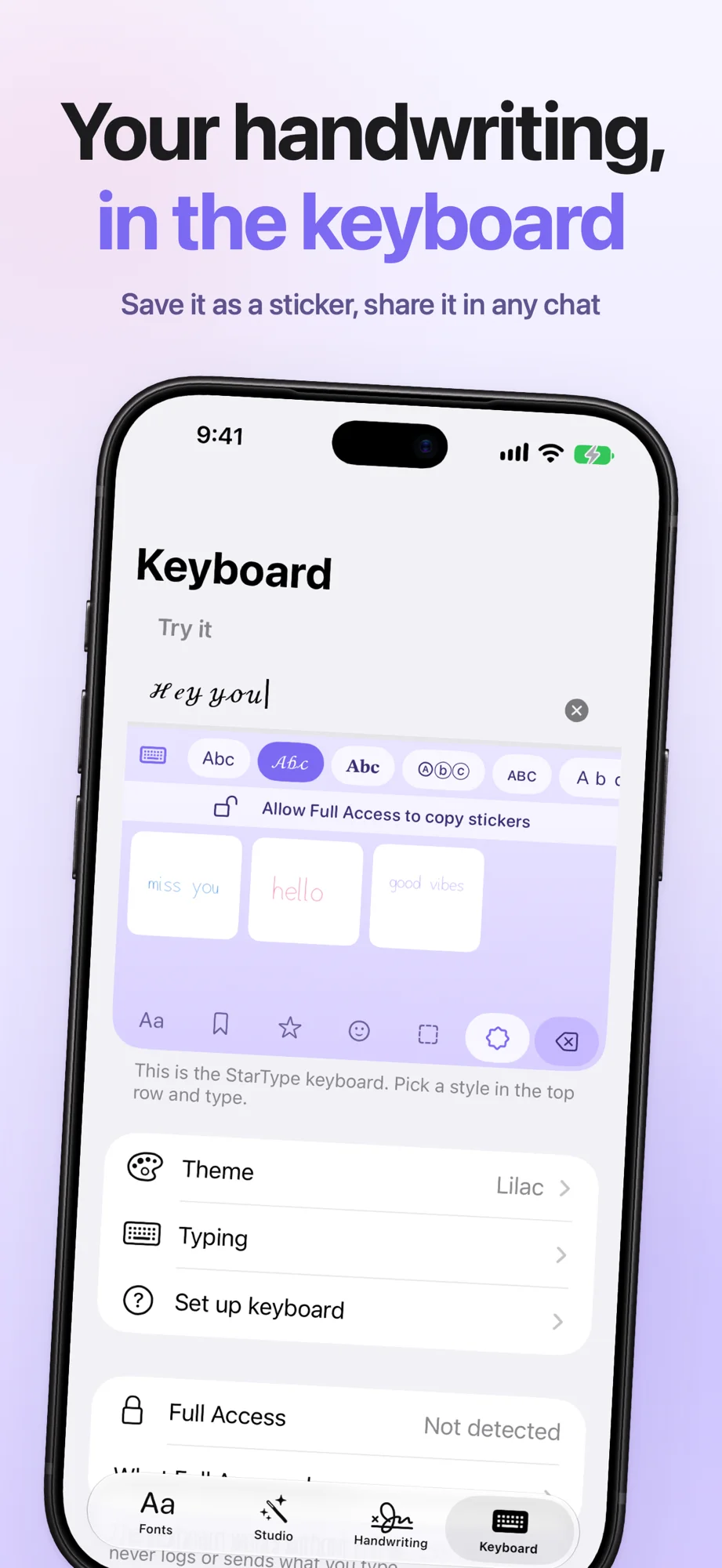
- Write each letter once with your finger or Apple Pencil, then type in your own hand
- Redraw any letter or adjust size, baseline, spacing and weight
- Save lines as stickers in the StarType keyboard: 3 free, unlimited with Pro
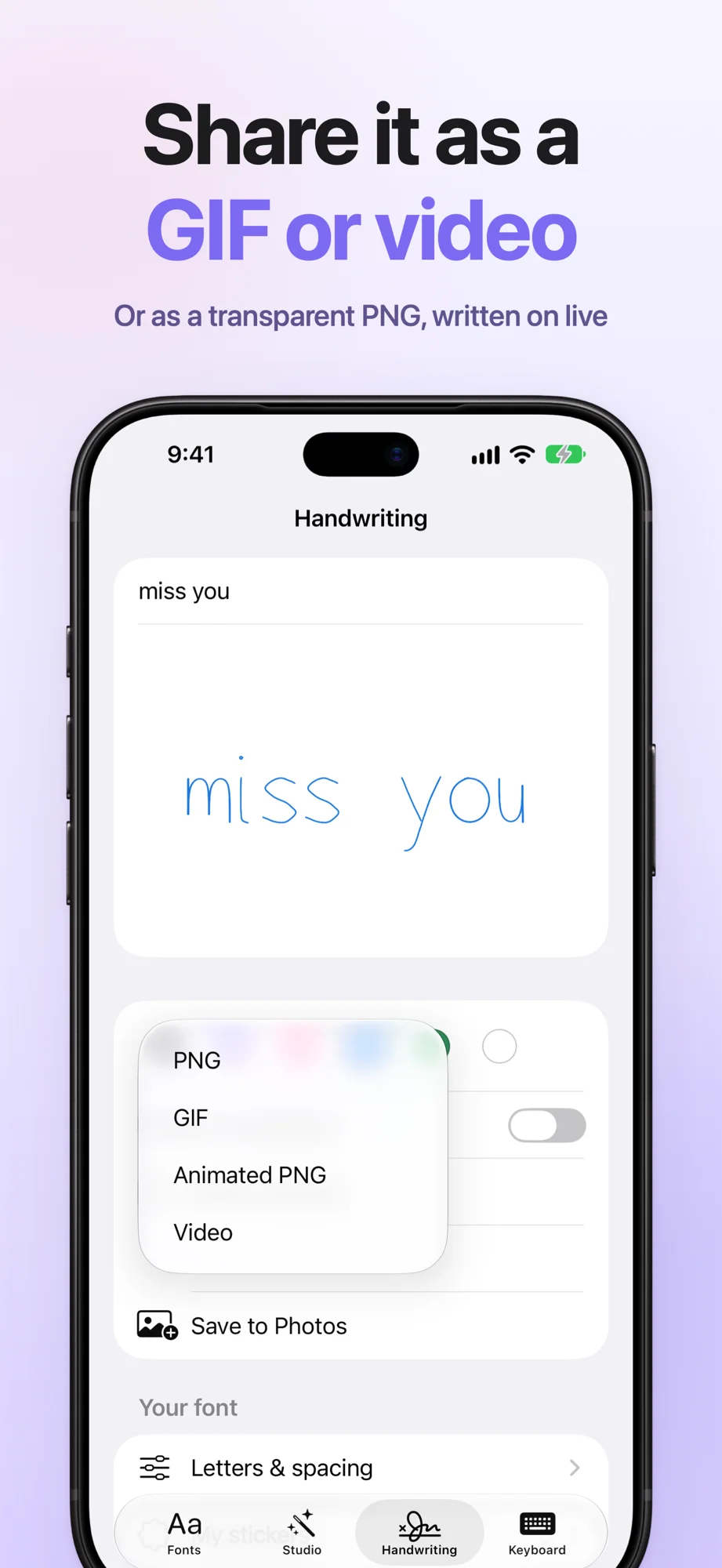
- Export a transparent PNG, an animated write-on GIF or a video with Pro

How it works
StarType, from first tap to finished.
Write each letter once
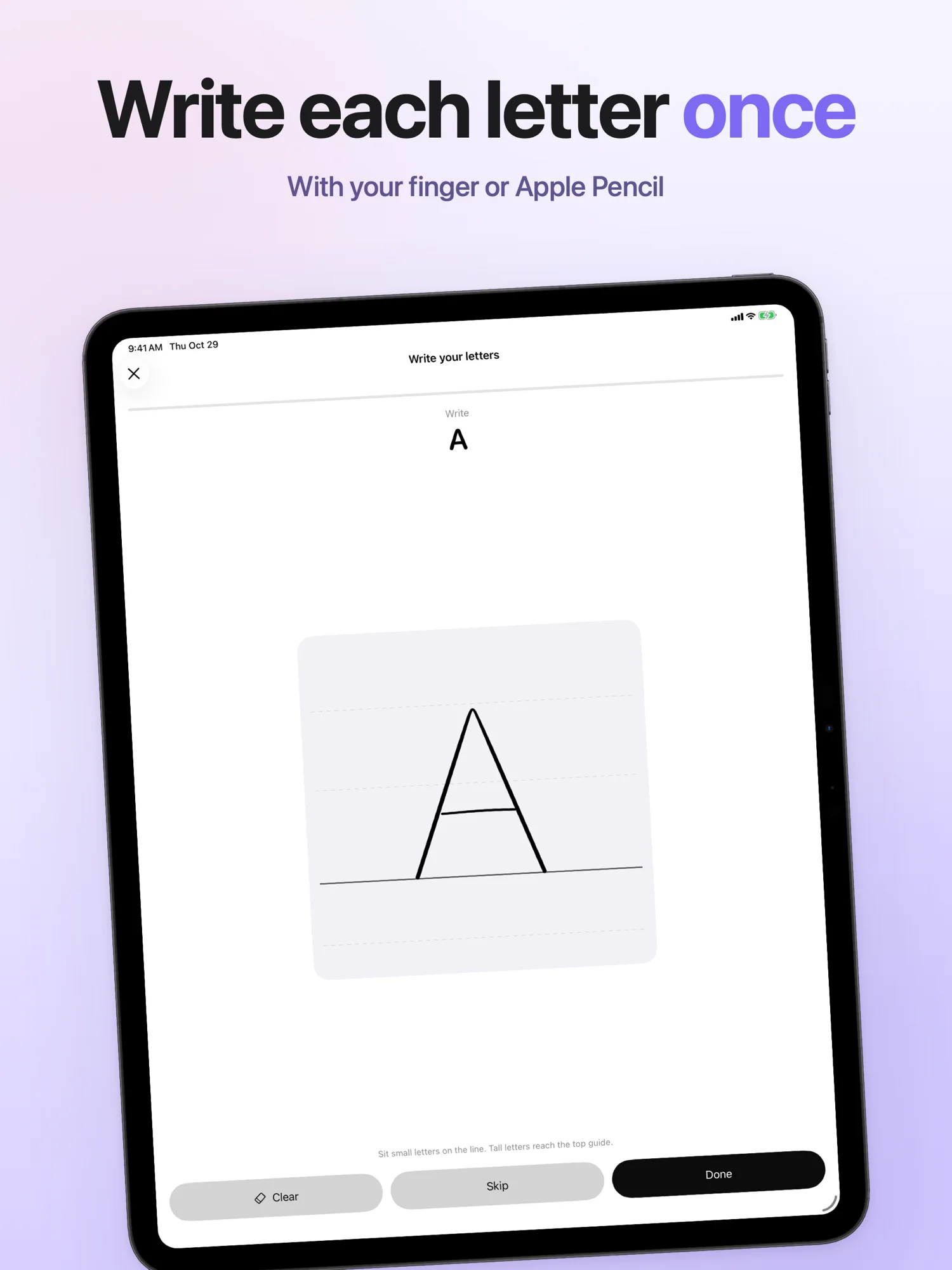
Open the Handwriting tab and write each letter on simple guide lines, with your finger or with Apple Pencil on iPad. You can redraw any letter later.
Tune it, then type
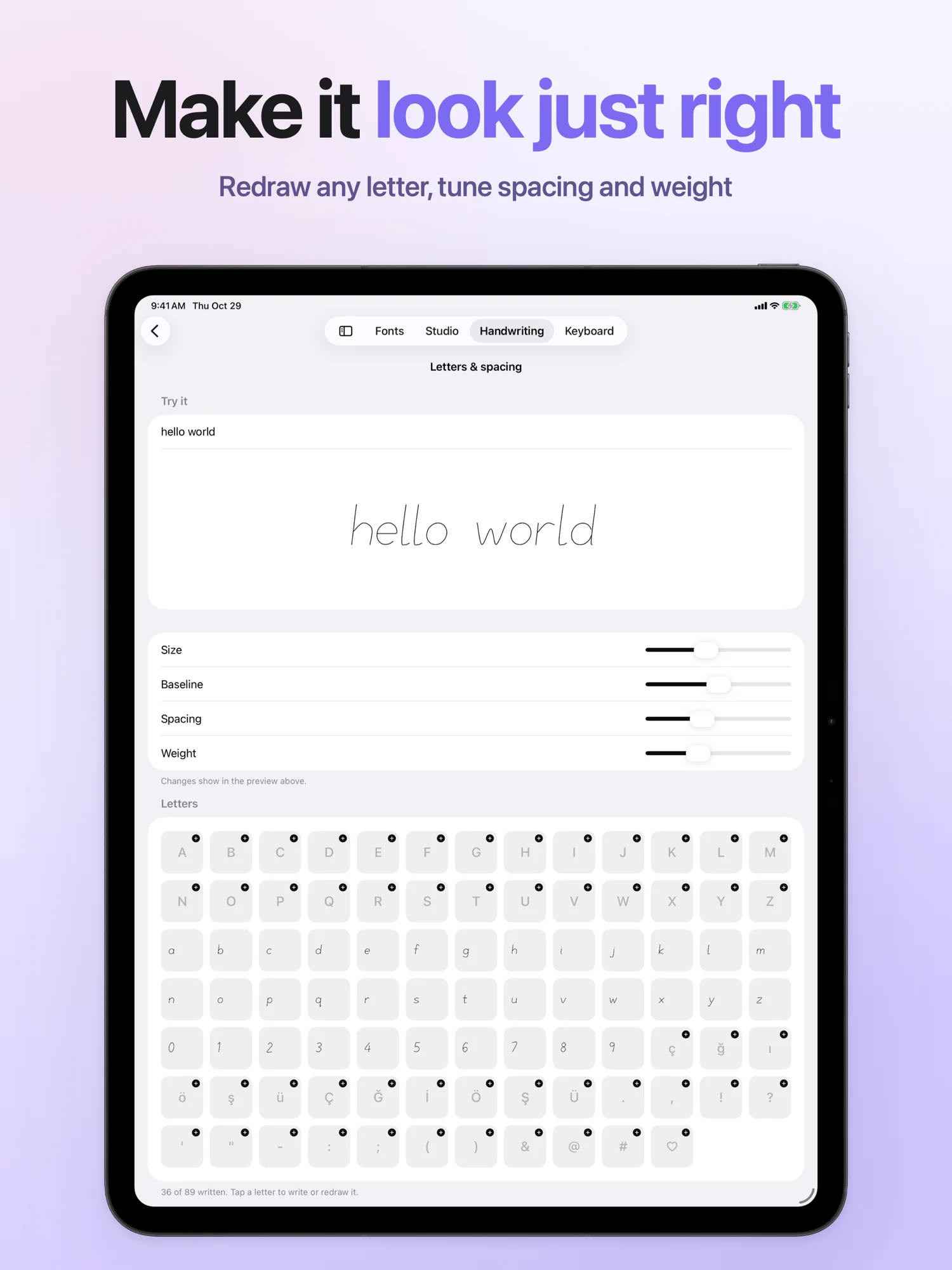
Type a word and StarType sets it in your own hand. In Letters & spacing, adjust size, baseline, spacing and weight until it looks like you.
Save it and send it
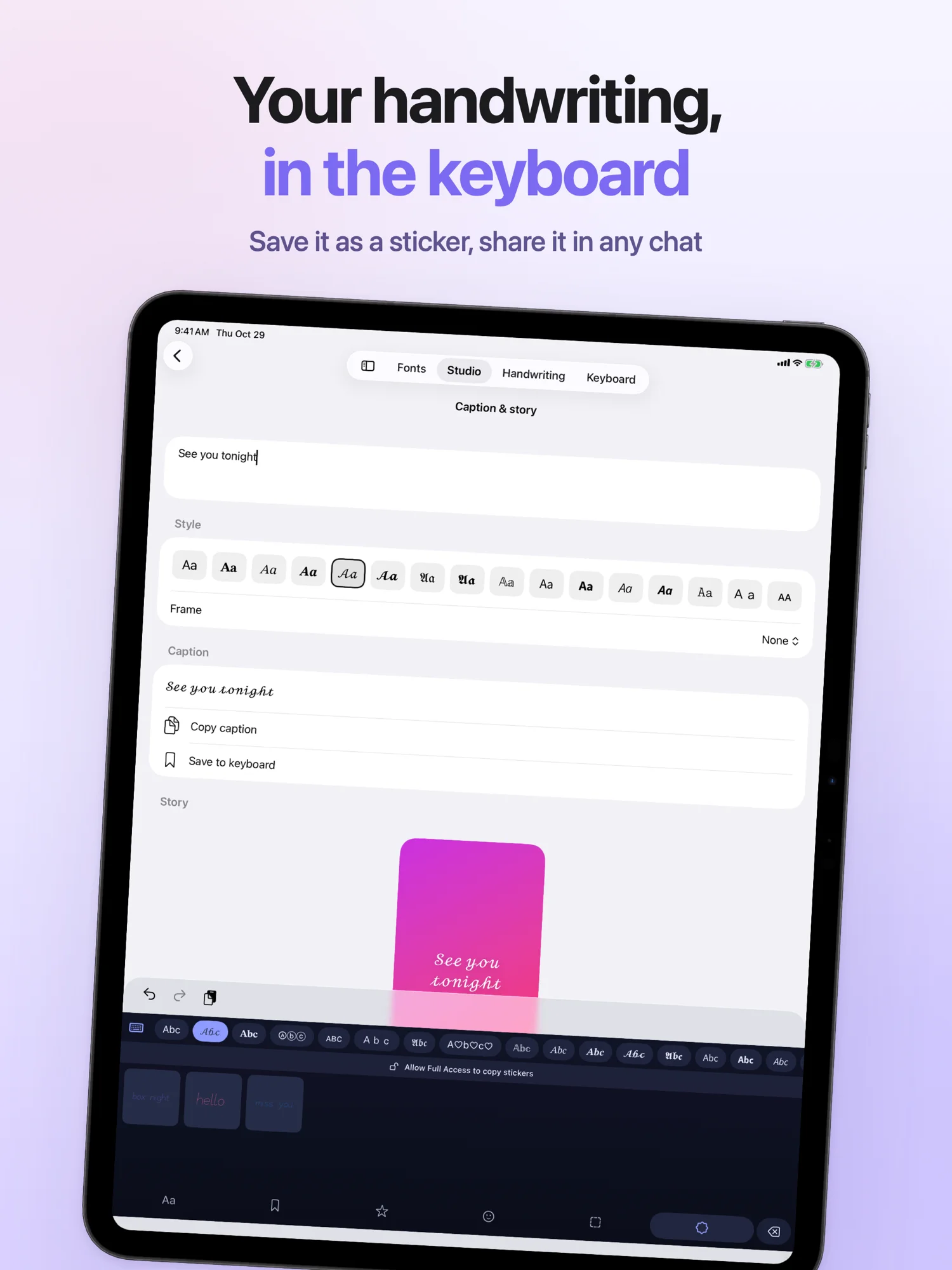
Save a line as a sticker and it shows up in the StarType keyboard, ready for your chats. Or, with Pro, export it as a transparent PNG, an animated write-on GIF or a video.
Style the rest of your text
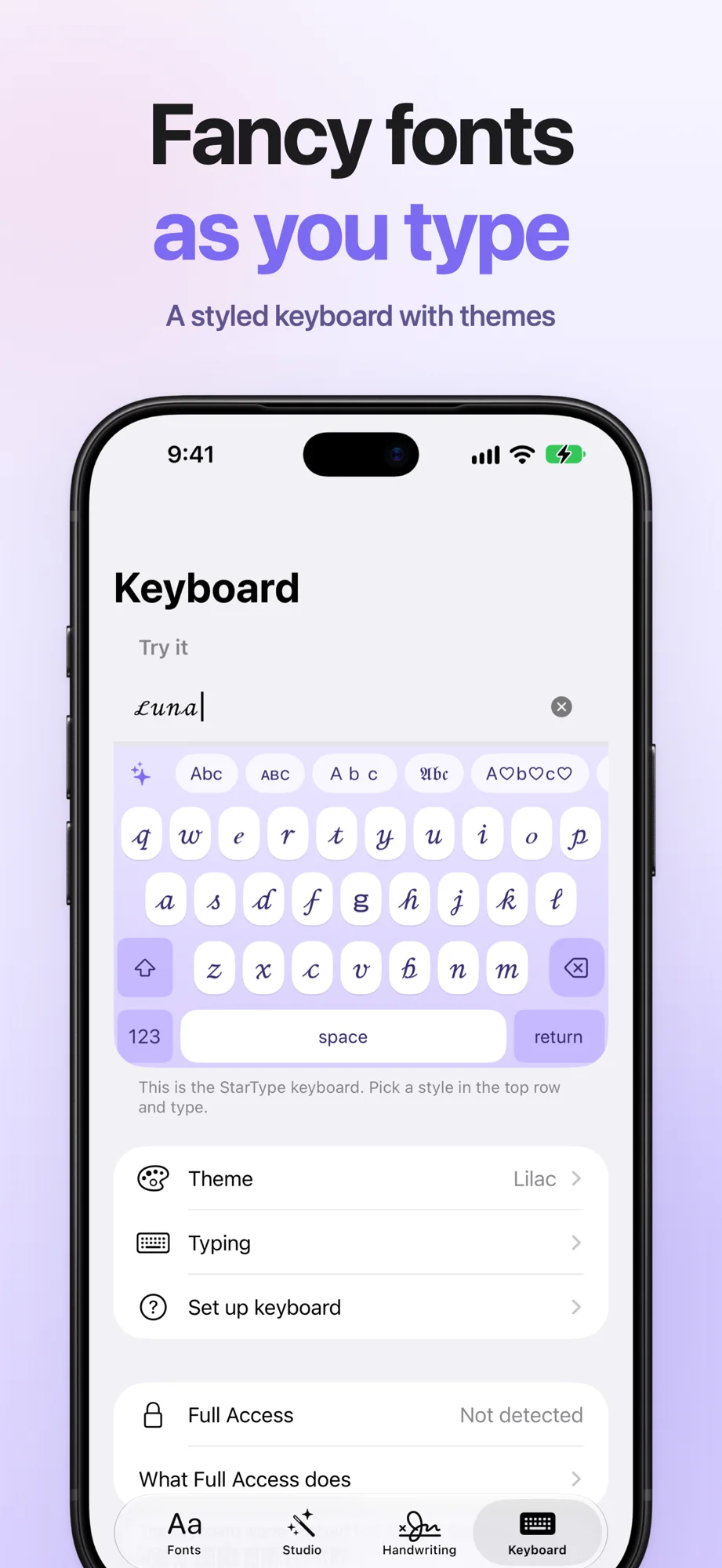
Add the StarType keyboard and type in script, gothic, bubble and dozens more styles in any app. In Studio, stack styled lines into a bio and watch the count against each profile’s limit.
On the iPad
The same app with room to spread out.
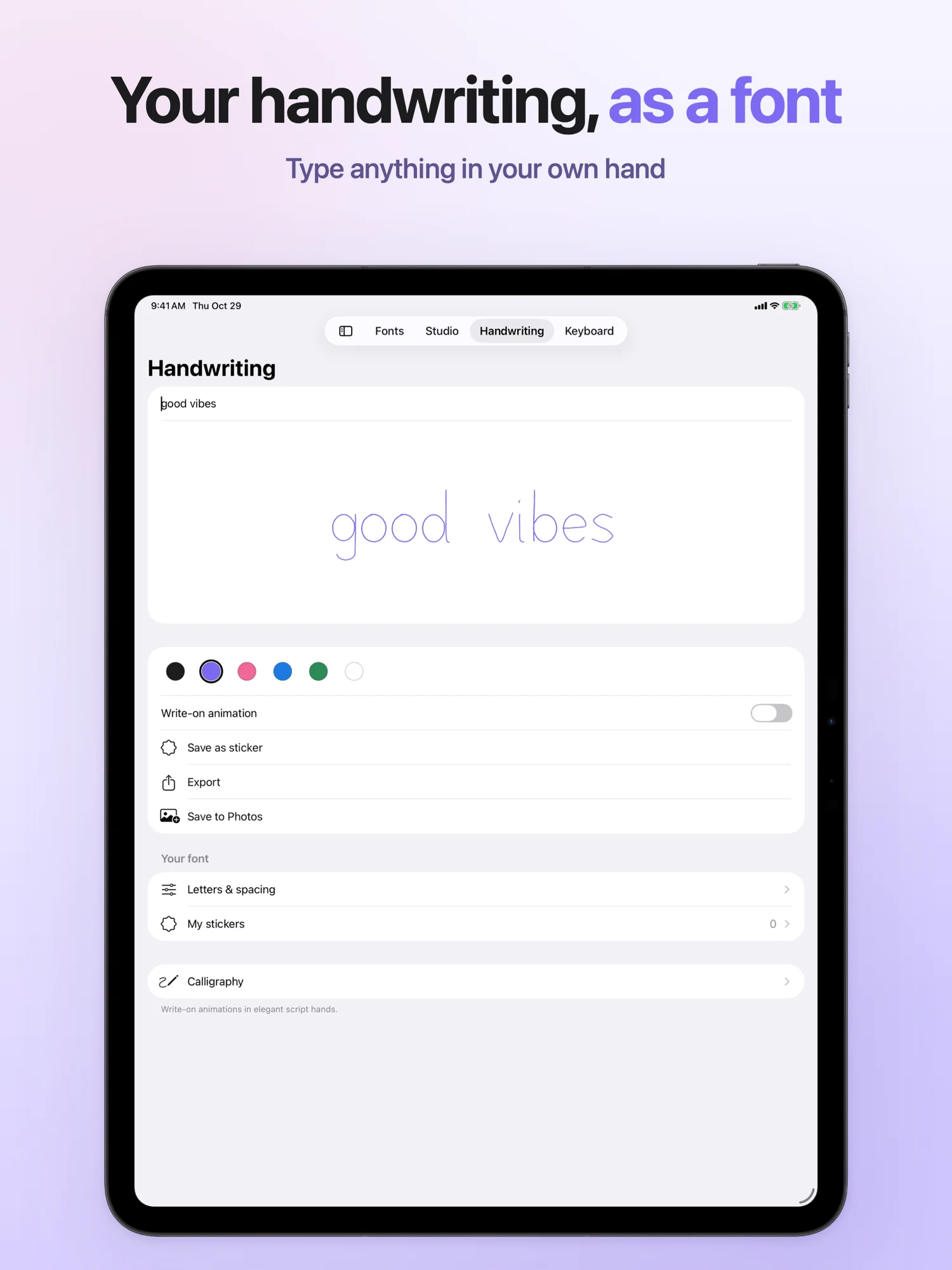
What it does
- Write each letter once with your finger or Apple Pencil, then type in your own hand
- Redraw any letter or adjust size, baseline, spacing and weight
- Save lines as stickers in the StarType keyboard: 3 free, unlimited with Pro
- Export a transparent PNG, an animated write-on GIF or a video with Pro
- A fonts keyboard with more than 100 Unicode styles that work in any app
- Symbols, kaomoji and text frames one tap away
- Bio and caption studio with a character count for each profile's limit
- Color, gradient and photo themes with English, Turkish, Spanish, Portuguese, French and German layouts
- Types and styles without Full Access; nothing you type leaves your device
On iPad it works with Apple Pencil too.
Your handwriting, as a font
1. Write each letter once with your finger or Apple Pencil, on simple guide lines.
2. Type any word and StarType sets it in your own hand. Redraw a letter or tune size, baseline, spacing and weight at any time.
3. Save it as a sticker and it appears in the StarType keyboard, ready to share in your chats. Or export a transparent PNG, an animated write-on GIF or a video.
Want something fancier? Try a calligraphy hand.
Fonts keyboard
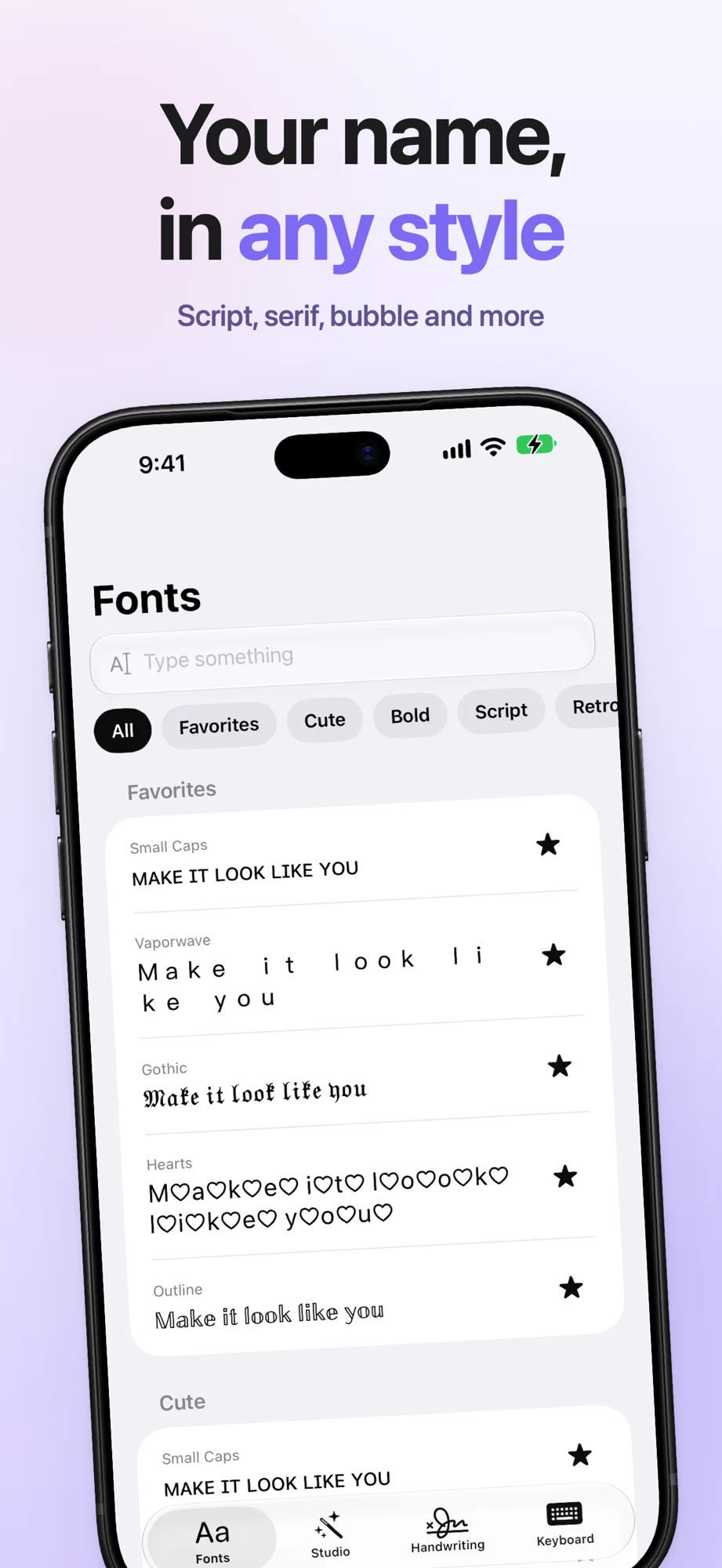
Switch to StarType in any app and type straight in script, gothic, bubble, outline, typewriter, vaporwave, upside down and dozens more. Styles are made of Unicode characters, so friends see them without installing anything. Symbols, kaomoji and text frames sit one tap away.
Bio and caption studio
Stack styled lines into a bio, watch the character count against each profile's limit, and save favorite lines to the keyboard's Saved panel.
Keyboard themes
Color, gradient and photo themes, key sounds and haptics, with English, Türkçe, Español, Português, Français and Deutsch layouts.
Widgets
Font of the day and your bio on the Home Screen.
Privacy
The keyboard types, styles, and inserts symbols, kaomoji and frames without Full Access. Allowing Full Access adds key sounds, haptics, sticker copying and the saved texts you keep in the app. StarType never records or sends what you type, and nothing you write leaves your device.
Who it is for
People who want their own hand on screen
Write the alphabet once, then turn any word into a sticker, an image or a short write-on clip that looks written by you.
Anyone styling a bio or caption
Styled lines that fit each profile’s character limit, with favorite lines kept in the keyboard’s Saved texts panel for next time.
People who type in more than one language
English, Turkish, Spanish, Portuguese, French and German layouts. With more than one turned on, a layout key next to space switches between them.
Free in your browser
Try the idea first, no install needed.
Guides and resources
More on startype.cihat.dev, the StarType website.
Questions
Can I type in my own handwriting in any app?
Not as a font: iOS keyboards cannot set a custom font in another app. Your handwriting travels as an image instead: a sticker in the StarType keyboard, a transparent PNG, an animated write-on GIF or a video.
Do the keyboard styles work for the person reading them?
Yes. The more than 100 styles are built from Unicode characters, so script, gothic, bubble and the rest arrive as text and need nothing installed on the other end. Some screen readers read styled letters one by one, so keep important names plain.
Does the keyboard need Full Access?
No. Typing, styling and inserting symbols, kaomoji and frames all work without it. Full Access adds key sounds, haptics, sticker copying and your saved texts.
Does StarType see what I type?
No. StarType never records or sends what you type, and nothing you write leaves your device. There is no account to create.
What is free, and what does StarType Pro add?
The free styles and themes, symbols, kaomoji, frames, the free bio templates, your handwriting font and up to 3 stickers are free. StarType Pro adds every style, the premium and photo themes, sound packs, unlimited stickers, write-on animation with GIF and video export, calligraphy hands, every bio template and the widgets, as a weekly plan, a yearly plan with a 3-day free trial, or a one-time lifetime purchase.
Which devices does StarType run on?
iPhone and iPad with iOS 17 or later. On iPad you can write your letters with Apple Pencil. With StarType Pro, two Home Screen widgets show a font of the day and your current bio.
Related apps
More from writing and study.

StarType on the App Store
Font Maker Keyboard & Bio.