 Business
iOS and macOS
Paidly: Invoice Maker
Clients judge a business by its paperwork. Paidly sets your invoices, estimates and receipts like a good design studio would, and gets them out of the way in about a minute.
On the iPhone
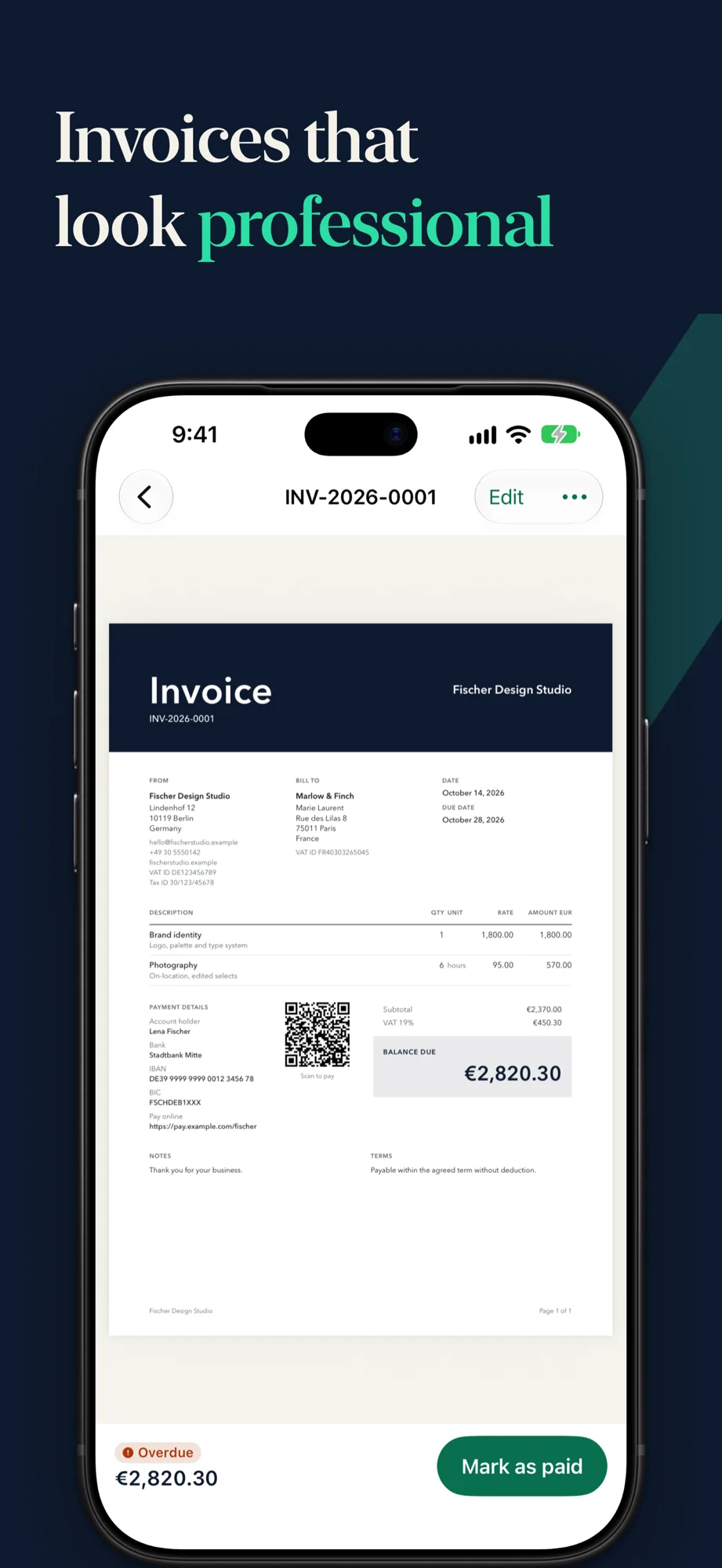
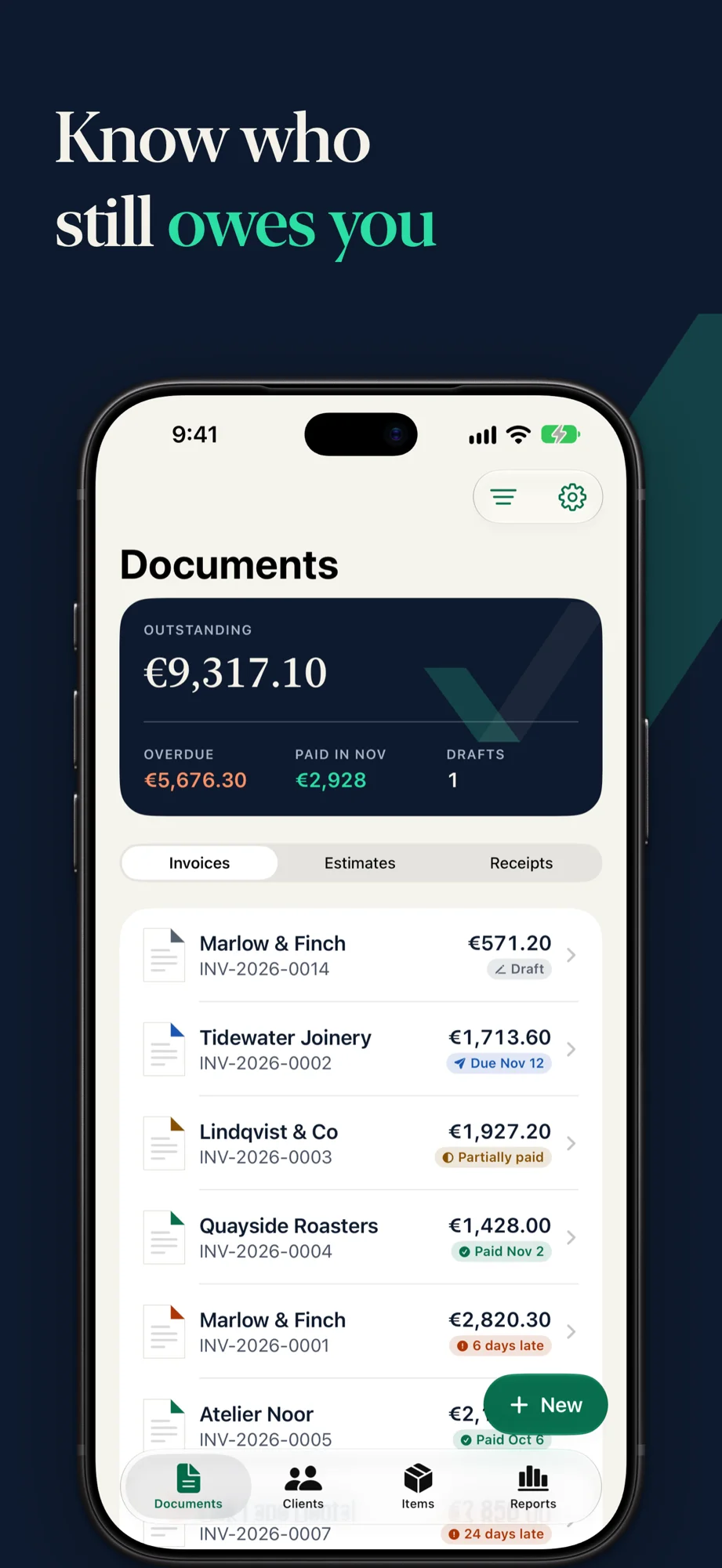
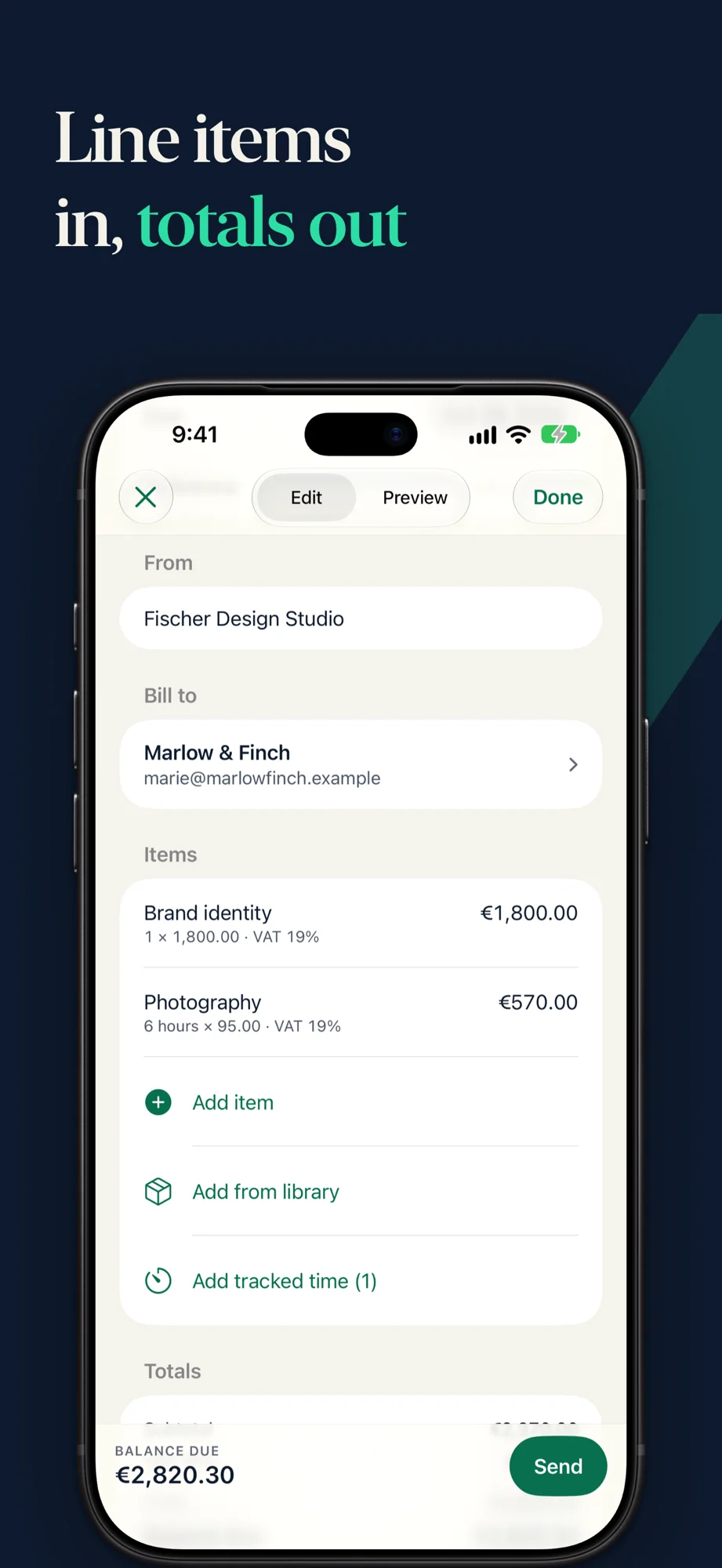
Screens from the current version on the App Store.
Paidly at a glance
Contractor Estimate Templates.
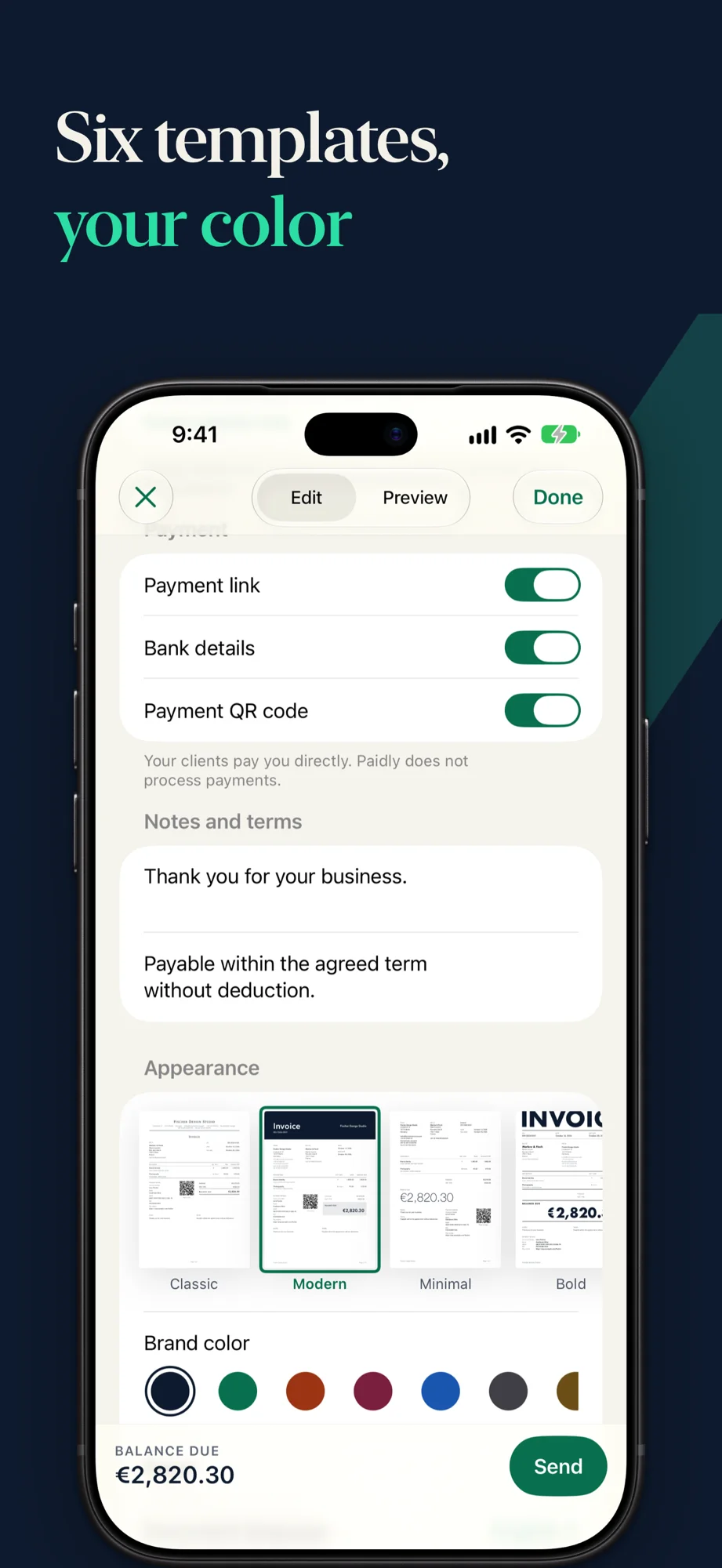
- Invoices, estimates and receipts in six typographic templates, with your logo and color
- Traceable totals: discounts, several tax rates, shipping, deposits and part payments
- Your own payment link and bank details, plus SEPA, Swiss QR-bill, PIX and UPI codes drawn on the device
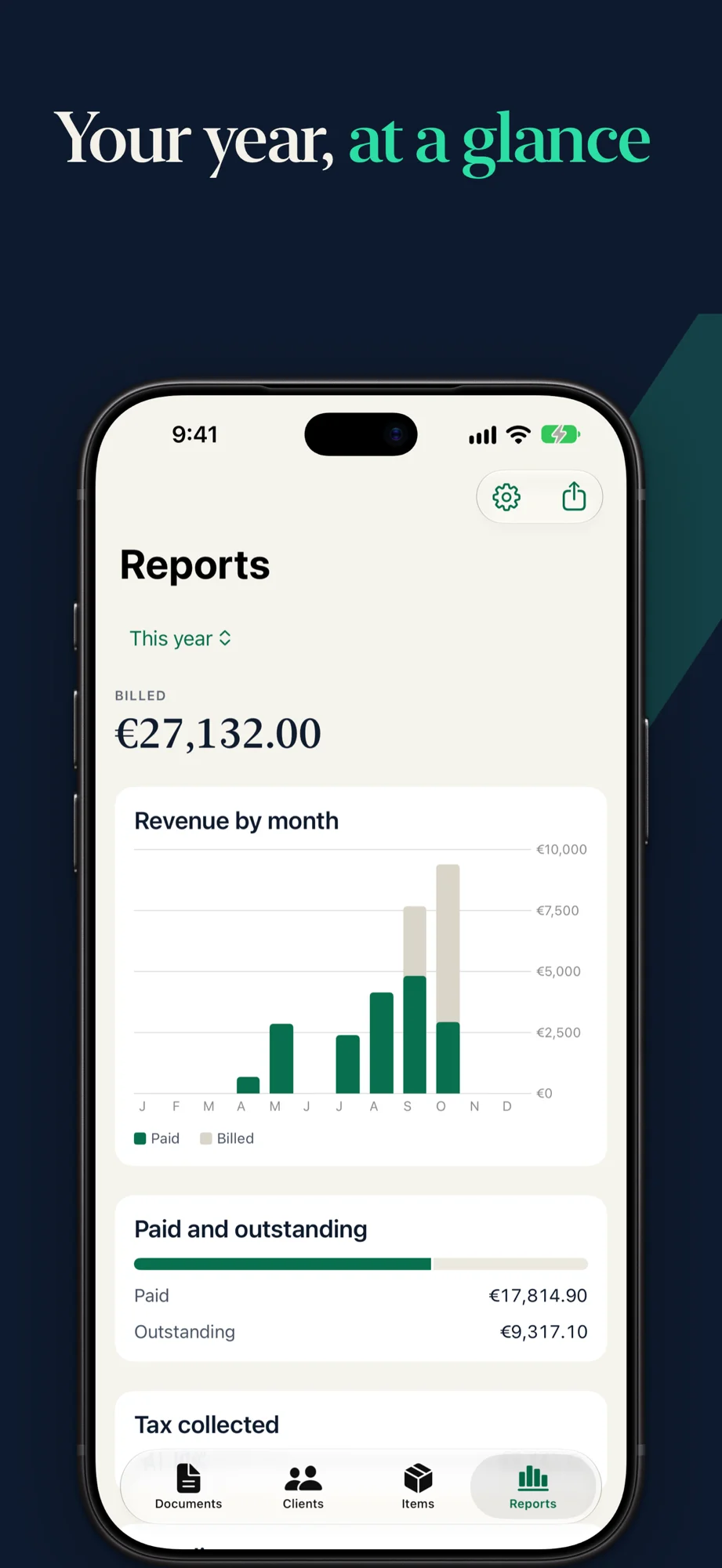
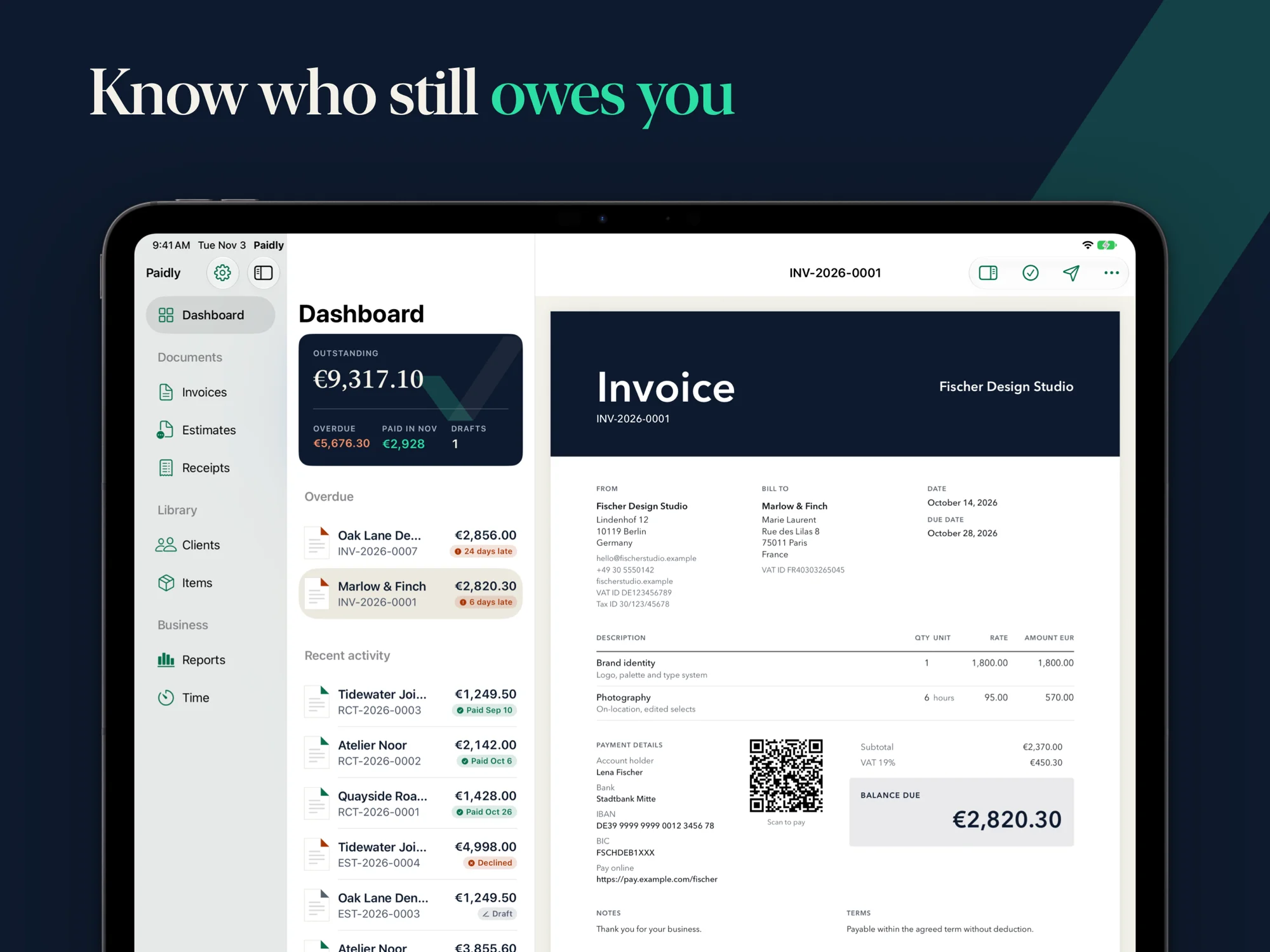
- Outstanding and overdue amounts on the first screen, with payments recorded as they arrive

How it works
Paidly, from first tap to finished.
Set up your business once
Add your name, logo, address and VAT or tax number, then how clients pay you: bank details, a payment link, a PIX key or a UPI ID. Everything is optional and can change later in Settings.
Start with the client and the work
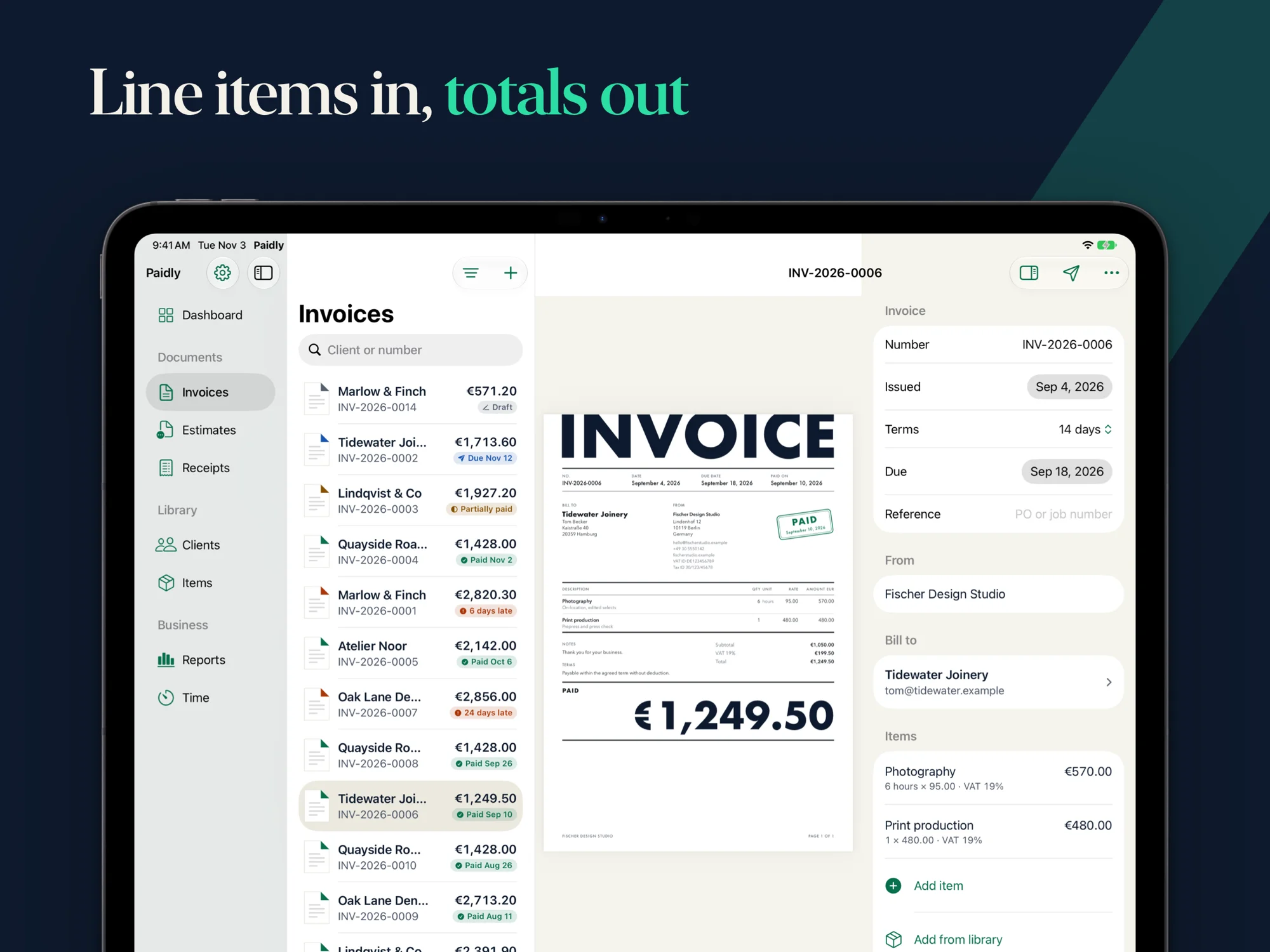
Pick a client and add lines by hand, from your Items library or from tracked time. Quantities, units, discounts, one or several tax rates, shipping and deposits add up on the live sheet as you type.
Send it as a PDF
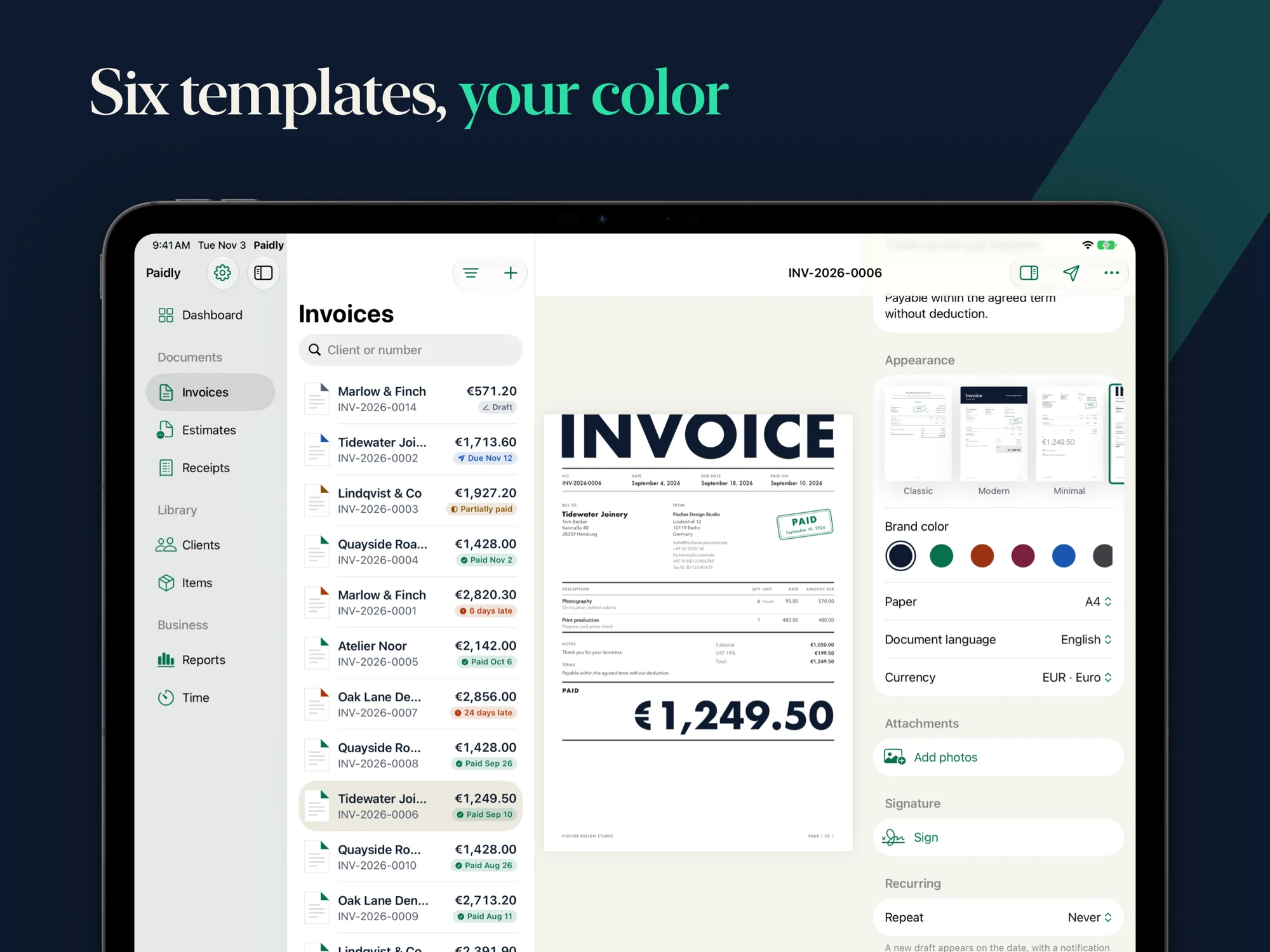
Choose a template and your brand color, then send through Mail, Messages or AirDrop. With an IBAN, a euro invoice gets a SEPA QR code; francs get a Swiss QR-bill, reais a PIX code and rupees a UPI code.
See who still owes you
The first screen shows what is outstanding and overdue. Record a part payment or mark the invoice paid, and the PAID stamp lands on the sheet. From a paid invoice you can create the receipt.
On the iPad
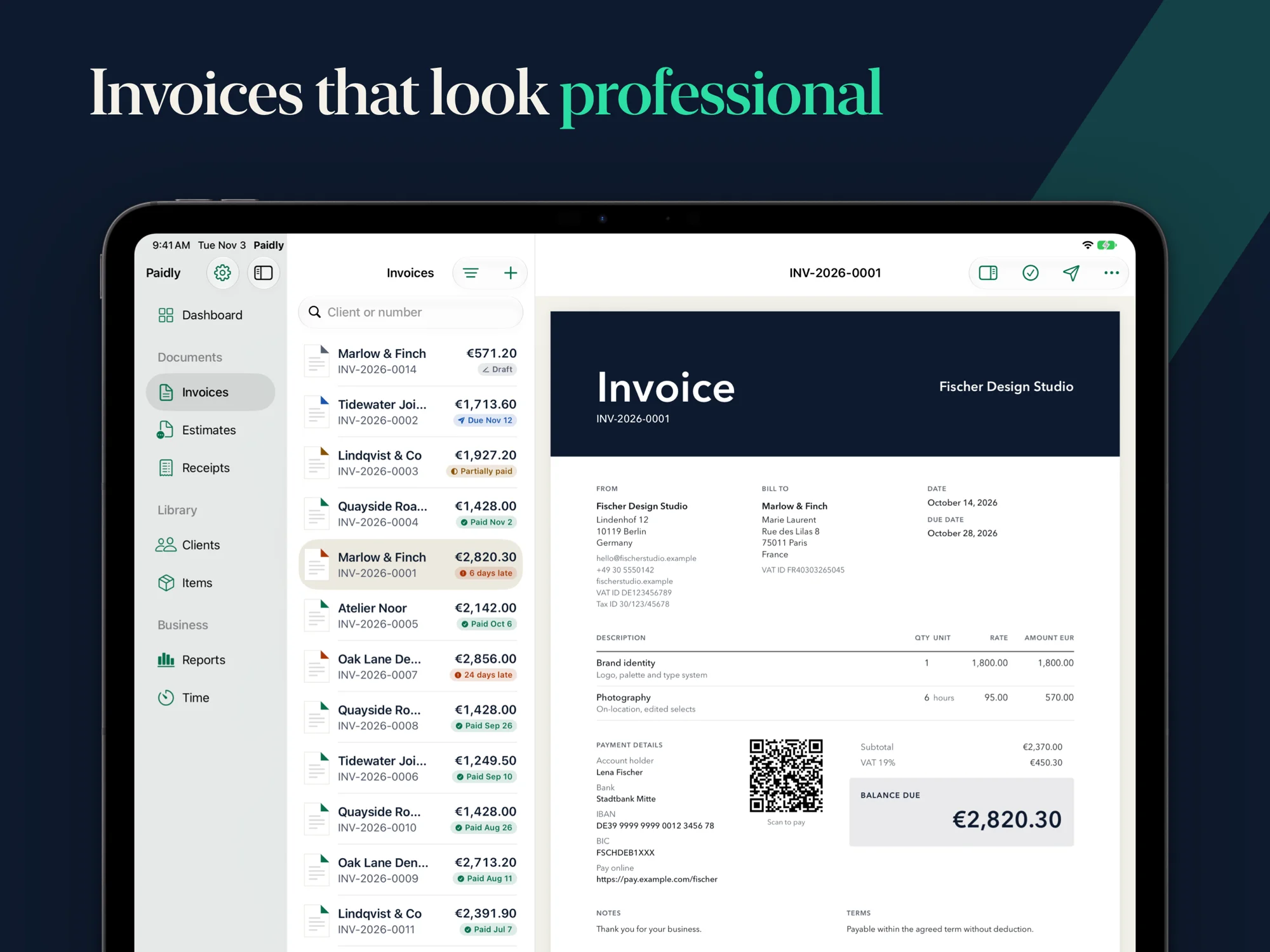
The same app with room to spread out.
What it does
- Invoices, estimates and receipts in six typographic templates, with your logo and color
- Traceable totals: discounts, several tax rates, shipping, deposits and part payments
- Your own payment link and bank details, plus SEPA, Swiss QR-bill, PIX and UPI codes drawn on the device
- Outstanding and overdue amounts on the first screen, with payments recorded as they arrive
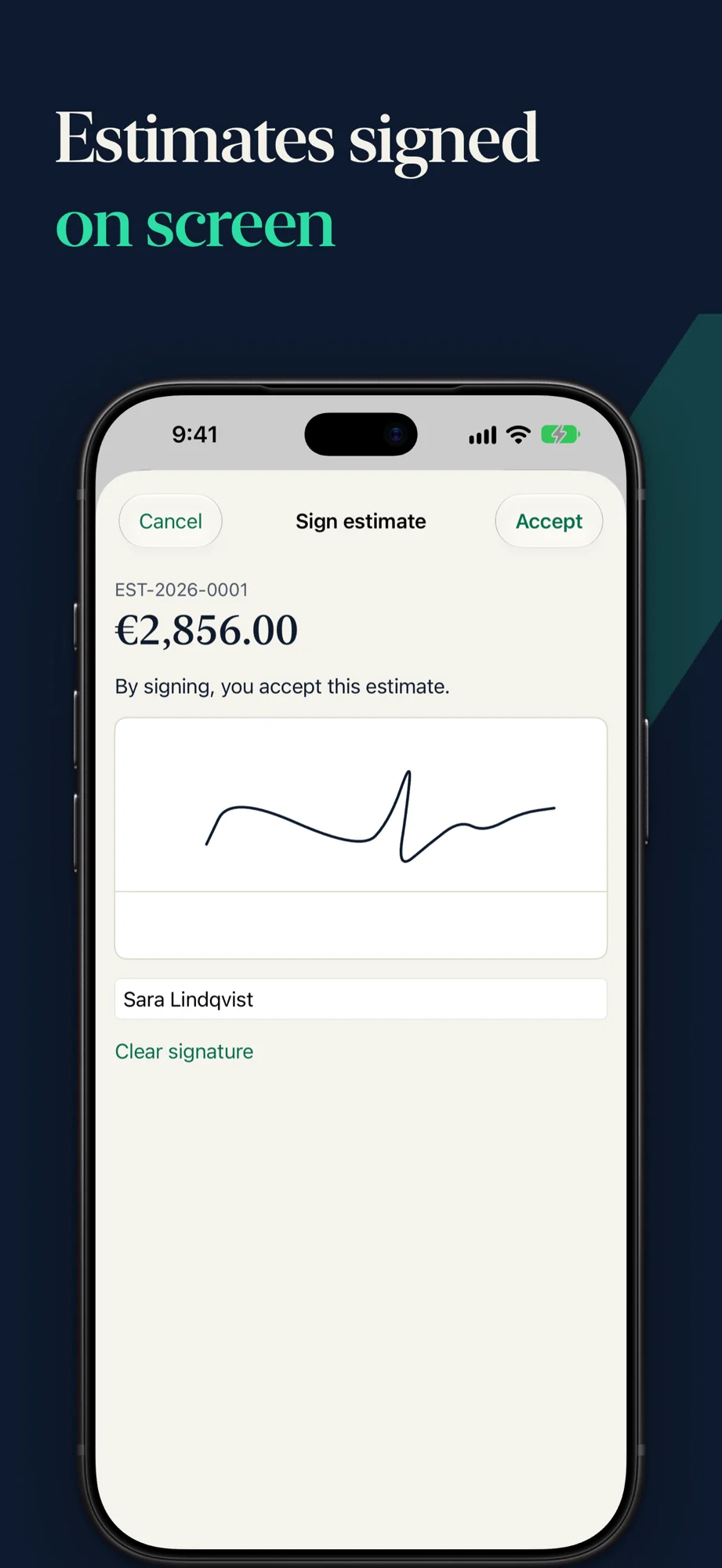
- Estimates signed on your screen and turned into an invoice with one tap
- Recurring invoices that appear as drafts on their date, ready for you to check
- A real Mac app with a menu bar timer that turns tracked hours into invoice lines
- iPad editor beside the live sheet, and widgets that show what you are owed
- No account: your data stays on your devices and in your own iCloud, and everything works offline
Start with the client and the work. Paidly does the arithmetic with every total traceable: quantities and units, discounts per line or on the whole document, one or several tax rates, prices with or without tax, shipping, deposits and part payments. Choose from six typographic templates, add your logo and color, and watch the sheet update as you type.
Getting paid stays between you and your client. Print your bank details and your own payment link, and let Paidly draw a payment QR code on the device: SEPA for euro invoices, Swiss QR-bill, PIX and UPI. Send through Mail, Messages or AirDrop, mark what was sent, and record payments as they arrive. The first screen always shows what is outstanding and overdue.
Estimates can be signed on your screen and turned into an invoice with one tap, with an optional deposit invoice. Recurring invoices appear as drafts on their date, ready for you to check.
Paidly is a real Mac app too, with a three-column window, keyboard shortcuts, multiple windows and a menu bar timer that turns tracked hours into invoice lines. On iPad, the editor sits beside the live sheet. Widgets show what you are owed at a glance.
There is no account. Your data stays on your devices and in your own iCloud, and everything works offline. Export a backup or a CSV for your accountant at any time.
Drafts are unlimited, and you can send three documents a month using two templates. Paidly Pro, an in-app purchase, adds unlimited sending, all six templates, signed estimates and conversion, payment QR codes, recurring invoices, reminders, reports and time tracking.
Paidly helps you create and manage invoices. It does not process payments and does not provide tax or legal advice.
Who it is for
Contractors and trades
Write the estimate on site, let the client sign it on your screen, and turn it into an invoice with one tap. The Trades template and a PO or job number field are made for that work.
Freelancers who work on a Mac
Start the menu bar timer when you start work and turn the tracked hours into invoice lines. The Mac window has three columns, keyboard shortcuts and as many windows as you need.
Businesses with clients abroad
Give each client a currency and a document language: English, German, French, Spanish, Italian, Dutch, Portuguese or Turkish. The payment QR code follows the currency.
Free in your browser
Try the idea first, no install needed.
Guides and resources
More on paidly.cihat.dev, the Paidly website.
Questions
Does Paidly take the payment?
No. Your client pays you directly, through your bank or your own payment link. Paidly prints your bank details and your link on the document, and draws SEPA, Swiss QR-bill, PIX and UPI codes on the device. It does not process payments and does not give tax or legal advice.
Can it do estimates, deposits and recurring invoices?
Yes. A client can sign an estimate on your screen, and one tap turns it into an invoice; a 30% deposit invoice is a second option. Recurring invoices repeat every week, month, three months or year and appear as drafts on their date, so you check each one before it goes out.
What is free, and what does Paidly Pro add?
Drafts are unlimited, and you can send three documents a month with the Classic and Modern templates; free documents carry a “Made with Paidly” footer. Paidly Pro adds unlimited sending without the footer, all six templates, signed estimates and conversion, payment QR codes, recurring invoices, reminders, reports and time tracking, as a monthly plan, a yearly plan with a one-week free trial, or a one-time lifetime purchase. Documents you already made always open, edit and export.
Is there a real Mac app?
Yes: a three-column window, keyboard shortcuts, multiple windows and a menu bar timer that turns tracked hours into invoice lines. On iPad the editor sits beside the live sheet, and widgets show what you are owed. Paidly needs iOS or iPadOS 17 or later, and macOS 15 or later on Mac.
Do I need an account?
No. Your documents, clients and items stay on your devices and in your private iCloud database, which the developer cannot see. Paidly works offline, and Settings exports a backup or a CSV of your documents for your accountant at any time.
Related apps
More from home, car and work.


Paidly on the App Store
Contractor Estimate Templates.