 Utilities
iOS
Stirwise: Wrist & Light Alarm
Stirwise starts your morning on your wrist. Before your wake time, your Apple Watch taps you as you begin to stir, so the person beside you sleeps on. Lights from the Home app brighten slowly like a sunrise. The alarm sound comes last.

On the iPhone
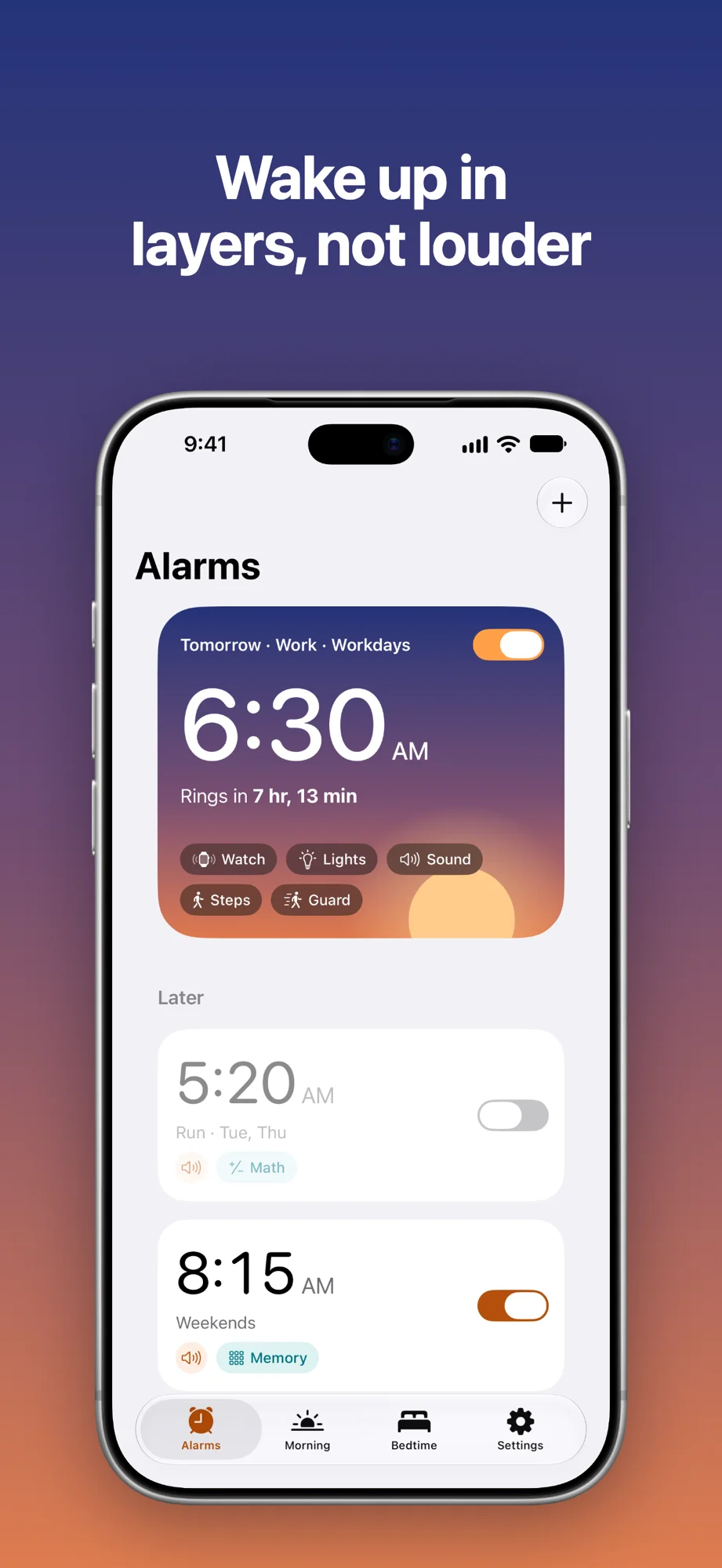
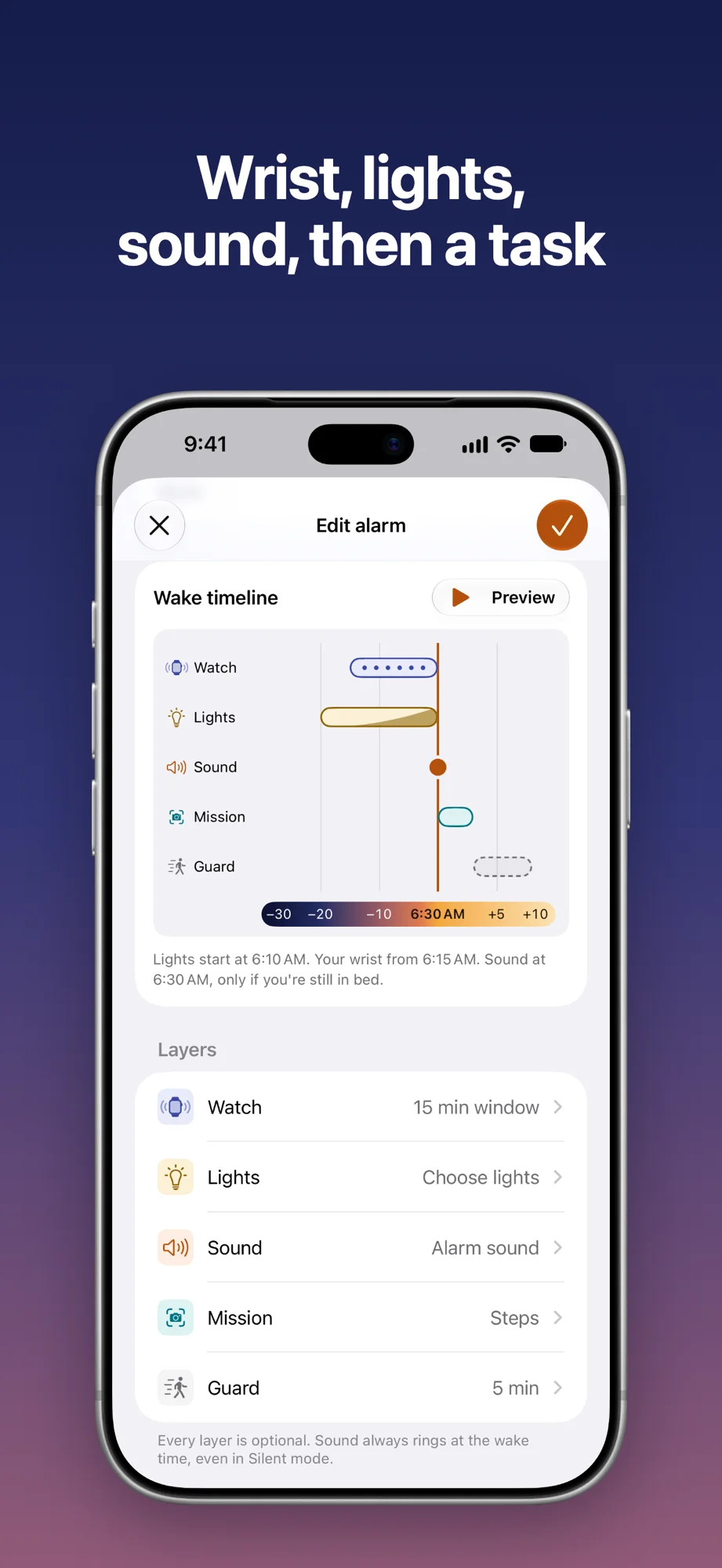
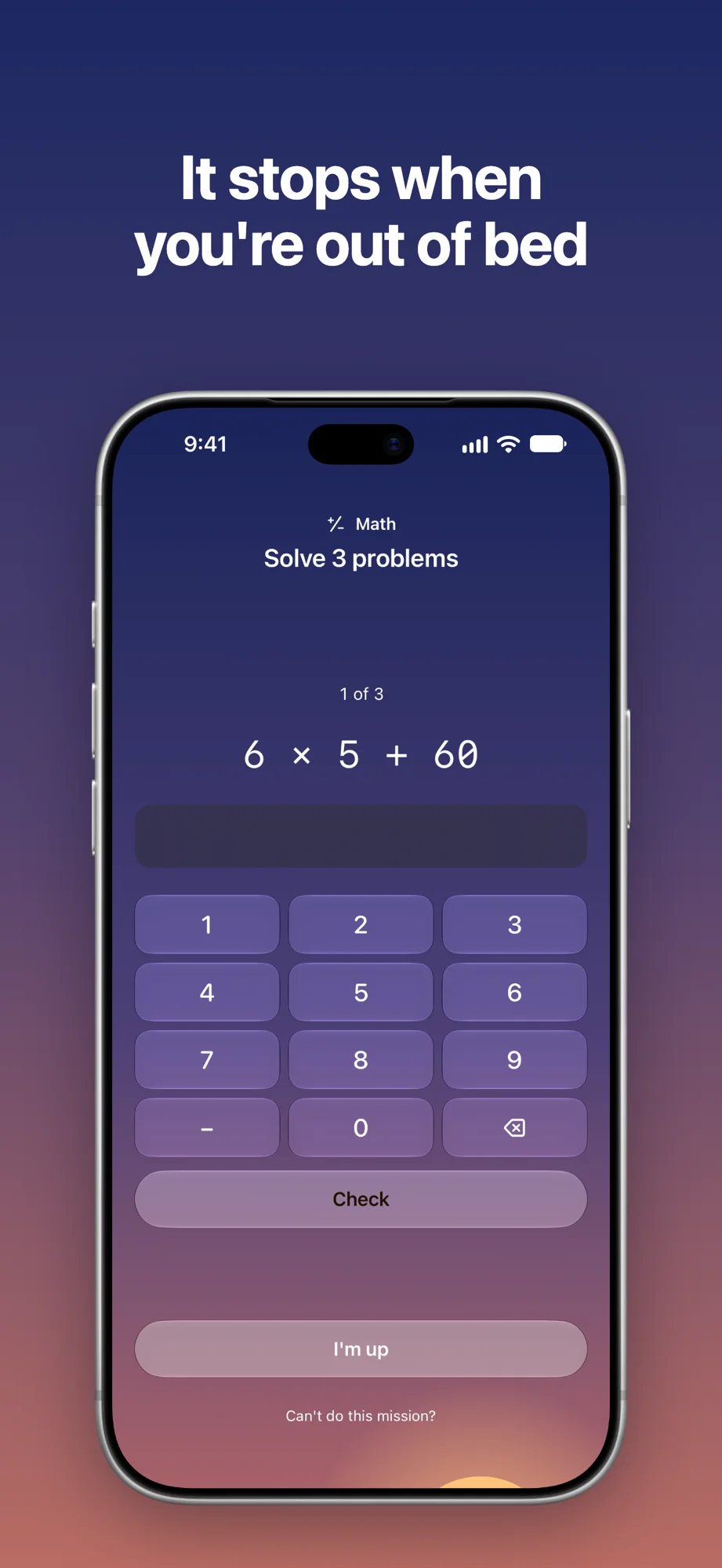
Screens from the current version on the App Store.
Stirwise at a glance
Watch taps before any sound.
- Five wake layers on one timeline: Watch, Lights, Sound, Mission and Guard
- Apple Watch taps your wrist as you stir, before any sound wakes the person next to you
- Lights from the Home app rise like a sunrise over 10 to 30 minutes
- Six missions: math, Photo Spot, barcode, steps, memory and typing back last night's line
How it works
Stirwise, from first tap to finished.
Set your wake time
Create an alarm and choose when you want to be up. The card takes the color of the sky at that hour: a 5:00 alarm is navy with stars, a 7:30 alarm pale morning blue.
Stack the layers
Turn on Watch taps, Lights and Sound on one timeline, each with its own window of 10 to 30 minutes before wake time. Press Preview to feel the order before tonight.
Pick what turns the sound off
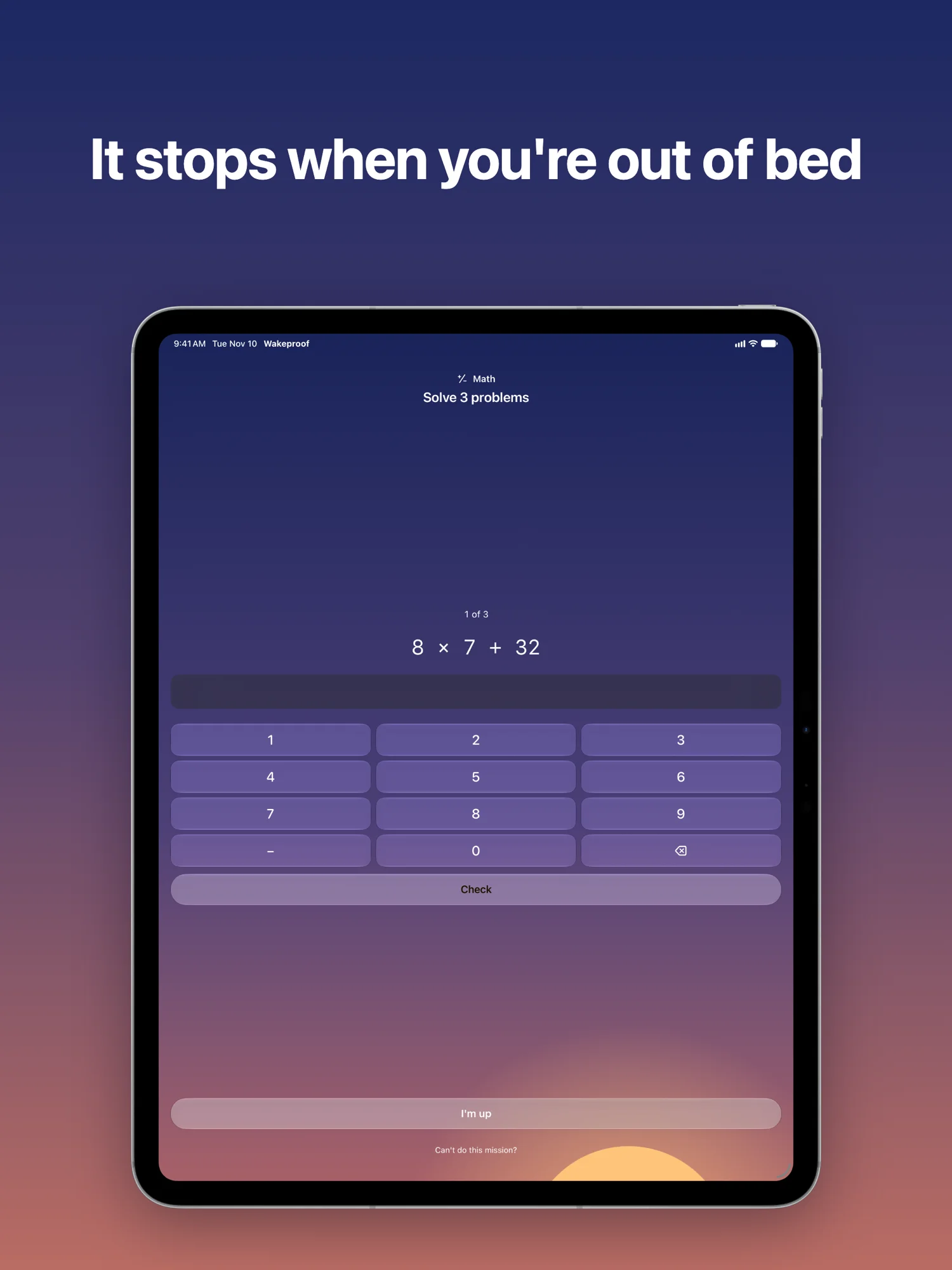
Choose a mission away from bed: math, a photo of a spot you chose, a barcode in another room, steps, a memory grid or a line you wrote the night before.
Get up, and stay up
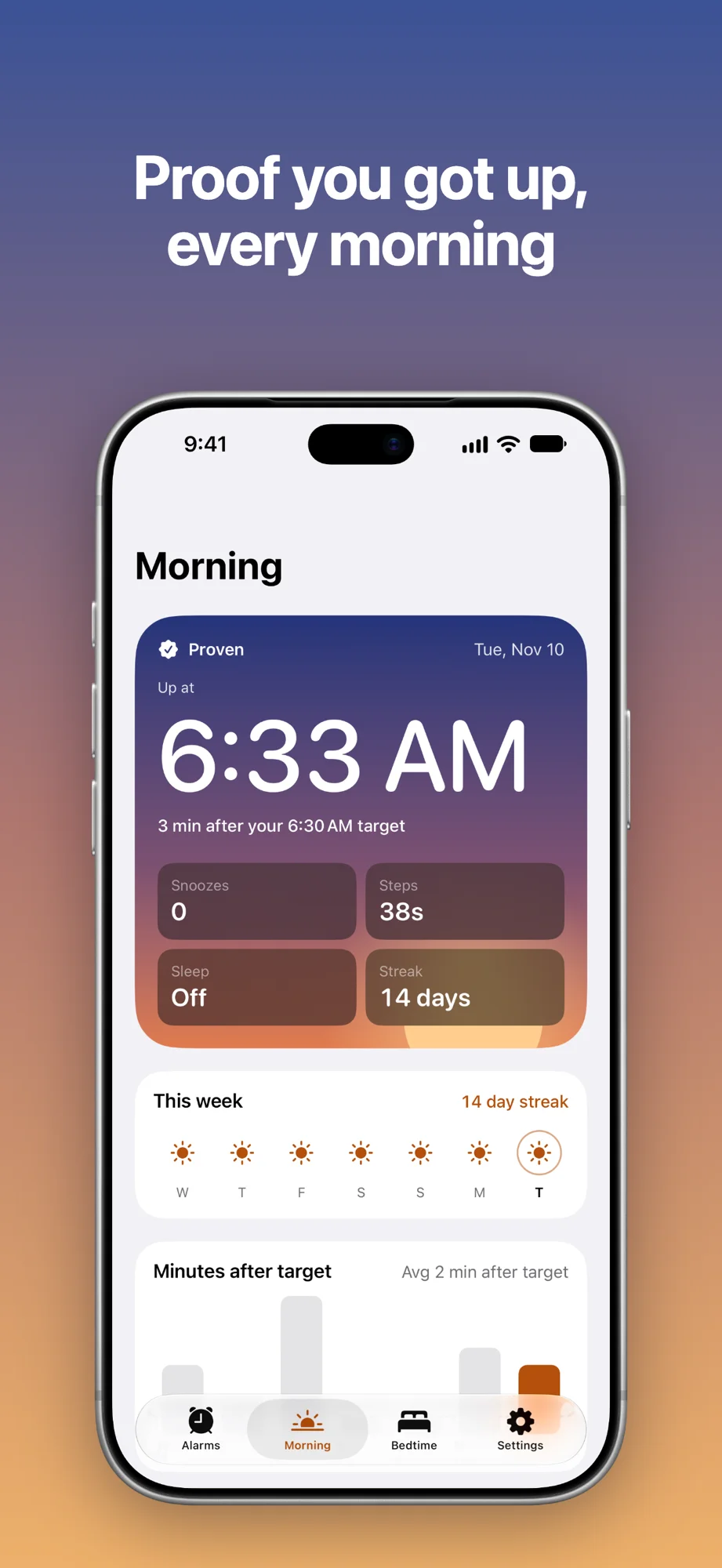
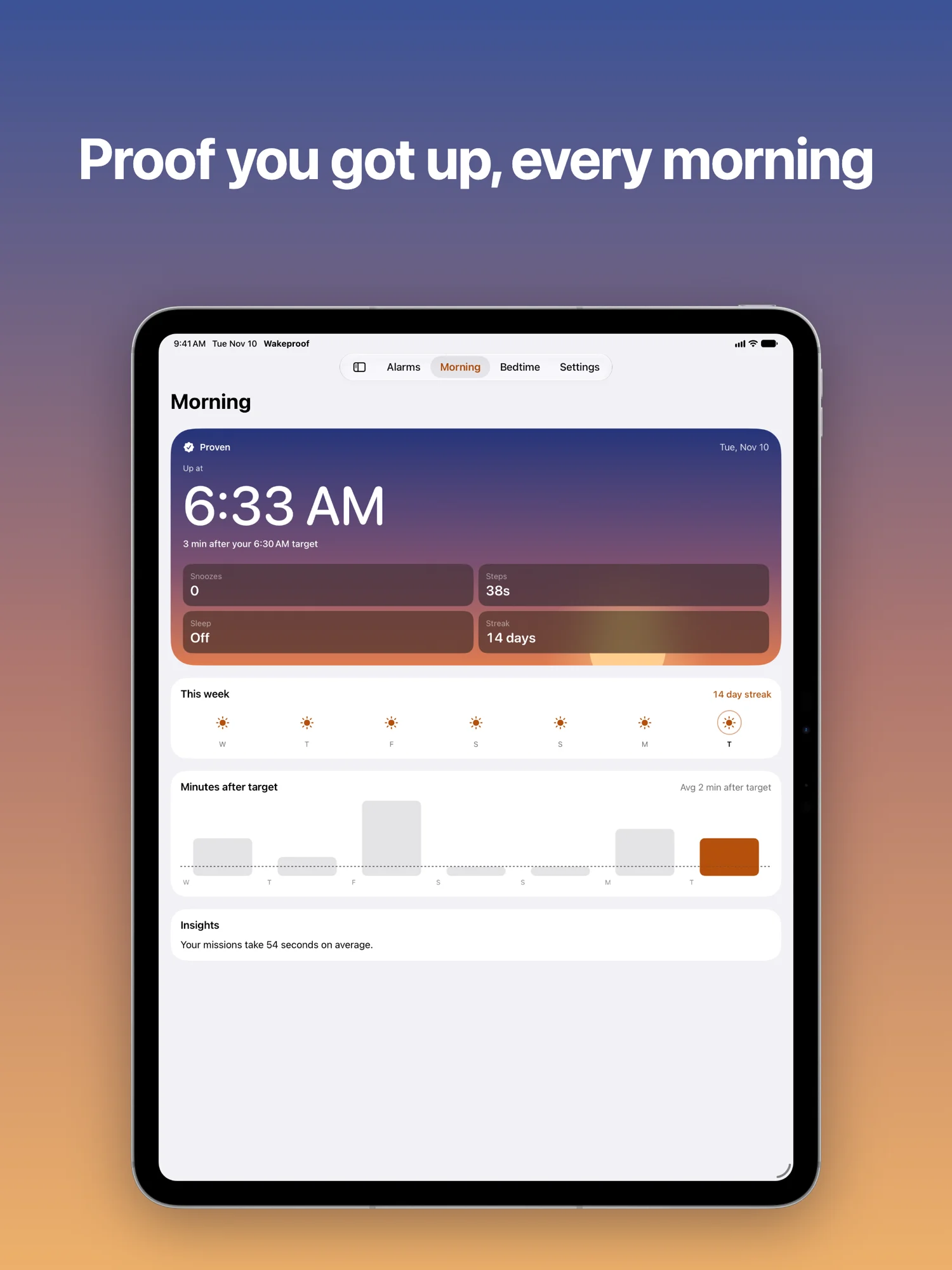
A few minutes after the mission, Guard checks that you have walked 25 steps and rings again if you have not. Your Morning page then shows when you got up, your snoozes, your sleep from Health and your streak.
On the iPad
The same app with room to spread out.
What it does
- Five wake layers on one timeline: Watch, Lights, Sound, Mission and Guard
- Apple Watch taps your wrist as you stir, before any sound wakes the person next to you
- Lights from the Home app rise like a sunrise over 10 to 30 minutes
- Six missions: math, Photo Spot, barcode, steps, memory and typing back last night's line
- Guard rings again if you have not walked 25 steps a few minutes after the mission
- Snooze rules, and an escape that takes a 10-second hold and leaves a trace on your Morning page
- Morning receipt with wake time, snoozes, sleep from Health and your streak
- Bedtime plan, naps, holiday skipping, widgets, a Live Activity and Siri, with no account
The wake timeline
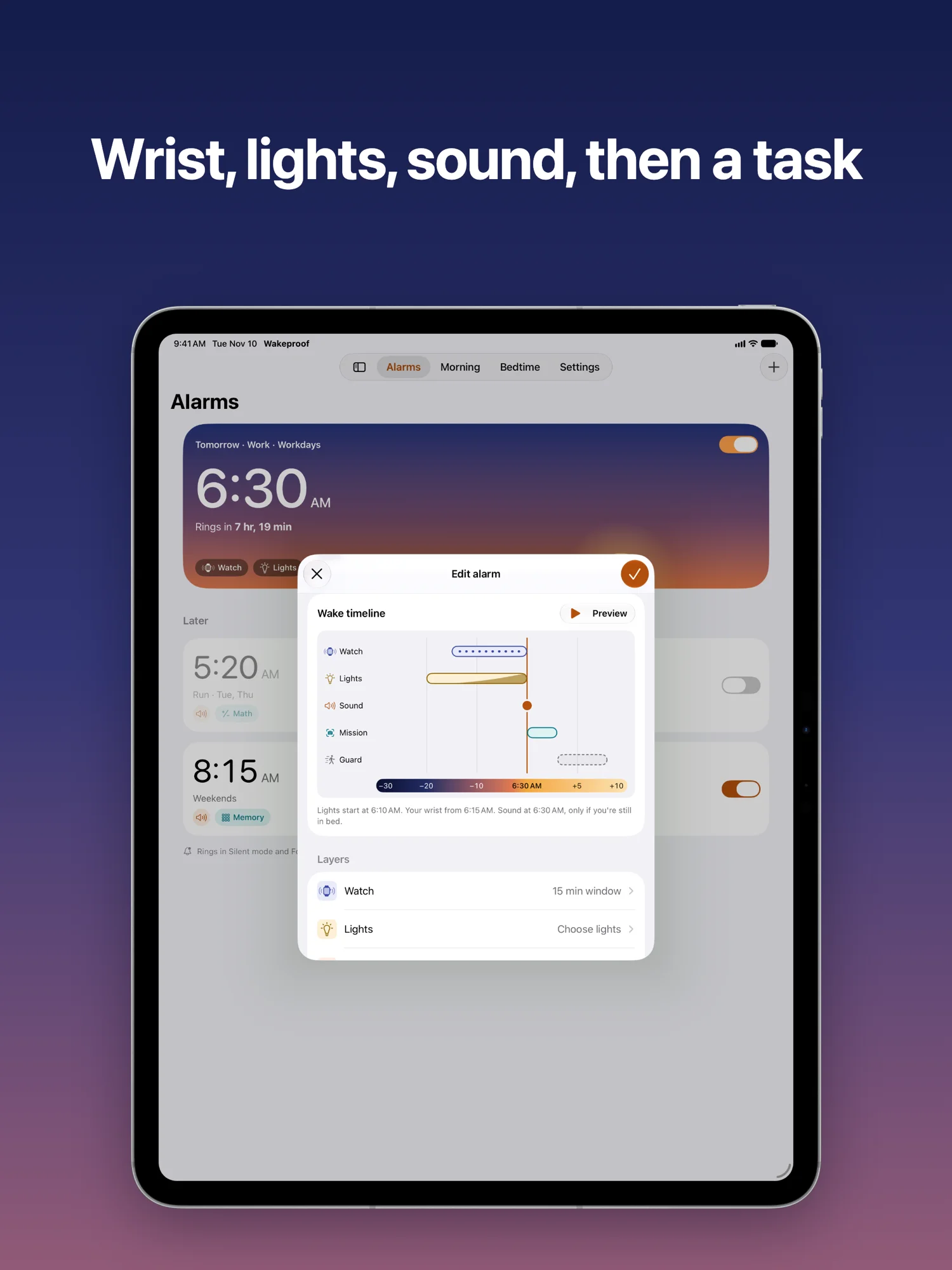
Every alarm is one timeline with five layers set against your wake time. Tap a layer to turn it on and set its window, then press Preview to feel the order before tonight.
- Watch: gentle, steady or insistent taps in a 10 to 30 minute window before wake time, when you start to stir.
- Lights: the lights you choose rise over 10 to 30 minutes, with an optional wake scene. With a home hub the sunrise runs while your iPhone is locked.
- Sound: the alarm itself. On iOS 26.1 and later it rings in Silent mode and Focus.
- Mission: one short task away from bed turns the sound off: math, a photo of a spot you chose, a barcode in another room, steps, a memory grid, or a line you wrote the night before.
- Guard: a few minutes after the mission, Stirwise checks that you have walked 25 steps. If you haven't, it rings again.
Each alarm wears its hour
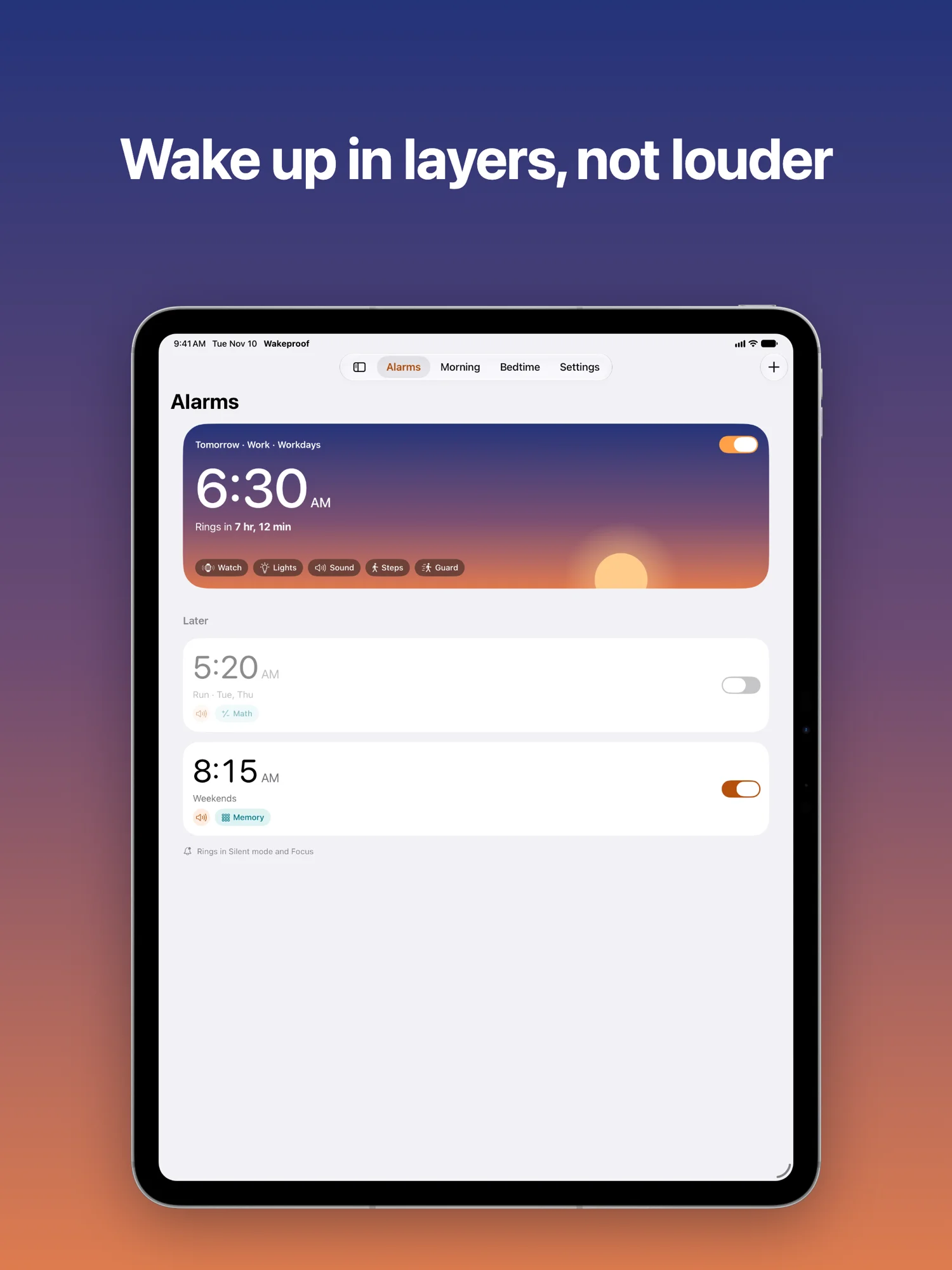
Alarm cards and the Morning page take the color of the sky at their time: a 5:00 alarm is navy with stars, a 7:30 alarm is pale morning blue.
Snoozing with rules
Choose up to three snoozes, the length of the first one, and whether each one gets shorter. With a mission on, snooze is offered only after you finish it.
A way out that leaves a trace
If you really can't finish a mission, hold the escape button for 10 seconds and type your phrase. The alarm stops, and the escape shows on your Morning page.
Morning and bedtime
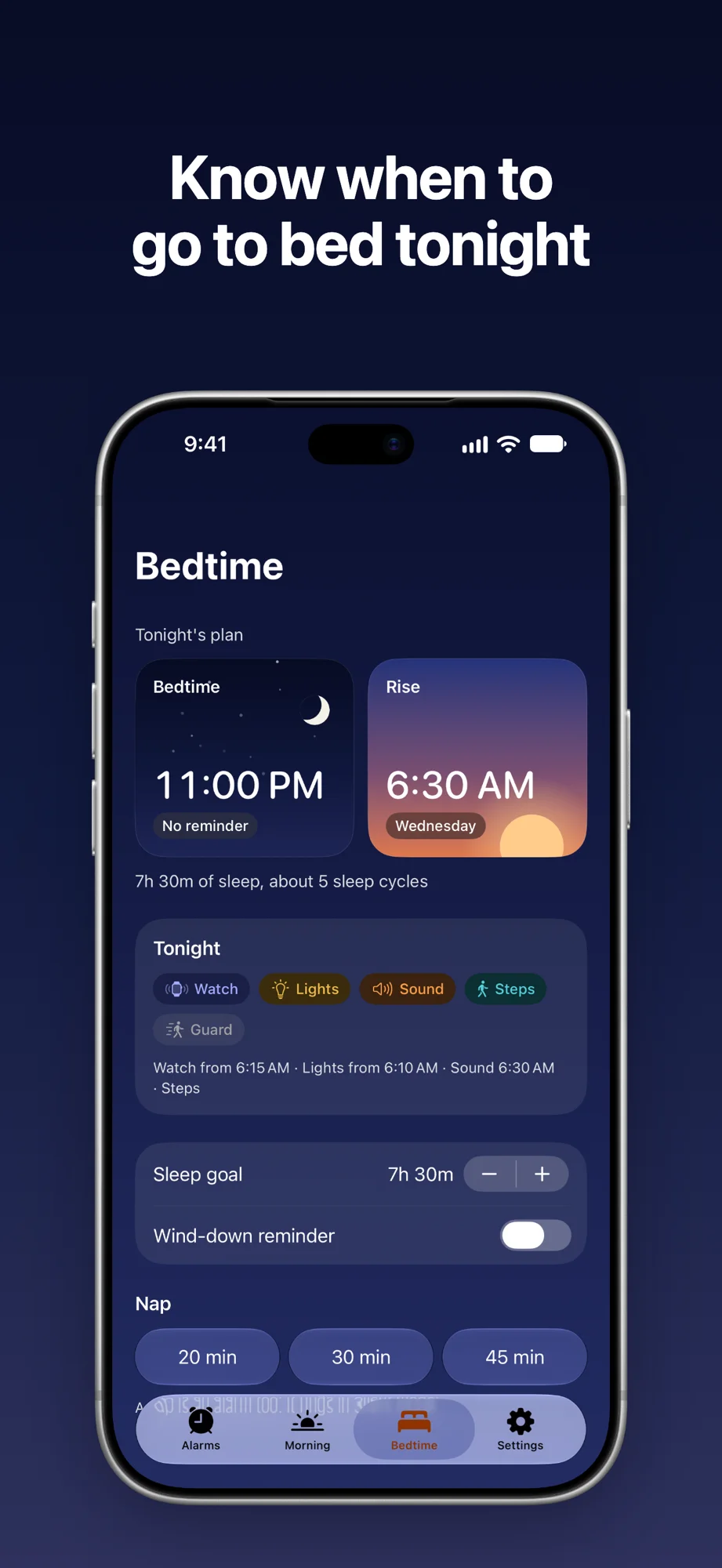
After each alarm you get a receipt: when you got up against your target, your snoozes, how long you slept from the Health app, and your streak. Bedtime works back from your next alarm and a sleep goal, with an optional wind-down reminder. Naps start from the Bedtime tab, Control Center or Siri.
Also in stirwise
- Skip holidays with a holiday calendar on your iPhone, or skip only the next alarm
- Next alarm widget for the Home Screen and Lock Screen, and a Live Activity while an alarm counts down
- Siri and Shortcuts to set a wake-up, skip the next alarm or start a nap
There is no account. Your alarms and mornings stay on your iPhone.
Stirwise Pro adds the Watch, Lights and Guard layers, the five missions beyond Math, snooze rules and Morning insights. The Math mission, sound, escape, Morning, Bedtime, naps, holidays and widgets work without it.
Who it is for
People who share a bed
Your Apple Watch taps your wrist first and the sound comes last, so the person beside you can sleep on.
Heavy sleepers and snoozers
A mission away from bed, up to three snoozes on your own rules and a Guard that rings again make it hard to drift back.
Anyone who wakes before the sun
Lights from the Home app rise like a sunrise over 10 to 30 minutes, so a dark winter morning does not start with a sudden noise.
Questions
Will Stirwise wake the person next to me?
It is built not to. Your Apple Watch taps your wrist in a 10 to 30 minute window before wake time, when you start to stir. Lights from the Home app rise next, and the alarm sound comes last.
Do I need an Apple Watch or smart lights?
No. The sound and the missions work on iPhone alone. The Watch layer needs a paired Apple Watch, and the Lights layer needs lights in the Home app; with a home hub, the sunrise runs while your iPhone is locked. Stirwise also runs on iPad, where the Watch layer is hidden and Guard is skipped, because most iPads cannot count steps.
Does the alarm ring in Silent mode or Focus?
On iOS 26.1 and later, yes: the alarm rings in Silent mode and while a Focus is on.
How does Stirwise make sure I am really up?
One short mission away from bed turns the sound off, and with a mission on, snooze is offered only after you finish it. A few minutes later Guard checks that you have walked 25 steps and rings again if you have not. If you really cannot finish a mission, hold the escape button for 10 seconds and type your phrase; the escape shows on your Morning page.
What is free, and what does Stirwise Pro add?
The Math mission, sound, escape, Morning, Bedtime, naps, holiday skipping and widgets are free. Stirwise Pro adds the Watch, Lights and Guard layers, the five missions beyond Math, snooze rules and Morning insights, as a monthly plan, a yearly plan with a one-week free trial, or a one-time lifetime purchase.
Do I need an account?
No. There is no sign-up, and your alarms and mornings stay on your iPhone. Sleep time is read from the Health app on the same phone.
Related apps
More from home, car and work.

Stirwise on the App Store
Watch taps before any sound.